
Written by Tamara
Edited on
10 May 2023
·
14:31
What to do if your Sonos speaker stutters
You have 1 or more Sonos speakers at home. That's great. There's just one problem. Your speaker stutters. If your speaker stutters, it often has to do with your WiFi network. In this article, I'll explain some solutions to solve the interruption of your speaker sound.
Option 1: check your WiFi network
The Sonos speaker system doesn't work via a 5GHz network. Make sure your WiFi is set up to the 2.4GHz network before you set up your Sonos product.

Option 2: check the coverage of your internet connection
The Sonos system works on your WiFi network. Do you have WiFi coverage throughout your home? In that case, the Sonos system will also work in your entire home. Do you only have coverage downstairs? The Sonos system will only work downstairs as well. This might be the reason your Sonos speaker can't play the music without interruptions. You can check your WiFi network with a speed test. Perform this test by measuring the speed of the WiFi with your phone in different locations in the house. A good WiFi speed is somewhere between 80 and 100Mbit/s.
If you want to increase the range of your Sonos system, you can also choose to use a Sonos Boost.

Option 3: does your WiFi work outside as well?
Do you want to play music outside, but does your Sonos speaker stutter? Check if the range of your WiFi network also covers the area outside your home. Is this not the case? Use a WiFi amplifier so you can still stream music outside. Make sure your Sonos speaker is waterproof or take it inside when it starts to rain.

Option 4: give WiFi amplifiers a different name
Do you have an amplifier in other places in the house in addition to the main modem? Check whether these amplifiers have a different name. If there are 2 WiFi networks with the same name in the house, this can cause problems for the Sonos system.

Option 5: replace your Ethernet cable
Is your Sonos connected to your home network via an Ethernet cable? That's useful if your WiFi network doesn't cover all of the rooms in your home. If this cable is a bit outdated, it can cause a delay in your WiFi signal and make your music skip.

Option 6: check if you're using the right speaker
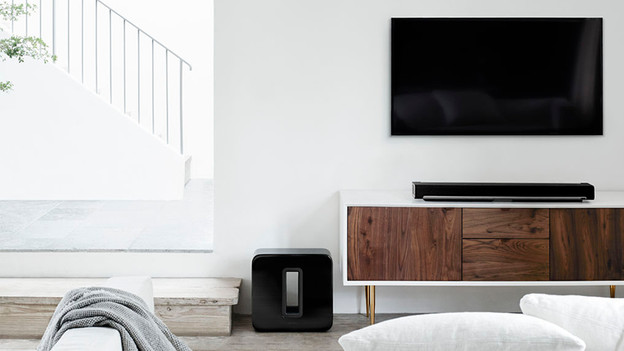
Do you want to play sound from your television through Sonos speakers and does the sound stutter? The Sonos Playbar, Playbase, and Beam are the speakers that you can use to play sound from your television. The other speakers are suitable for playing music via the speakers themselves or via control with your smartphone.
Option 7: reset the speaker
If the speaker still stutters after you've worked your way through the steps above, you can reset the speaker. Not every Sonos speaker is reset the same way. We'll explain step by step how to reset your Sonos speaker.
Conclusion
That's it. These are the first steps you can take to make your Sonos speaker stop stuttering. Your internet connection is very important if you want your Sonos system to work well. That's why you should always check it carefully and choose a Sonos Boost or WiFi extender to improve your internet connection if necessary.
Article by Tamara
Audio Expert.
