
Written by Kayleigh
Edited on
21 March 2025
·
16:32
Cricut Maker 3 vs Cricut Explore 3 vs Cricut Joy
There are 3 Cricut cutting machine models. Make small designs like stickers and postcards with the Cricut Joy. With the Explore 3 and Maker 3, you can make up to designs of up to 3.6m long and 33cm wide. With the Maker 3, you can cut most materials and engrave jewelry. We'll talk about the most important differences between the Cricut cutting machines here.
Cricut Maker 3 vs Cricut Explore 3 vs Cricut Joy
- Cricut Maker 3
Use up to 300 materials for your designs.
13 tools for cutting, folding, engraving, and more.
Cuts 2 times faster than its predecessor.
The higher speed only works with smart materials.
From
529,-
- Cricut Explore 3
Use up to 100 materials for your designs.
6 tools for cutting, writing, folding, and more.
Cuts 2 times faster than its predecessor.
You can't engrave and can't make double folds or tear lines.
The higher speed only works with smart materials.
From
345,-
- Cricut Joy
Compact size.
Work with special mats to make projects for cards.
3 tools for cutting, writing, and transferring foil.
You can use up to 50 materials.
Get a cutting machine with more tools if you want even more options.
From
140,-


Comparison Cricut Maker 3, Explore 3, and Joy
| Maker 3 | Explore 3 | Joy | |
|---|---|---|---|
| Number of supported materials | 300 | 100 | 50 |
| Number of accessories | 13 | ||
| Maximum cutting length | 360cm | 360cm | 120cm |
| Maximum width of material | 33cm | 33cm | 13.9cm |
| Portable (mobile use) | No | No | Yes |
| Connection type | Wired, wirelessly | Wired, wirelessly | Wireless |
Functions

Maker 3: 13 tools and sturdy materials
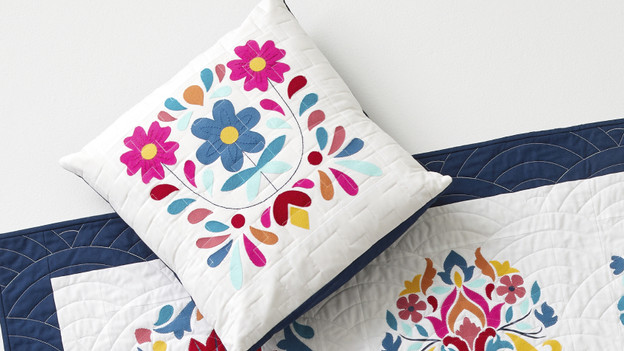
With the Cricut Maker 3, you can make the most beautiful creations with the 13 tools. In addition to cutting and writing, you can also engrave with this cutting machine. The debossing tool allows you to make an imprint on your material. You can create a tear-off edge in your card or cardboard with the wavy blade. The Maker 3 supports up to 300 materials. In addition to paper, cardboard, and vinyl, the maker 3 also cuts thin wood. You can also use the Cricut Smart Materials, which you don't need a cutting mat for.
Explore 3: 6 tools and sturdy materials
With the Cricut Explore 3, you can use 3 extra tools in addition, to the 3 standard tools. Use the scoring pen to add a crease line. This way, you can easily make a gift box or card. With the Explore 3, you can use up to 100 materials. Thanks to the deep-point blade of the Cricut, you can easily cut thicker materials like foam board, thick cardboard, and leather. You can use the Brayer tool to make designs in fabric. Do you use the Smart Materials of the Cricut? You won't need a cutting mat for your design.
Joy: 3 tools and thin materials
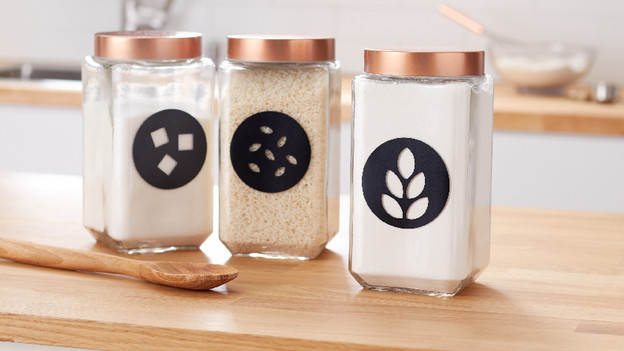
The Cricut Joy has the standard 3 tools. With the Cricut Joy blade, you can cut your design. You can decorate your design with the foil tool. Want to write a fun text on a card? No problem. With the pens and markers, the Cricut Joy also writes your texts. You can cut your design out of 50 different thin materials like paper, vinyl, iron-on, or infusible ink paper. With the Cricut Joy Smart Materials, you don't need a cutting mat.
Design

Maker 3: large size and large designs
The Cricut Maker 3 is 16x57x18cm and weighs 6.8kg. You can store the cutting machine on your hobby table. With the Maker, you can make large creations of 360cm long and 33cm wide. You can make a large wall decoration, for example. Your phone or tablet stands firmly in the built-in stand. With the separately available Cricut Roll Holder for Smart Materials, you can attach up to 22.8m Smart Material rolls to your Cricut cutting machine. So you can easily make long designs.

Explore 3: large size and large designs
The 24x61x24cm Cricut Explore has a large size. You can make large 360cm long and 33cm wide designs. The Explore weighs 7.3kg, so it's not easy to move. You can place your tablet or phone in the built-in stand. You can easily make long designs thanks to the separately available Cricut Roll Holder for Smart Materials. You can attach up to 22.8m of Smart Material rolls to your cutting machine.

Joy: compact size, small designs
With a dimension of 13.9x21.4x10.8cm and a weight of less than 2kg, you can easily take the Cricut Joy anywhere with you. This makes it easy to store as well. With the Joy, you can make smaller 120cm long and 11.5cm wide designs. Stickers, labels, cards, and small prints for your cap or shirt, for example. The Cricut Joy doesn't have an input for a USB cable. You can control the Joy wirelessly.
Conclusion
You can easily take the Cricut Joy on the go thanks to its compact size. This model is useful for making cards and stickers. With the Explore 3, you can use up to 100 materials and 6 tools. You can also make larger and longer designs with it. And with the Maker 3, you can use the most tools and materials. Want all of the options of the Explore 3, but also want to cut wood and engrave? Choose the Maker 3.
Article by Kayleigh
Cutting Machine Expert.
