Compare


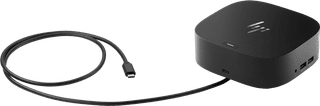
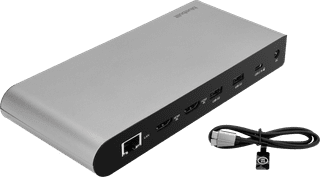
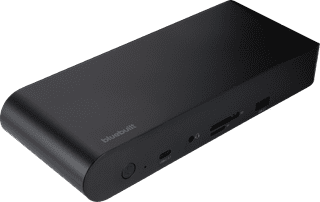
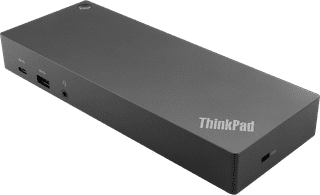
Our choice for a docking station for up to 2 extra monitors with your Windows laptop
Our choice for a docking station for up to 2 extra monitors with your MacBook
160,-
165,-
153,-
185,-
175,-
Product
- Processing of your defect
- Via Coolblue
- Via Coolblue
- Via Coolblue
- Via Coolblue
- Via Coolblue
Suitable for laptop type
- Made for laptop models
- Apple MacBook, Chromebook, Microsoft Surface, Windows laptop
- Chromebook, Microsoft Surface, Windows laptop
- Apple MacBook, Chromebook, Microsoft Surface, Windows laptop
- Apple MacBook, Chromebook, Microsoft Surface, Windows laptop
- Apple MacBook, Chromebook, Microsoft Surface, Windows laptop
Ports of docking statio
- Laptop docking station suitable for
- Connect 1 monitor, Connect 2 monitors and MacBook, Connect 2 monitors and a Chromebook, Connect 2 monitors and a Windows laptop
- Connect 1 monitor, Connect 2 monitors and a Chromebook, Connect 2 monitors and a Windows laptop
- Connect 1 monitor, Connect 2 monitors and MacBook, Connect 2 monitors and a Chromebook, Connect 2 monitors and a Windows laptop
- Connect 1 monitor, Connect 2 monitors and MacBook, Connect 2 monitors and a Chromebook, Connect 2 monitors and a Windows laptop
- Connect 1 monitor, Connect 2 monitors and MacBook, Connect 2 monitors and a Windows laptop
- Extra functionalities docking station
- Charge laptop via docking station, Charge laptop via own charger, Charge phone via docking station, Connect headphones, Connect wired network
- Charge laptop via docking station, Charge laptop via own charger, Charge phone via docking station, Connect headphones, Connect wired network
- Charge laptop via docking station, Charge laptop via own charger, Charge phone via docking station, Connect headphones, Connect wired network
- Charge laptop via docking station, Charge laptop via own charger, Charge phone via docking station, Connect headphones, Connect wired network
- Charge laptop via docking station, Charge phone via docking station, Connect headphones, Connect wired network
- Supported video technology on Docking Station
- DisplayLink, MST, SST
- MST
- DisplayLink, MST, SST
- DisplayLink, MST, SST
- DisplayLink
- USB function
- Charge, Charging an external device, Data transfer, Device connection, Play media, Power source, Record audio
- Charge, Charging an external device, Data transfer, Device connection, Play media, Power source
- Charge, Charging an external device, Data transfer, Device connection, Play media, Power source, Record audio
- Charge, Charging an external device, Data transfer, Device connection, Play media, Power source, Record audio
- Charging an external device, Data transfer, Device connection
- Type of USB port
- Standard USB-A, USB-C
- Standard USB-A, USB-C
- Standard USB-A, USB-C
- Standard USB-A, USB-C
- Standard USB-A, USB-C
- Protocol Female USB-C port
- USB, USB electricity
- USB electricity
- USB, USB electricity
- USB, USB electricity
- DisplayPort Alternative Mode, USB
- Total available video outputs
- 2x HDMI
- 1x HDMI, 2x DisplayPort
- 2x HDMI
- 2x DisplayPort, 2x HDMI
- 2x HDMI
- Ethernet speed
- Gigabit Ethernet (1000Mbps)
- Gigabit Ethernet (1000Mbps)
- Gigabit Ethernet (1000Mbps)
- Gigabit Ethernet (1000Mbps)
- Gigabit Ethernet (1000Mbps)
- Type of DisplayPort connector
- standard DisplayPort
- standard DisplayPort
- standard DisplayPort
- Type of headphone connection
- 3.5mm (TRRS)
- 3.5mm (TRS)
- 3.5mm (TRRS)
- 3.5mm (TRRS)
- 3.5mm (TS)
- Maximum image resolution 1 monitor
- 4K (3840x2160)
- 4K (3840x2160)
- 4K (3840x2160)
- 4K (3840x2160)
- 5K (5120x2880)
- Maximum image resolution 2 monitors
- 4K (3840x2160)
- 4K (3840x2160)
- 4K (3840x2160)
- 4K (3840x2160)
- 4K (3840x2160)