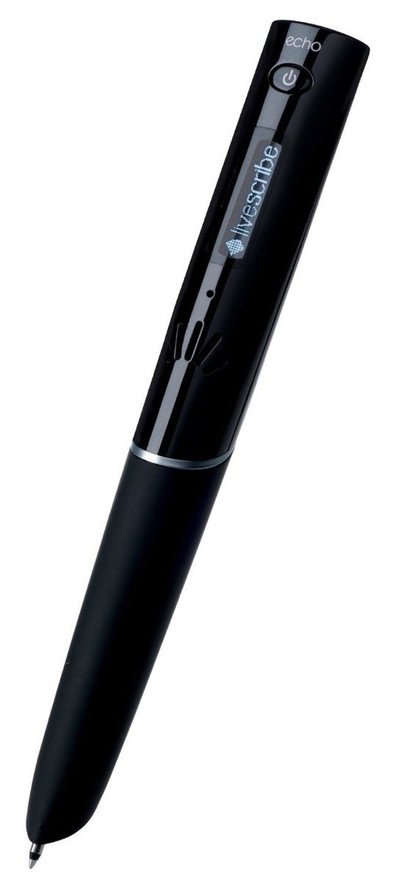
Let's be honest: it is impossible to describe this pen in a clear and unambiguous sentence of maximum 100 words. I'm up for the challenge...
This 'Livescribe 2GB Echo Smartpen', once you tap the 'record' button on the special dot paper with it, records all the sound around the pen, links it to what is currently being written and, after connect to the PC with the supplied USB cable, you immediately see your written notes with the audio - linked to the words that were written at that time - which can be played by simply clicking on that particular word, also the linked sound can be listened to by tapping the matching word directly on the paper with the pen, also...
damn it!
Excuse me.
I have only been able to explain one function in the above 100 words. In addition, the sentence is as messy as an antique shop where a pack of wild boars was released. So it's really impossible.
The first function in a concrete example: you tap the 'record' button with the pen when the wild boars storm into the antiques shop and describe the way in which one of the wild boars smashes a very expensive vase to smithereens. You can listen to the curses that the antique dealer is inflicting at that moment later by tapping on a word of the description.
The most convenient use is of course during important meetings, lectures or classes. Livescribe's slogan 'You never miss a word' can be taken literally.
As mentioned above, the pen does not only have the recording function. It comes with a free downloadable software that, in addition to digitizing the notes, also offers the option to ?pen applications? to download. For example, there is a dictionary app in the pen, with which you write down a word that the pen immediately translates, as well as a piano app, with which you can play the piano by simply drawing and tapping a piano keyboard.
The supplied software also offers the possibility to share your notes with friends, colleagues, via the internet. Your notes are converted into a PDF file with which the audio can still be listened to by clicking on a word.
To use the pen you need special 'dot paper' from Livescribe. If you have a 660dpi laser printer (or higher), you can print these papers at home for free. Unfortunately, this is not possible with an ink printer.
A dot-paper A5 notebook is supplied with the pen, handy to get used to this new way of noting. On the inside of the cover are options in each notebook (a calculator, some basic settings, the remaining battery level, the date,...) which, when tapped, form a beautiful whole in combination with the OLED display.
A little trick: the menus on the OLED display can be set completely in Dutch.
Conclusion: this pen is the gadget par excellence if you regularly have not heard what was said or if you would like to listen to everything again at home and possibly share this with others. The applications are a very nice icing on the cake.
P.s.: don't panic if it all seems a bit much to master right away: a very user-friendly starter guide is included with which you have the basic functions in your wrists in 5 minutes. Literally.