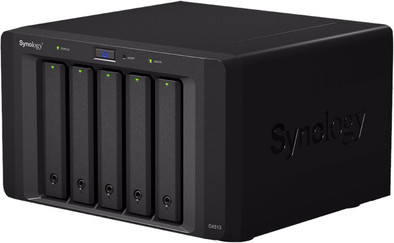
A few months ago I replaced the 4 2TB drives in my Synology NAS DX412+ with 3TB ones. Since these 4 old disks were still there, I wanted to do something meaningful with them. One option is to put them in a new NAS, but then you have many functions double. A better solution and also 100 euros cheaper than the DX 513 that serves as an expansion cabinet for the DX412 +.
Ordered the NAS on Friday evening with a time agreement, this costs 10 euros extra, because the groceries also had to be done on Saturday and I didn't want to wait all day. The next morning at 11:30 a large blue box arrived, in which the NAS was packed with a total of 3 boxes and a square meter of packaging balloons.
Installation consists of connecting and screwing with the thumbscrews of the supplied e-sata cable and inserting the mains plug. The discs, in my case 4 (could be 5 though), are screwed into the slides. Screws for both 2.5 and 3.5 inch drives are included for this. After booting, create a new volume in DSM (the OS of the NAS) and go with the banana!. Depending on the type of NAS, you can expand an existing volume with the space of the new disks or you have to define a new volume. My DX412+ is single volume, in that case a new volume will be created. On the Synology website you will find an overview of what your NAS can do with the DX513, so expand or new volume.
(Expansion is only possible in my opinion with a NAS with a 4 digit type number). Existing shared directories on the DX412+ can be moved by choosing the other volume in a pop-list in the settings of the shared folders. DSM will do the rest (move) for you.
If you use an external link from, for example, laptop to NAS, you enter volume2 in the path instead of volume1, otherwise nothing will change. I'm happy! now 9+6TB online!
The extra space will now be used for backup/sync of my laptops and backup of MP3 and my documents on the DX412+. The Synology cloud is also on this new volume.