After having owned an old case for years, I switched to the Cooler Master CM Force 500. Compared to my old case, this case has a very good air flow (the amount of air displaced, usually done by means of fans in the case ). It also looks a lot better!
It looks very, very good without too many bells and whistles. The corners at the front have a nice gloss effect that were covered on delivery to prevent damage. The color black that embraces the cabinet is nice and neutral and fits almost every living room without being too noticeable, while the cool Cooler Master logo provides a little bit of spice.
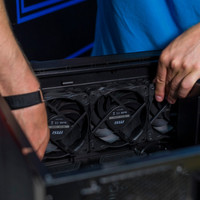
In addition to the supplied fan at the back, you have the option to add fans to the front, the left and the right side. I do recommend making sure that the fans on the front and right side are sucking air in (also known as intake) and the fans on the back and left are blowing air out (also known as outtake). This ensures a favorable air flow that ensures that the components can enjoy a cool and dust-free environment. A small disadvantage is that there are no dust filters, but if the space that keeps the PC company is clean, this should not be a problem at all.
The cabinet has 2 connection options at the front for USB 2.0, 1 for USB 3.0, 1 for a headphone/sound system and 1 for a microphone.
This ensures, among other things, that you no longer have to bend over to reach the connections on the back of the cabinet. You and your back will be very happy with this!
The space that the cabinet offers makes it easier to mount the components. Enough freedom to move your hands is always welcome and this does not fall short. There's plenty of room available for almost any modern video card, and even a new processor cooler fits in to a great extent without any problem (if the cooler doesn't exceed 16.5cm in height, you can breathe easy). There is also a way to hide the cabling, which of course benefits the air flow of the cabinet.
Mounting the motherboard, processor, memory and power supply went without any problems. The case even has directions on the inside for the placement of the standoffs (special screws that keep the motherboard from coming into contact with the case) according to the size of your motherboard.
The DVD burner, hard drives and power supply also went in without any problems. There are 10 clamps that make it possible to mount 2 hard disks, 1 SSD (solid state drive) / floppy disk drive and 2 DVD / Blu-ray burners toolless (without tools). I would have liked this a little more, but the screws that are included ensure that additional components can be mounted using a screwdriver.
With the installation of the video card I did not encounter any resistance. It fit perfectly and the extra connection that was attached to it found its way without any difficulty.
Hiding the cabling was very easy thanks to the supplied tie rips and ensured a neat looking interior.
The cabinet is more than worth its price and I am very happy with this purchase. There were a few bumps that needed to be ironed out, but all in all, this is highly recommended.