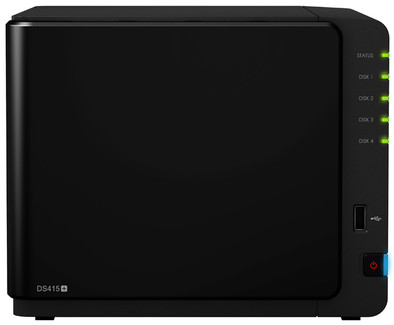
Packing / Unpacking
As expected, the NAS was shipped neatly and firmly via Coolblue. After ordering, the package was delivered to my front door by TNT the next day between 12:00 and 13:00. The NAS was packed in the well-known Coolblue box and had no damage from its journey. After unpacking and quickly reading the manual, the NAS was online quite quickly. In terms of storage space, I supplemented the NAS with 4 times 4TB in shr 2 (Raid 6) mode. Shr is a synology software Raid mode which allows you to expand later very easily.
Installing the NAS
Installing the NAS went smoothly. The only "problem" I encountered was having to reconfigure the raid itself after the quick install because it defaulted to the wrong raid. I wanted shr2, by default he would have chosen shr1. Creating a QuickConnect ID is also an option during installation. You can skip this one if you want to do this later or if you already have such an ID.
The sound production
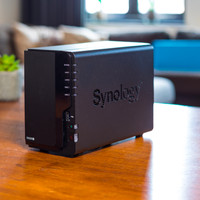
Like almost everyone else, the NAS is in the meter cupboard. Due to its small size, this is very easy. In silent mode, the NAS can hardly be heard and this is not much different in "cool" mode.
Software
By default, the NAS is pre-installed with DSM 5.0. As a Windows layman, I can work with this very easily and all options necessary to adjust the NAS to my wishes are present. The DSM 5.0 version is very extensive, well-arranged and does what it's supposed to do. It makes customizing and setting up the NAS very easy.
Positive features of DSM 5.0 are:
Clear.
Fast.
Email notifications.
Can be adjusted to personal taste.
2 step login system with Google authenticator.
Own wallpaper option.
Negative features of DSM 5.0 are:
(yet) No possible to costum synology packages.
Unable to rename or move Cloud map.
All Cloud Data is stored in a folder.
Cloud data from other users is very easy to access internally. This can be solved by permissions.
Synology Cloud.
Setting up my own Cloud, that's what I actually bought the product for. Cloud providers have been in the news very negatively in recent weeks and that's why I made the decision to set up their own Cloud. Currently I have 5 users who keep their data safe on the NAS. These are also users outside the internal network and this is easy to do with a QuickConnect ID that you can create when installing the NAS.
Synology Cloud Client.
The client version for windows very much like the NAS itself very easy and pleasant. As soon as you adjust a Microsoft word document or image, it is automatically uploaded to the NAS. Files with the same name are saved on the NAS 32 times by default. 32 times the option to go back to a previous version. This is very useful if you accidentally delete text or overwrite an image.
QuickConnect ID
No more hassle with ports and setting up the router. QuickConnect ID is synology's answer to all those previous router "problems". A little icter has no problem forwarding ports to your NAS. However, this can be difficult for a home and garden user and QuickConnect-ID is a very easy solution. You can even reach your NAS via a special domain name offered by synology.
Synology Apps
Synology's apps have come a long way since the last update. Almost everything can be arranged or accessed via these apps. Because I only have an Andriod phone, I can only speak about these apps as a positive experience. Everything is easy to set up with the QuickConnect ID.
Network
Due to the possibility to bundle the 2 network connections, the NAS can achieve high speeds on the network. Copying files to the NAS or from the NAS is very fast. I can easily get 60 to 70 MB via a cat5 cable. Uploading or maintaining files via the Cloud happens immediately. Because he copies files 1 by 1 this is very fast.
Experience after the first week.
I have had this NAS for almost a week now and after this short period of time my experiences have been very positive. The fast quad core (2.4GHz) CPU is both economical and very fast in opening and installing "synology packages". Copying and setting up the cloud was very easy after some searching.
Negative points
After being so positive about this NAS, I must also honestly admit that there is also a negative point. The only minus point I can find so far is that you cannot indicate on the client software where you want the Cloud folder. Many people have a Data drive next to their SSD and this makes it difficult to place all files in the Cloud because an SSD is quickly full. However, I have reported this and hope this can be resolved in the future.