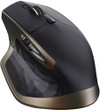
Logitech MX Master Wireless Mouse
Never available again
View alternatives in the sidebar
Bluetooth | ||
|---|---|---|
Mouse model | Full-size | |
Ergonomic design | ||
Left or right-handed | Right-handed | |
Suitable for gaming | ||
Silent mouse | ||
Depth | 126 mm | |
Mouse controls | Buttons, Scroll wheel |
According to our mouse expert
The Logitech MX Master Wireless Mouse is made for intensive use. Thanks to the hand-made shape, the mouse offers a lot of comfort. In addition, the mouse distinguishes itself from other mouses by its control and precision. Based on your scrolling behavior, the scroll wheel can switch from click-to-click to superfast scrolling. Horizontal scrolling is no problem for this MX Master either, since you can just use the special thumb wheel. The Darkfield laser sensor ensures that you can use it on any surface. You can also easily switch between different devices thanks to the USB nano receiver and Bluetooth 4.0.
5 stars
194
4 stars
58
3 stars
4
2 stars
2
1 star
0
Who am I? A productive (Mac) user. During my training as a software engineer I soon found out that a trackpad and Magic Mouse did not meet my requirements. Especially the possibility to assign functionality to extra buttons on a mouse, turned out to be no superfluous luxury for a software developer.
Before I bought the MX Master, I used an MX Performance mouse. That was quite a relief, compared to a trackpad or Magic Mouse. What I missed about the MX Performance, however, was the ability to scroll horizontally. In addition, the durability was a bit disappointing.
I saw the MX Master on Twitter; Coolblue organized a review campaign, but unfortunately I was not one of the winners. After a loyal service of almost two years, I thought the MX Performance could have a quieter time and I gave it to my father as a present. The decision to purchase an MX Master for myself was therefore quickly made.
Why the MX Master? Firstly, the MX Master does have the option to scroll horizontally, by means of an extra scroll wheel on the side of the mouse. The smart scroll wheel, which automatically switches between freewheel and ratchet, works well and makes it possible to scroll quickly yet precisely (vertical).
In terms of durability, the MX Master is clearly an improvement over the MX Performance. The mouse is covered with a special material that makes it more comfortable to hold. The weight of the mouse is also fine; not too light and not too heavy. The mouse has a good ergonomic shape (at least for my somewhat larger hands). The number of buttons on the MX Master is sufficient for me, but I occasionally miss the ZOOM button that was present on the MX Performance.
It is possible to pair the mouse with three devices at the same time and then easily switch between them. A handy feature if you often switch between different systems (regardless of platform). Charging the mouse is smooth and the mouse remains usable while charging. I do have the idea that the battery lasts a little less than Logitech claims.
Even though the mouse is a bit pricey: I am very satisfied with it and can certainly recommend the mouse to anyone looking for a mouse for productive use.
Joris Vervuurt
19 June 2015
Automatically translated from Dutch
The Logitech MX Master is the absolute top in terms of mice. This mouse is a must for the serious photoshopper and video editor. It is very easy to connect the mouse via the supplied USB dongle. With the MX Master software, all buttons are very easy to adjust. I've always used high-end gamers mice for photoshop before this. But this mouse dominates on every level. One drawback is the price. But for those who take their work seriously and need the best in mice, the price is no problem at all.
Hans K
3 April 2015
Automatically translated from Dutch
After using the mouse for 3 weeks, I still don't have a single flaw
Stefan
17 January 2016
Automatically translated from Dutch
Coolblue takes care of everything, from taking out an insurance to repairs
For almost all accidents
More coverage in case of damage than your standard warranty
No deductible
First, add your mouse to your shopping cart. On the next page, choose the Protection Plan below. You always have a 30-day return window and pay no deductible in case of damage.
2-year Protection Plan
7,99
one-time3-year Protection Plan
10,99
one-timeProduct number | 582783 | |
|---|---|---|
Manufacturer code | 910-004362 | |
Brand | Logitech | |
Processing of your defect | Carry-in warranty | |
Old product returned for free |
Mouse model | Full-size | |
|---|---|---|
Input | Laser | |
Number of buttons | 7 | |
Ergonomic design | ||
Left or right-handed | Right-handed | |
Adjustable DPI | ||
Mouse controls | Buttons, Scroll wheel | |
Suitable for gaming | ||
Programmable buttons | ||
Number of programmable buttons | 7 | |
Silent mouse | ||
Horizontal scrolling | ||
Mouse surface | Any surface |
Nano receiver | ||
|---|---|---|
Bluetooth | ||
Bluetooth version | 4.0 | |
Number of devices that can be paired | 3 |
Plug and Play | ||
|---|---|---|
Compatible with operating system | Windows, macOS |
Power supply type | Rechargeable battery | |
|---|---|---|
Rechargeable battery | ||
Battery level indicator | ||
Replaceable battery |
Color | Black | |
|---|---|---|
Width | 85,7 mm | |
Height | 48,4 mm | |
Depth | 126 mm |