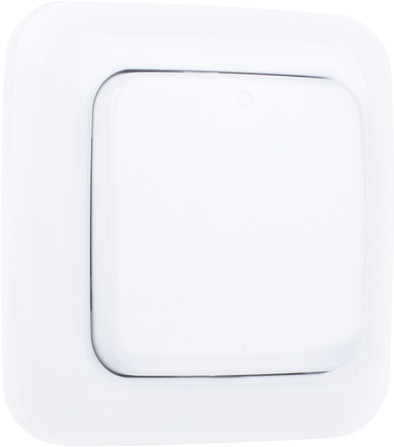
Smartwares Wall Switch Wireless
Never available again
View alternatives in the sidebar
View alternatives in the sidebar
According to our switch expert
Pressing the button on the Smartwares Wall Switch Wireless sends a wireless signal to a Smartwares receiver. This way you create a (light) button in locations where it is not possible to connect it to the electricity. There is no need to make slots for electricity in the wall. You hang the switch yourself, without the help of an electrician. If you set the button as a timer, the receiver automatically switches off again after a period you have set.
5 stars
3
4 stars
0
3 stars
0
2 stars
0
1 star
0
Wanted to have extra LEDs in the kitchen without having to make extra electricity, socket was present. Bought a smartwares dimmer and this switch and we can wirelessly control the extra LEDs in the kitchen. Absolutely great!
Lex
9 May 2018
Automatically translated from Dutch
super-simple connection, works great! Not much else to say, does what it's supposed to do. Was installed in one minute.
Peter Noblesse
13 February 2019
Automatically translated from Dutch
I like it. No more old pull cords
Bas Breve
5 October 2020
Automatically translated from Dutch
Product number | 692295 | |
|---|---|---|
Manufacturer code | SH5-TSW-A | |
Brand | Smartwares | |
Processing of your defect | Carry-in warranty | |
Old product returned for free |
Suitable for (switches) | Wall switches | |
|---|---|---|
Controls via app | ||
Adjustable via wireless connectivity | ||
Protected signal | ||
Linkable to a protocol | ||
Dimmable | ||
Bridge required for WiFi connection | ||
Linkable to home automation | ||
Mutually linkable | ||
Communicates only with the same product type | ||
Communicates only with brand-specific protocols | ||
Brand specific protocol | Smartwares | |
Frequencies | 433 | |
Including remote | ||
Connectivity (home automation) | Infrared | |
Number of linkable sensors | 1 |
Controls via app | ||
|---|---|---|
Compatible with smartphone / apps | ||
Smart home platform | Homey |