Wacom Cintiq Pro 13

Never available again
View alternatives in the sidebar
View alternatives in the sidebar
Compatible with operating system | Windows, macOS | |
|---|---|---|
Multi-touch | ||
Connection type | Wired | |
Width | 250 mm | |
Depth | 170 mm |
According to our drawing tablet expert
With the Wacom Cintiq Pro 13 you can draw directly on the screen and you won't require a lot of room on your desk. This 13.3-inch drawing tablet is very compact and can be set in place with the integrated stand. The tilt-sensitive Wacom Pro Pen 2 with 8192 pressure levels allows you to draw sharp lines and to be very precise in your design. The motion resolution of 5,080LPI is important here as well. On the screen with Full HD resolution, you'll see the smallest details of your creations. The Cintiq Pro 13 can be connected to a computer via a USB-C connector.
Note: the drawing tablet is only suitable for operating systems Windows 7 SP1 or later and Mac OS 10.1 or later.
Free accessory: this drawing tablet includes a free Mini DP to DisplayPort 1.2 1.8-m cable. This allows you to connect your drawing tablet to a monitor.
5 stars
14
4 stars
13
3 stars
2
2 stars
0
1 star
0
User friendliness
Accuracy
Screen quality
Size
I first worked on a wacom bamboo and then upgraded to a wacom intuos. However, I couldn't quite get used to drawing on the tablet, and then with my eyes on my laptop screen. With the Wacom Cintiq this problem is a thing of the past and I can work much more precisely! It works more efficiently, and I am very happy to get started.
A (big) disadvantage is the lack of shortcut buttons. The previous version of this one did. You now have to buy this separately, and it is not a cheap tablet. But you can connect a Nintendo switch controller with bluetooth to your PC, so it works just as well. ;-)
I also find it a pity that there are so many cables to connect. 1 cable in the tablet, which in turn connects with a 'wacomlink', which again connects a USB cable and a thunderbolt cable. why the whole detour? Unnecessary if you ask me.
Furthermore, the screen is beautiful and very precise. It makes me happy!
Cerys
18 August 2017
Automatically translated from Dutch
The Cintiq Pro is a great upgrade from the Bamboo for me. Equally accurate, but much easier to work directly on the screen and many options to set personal preferences.
Saskia Brand
22 March 2017
Automatically translated from Dutch
I've been using Intuos Pro for years and Cintiq Pro 16 is a way level up. Drawing on the screen is amazing, but keep in mind that there is some lag - and I think this goes for all the models out there but you get used to this millisecond lag, I don't really realize it now when I'm drawing. I use it with a MacBook Pro so all the issues about the cables and not being able to use 4K was not a problem for me.
But beware that if you'll use it with an adapter cable on a mac or pc, you won't be getting 4K. I'd make sure that my computer has USB C ports. If not, maybe 13 inch is a better option in that case which is practically the same thing as 16, a bit smaller screen, lower resolution, lower price.
Overall I do love it and recommend it.
Naz Costante
3 June 2019
Coolblue takes care of everything, from taking out an insurance to repairs
For almost all accidents
More coverage in case of damage than your standard warranty
No deductible
First, add your drawing tablet to your shopping cart. On the next page, choose one of the Protection Plans below. You always have a 30-day return window and pay no deductible in case of damage or theft.
2-year Protection Plan
91,-
one-time2-year Protection Plan with theft cover
106,-
one-time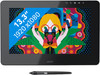
Product number | 756503 | |
|---|---|---|
Manufacturer code | DTH-1320A-EU | |
Brand | Wacom | |
Processing of your defect | Carry-in warranty | |
Old product returned for free |
Drawing tablet has integrated screen | ||
|---|---|---|
Screen size | 13,3 inches | |
Resolution height | 1080 pixels | |
Resolution width | 1920 pixels | |
Lines per inch (LPI) | 5080 lpi | |
Response time | 30 ms | |
Brightness | 250 cd/m2 | |
Contrast ratio | 930 | |
Color temperature | 6500 K | |
Color gamut | 87 % | |
Height of active drawing area | 166 mm | |
Width of active drawing area | 294 mm | |
Multi-touch | ||
Number of buttons | 0 | |
Programmable buttons | ||
Tilt sensitive | ||
Tilts | 64 ° | |
Compatible with operating system | Windows, macOS |
Connection type | Wired | |
|---|---|---|
Bluetooth |
Weight | 1,1 kg | |
|---|---|---|
Width | 250 mm | |
Depth | 170 mm | |
Height | 6,6 mm |
Power source | ||
|---|---|---|
Power supply type | Via a different product | |
Cable length | 1 m |
