For the past 6 years I had a USB HD attached to my ASUS RT-AC66U router (with Merlin firmware), as a NAS. Worked fine satisfactorily. Merlin has discontinued this router firmware, and I wanted to stay current with security updates from ASUS, but I found the support for SMB server and OpenVPN in the ASUS firmware to be insufficient. I considered buying a new router, but then again I would be dependent on 3rd party firmware and the router's USB port speeds.
Then I had a "Duh!" moment... of course, I must have an HD hooked up directly to the Ethernet!
After a lot of research, I came across Synology - I read a lot of positive experiences about it, and the extra packages - including OpenVPN, HyperBackup, Drive and Surveillance Station - seemed very useful to me. And I was able to find a good affordable configuration!
I found it difficult to choose between the different models... what are the major advantages and disadvantages of DS218j vs DS218play vs DS218 vs DS218+ for example? Well, ultimately I think it's about CPU architecture (and therefore available packages) and extensibility. But it would be useful if Synology had a good decision aid (or just less different models!).
The Realtek CPU was the right choice for me: broad support for the packages I wanted (I don't need Plex, among others) and a good price. (For me the only advantage of an Intel CPU would be that I could possibly run a Windows 10 VM on the NAS itself.) 1 disk without RAID is enough for the time being.
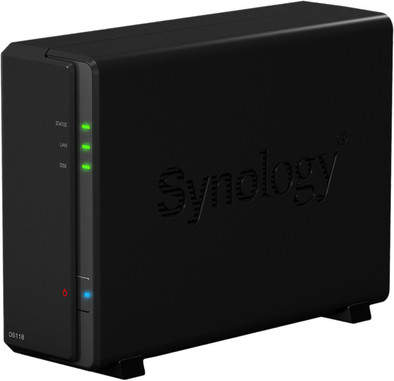
I chose the DS118 without discs, because it basically has everything I need for an attractive price. I already had a fairly new WD Elements Deskop 4TB USB drive, and in it was a WD Blue drive. WD Blue (re-branded WD Green) is a better choice than WD Red for a NAS with 1-bay (so without RAID; if you have multiple bays with RAID, it's better to choose WD Red). (FYI: I've had too many issues/malfunctions with Seagate; I've only been buying WD for the past few years.)
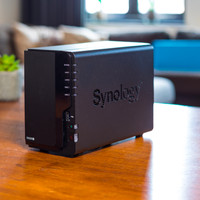
The DS118 is a nice little device - a lot smaller than I expected. The case is plastic, but looks good. You close the case with regular screws - would have been much better if they were screws that you loosen and tighten with your hand, and also better if the screws are metal instead of plastic.
In my opinion, the 'Quick Installation Guide' is really insufficient. I sometimes wonder how people with less computer knowledge ever get this NAS to work properly!
The DS118 has been running for a week now, and I'm very excited about it: very smooth and stable, with many more features that I'm still trying out. I have, among other things, OpenVPN running on it, and finally got my ASUS router firmware back to the current official version from ASUS. Hyper Backup to an external USB drive is very smooth, Drive Sync (v2) for my laptop works great.
Surveillance Station with two Foscam IP cams is going well. Images can be stored on the internal disk (with automatic rotation of recordings, max number of days, max GB etc.) or to an external USB disk/stick. The nice thing is that you can use detection from the cam or let SurSt do it itself. To my surprise, it doesn't eat too much CPU power. The disadvantage may be that you only get 2 licenses, and additional licenses are very expensive.
As for speed, I can now easily run some office programs (lots of small files) from the NAS that I previously had to have locally. And my backup to the NAS is also much smoother.
Very satisfied!