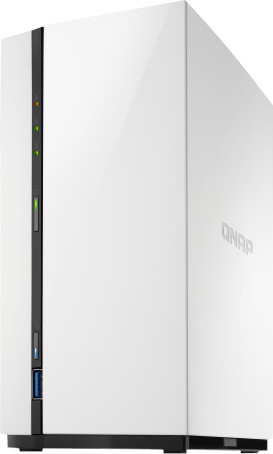
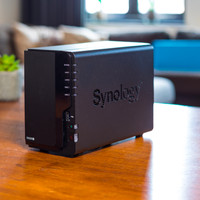
After some comparison material, this NAS came out as the winner. With more than 40 euros difference with the Synology competitor, it is certainly not a bad deal. Especially because these 40 euros can again be invested in the purchase of HDDs (Hard Disk Drive).
My setup consists of a 1gb/s network, 2x WD RED 4TB (about 3.6TB of storage) (the drives are in RAID1), the NAS itself and multiple clients (phones (wireless), computers with Windows, Linux etc.)
I purchased the NAS to "safely" store (holiday) photos and videos. With emphasis on the quotes: RAID is not a backup! It only protects you against the failure of 1 drive. If I throw a bucket of water on it, I will still lose my data! I stream little multimedia from it to, for example, an LG smart TV. With the rise of online streaming services, I hardly have any physical media or movies / TV series on the NAS anymore.
The Nas itself looks neat. Personally, I really like the design. It is and remains plastic, but the NAS (filled with disks) does not feel exactly cheap. It also doesn't look like that. It's in my study room with me. However, it can just as well be in the living room. Meter cupboard too, of course, then no rooster will crow. Sound production is fine, I've experienced louder NAS's. It also helps that there are only 2 disks in it. The fewer discs, the less vibrations. Speaking of which, the 2 HDDs are installed with some rubber damping material. Still a good deal for this price point.
The hardware installation went smoothly. Have a look at the manual, the hard disk installation can be confusing. It is well detailed in the manual. Once booted, according to the manual, you would have to download all kinds of crazy software from QNAP to find the NAS. Or register the serial number of the NAS in the cloud so that it can be centrally managed. If you know little about ICT, this will work fine.
But you can also just skip this circus by looking in your DHCP server for a QNAP device. Go to the IP address in the browser, let the NAS update and you're done. A child can do the laundry.
After the initial installation I created a number of test shares. I access these shares using SMB 3 / 4. After copying all my photos and videos (approximately 220 - 250GB) I did some speed tests with the unit. When copying 1 large file (such as a 4k movie made with the phone) I got around 80MB/s writing speed.
Multiple devices that access the SMB share / play media simultaneously are also no problem for this NAS. I tried this with 3 devices: an Android phone, Windows 10 PC and an LG smart TV. All these devices used native apps, not the QNAP applications that you can download.
Speaking of which, there are quite a few packages you can install. Because my need for functionality is very low (I don't use ISCSI, NFS, Plex, etc.) I haven't been able to test much. However, for fun I started Download Station and downloaded the latest ISO of CentOS 8 with a torrent. It peaked at around 14MB/s. I don't think that the internet link has been a bottleneck here since it is 250mb/s (14*8=112mb/s.) There are also enough seeders with a torrent file like this one, which makes the upload speed less of a factor.
An important requirement is that I can make decent backups with this NAS. I save this with a cloud party, luckily QNAP offers the Hybrid Cloud Backup solution for this. Fairly simple and rich in features. If it doesn't do what you want, you can get started with rsync. However, it starts to become a very technical story.
Do you want to be bang for the buck, are you not averse to taking 1 or 2 hours to go through the functionality, do you only require basic functionality (no Docker containers, VMs etc) and do you have enough with 2 disks? Look no further than this NAS. Why expensive when it can be cheap!