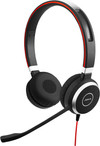
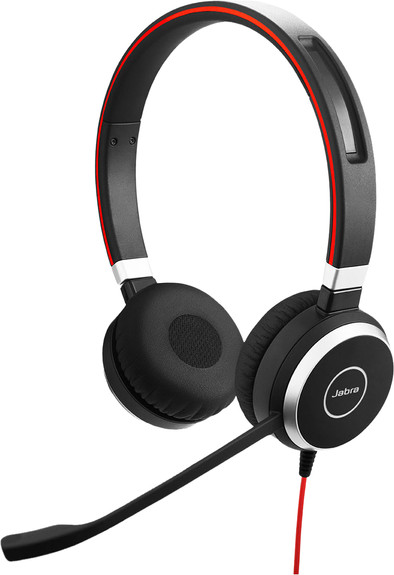
Jabra Evolve 40 UC Stereo Wired USB-C Office Headset
Never available again
View alternatives in the sidebar
Choose the better headset that provides more freedom of movement
Jabra Evolve 2 65
Better model
View alternatives in the sidebar
Better model
Headphones wearing method | Over your head | |
|---|---|---|
Connection type | Wired | |
Office headset suitable for device | PC, Smartphone | |
Suitable for type of communication software | Universal Communication | |
Type of USB port | USB-C |
According to our office headset expert
Use the Jabra Evolve 40 USB-C UC Stereo USB-C Office Headset for contact with customers or to call colleagues. You can connect the office headset via the USB-C port or 3.5mm jack of your laptop, PC, or mobile devices. If you connect the headset via USB-C, you can easily use the included control panel. Thanks to the buttons on the cable, the controls of your sound are within reach. In addition, you can accept calls via this control panel and end them just as easily. Are you in a call? The lighting on the ear cup will indicate to your colleagues that you're occupied. That way, you won't be distracted during important phone calls.
5 stars
6
4 stars
3
3 stars
1
2 stars
0
1 star
0
Sound quality
Wearing comfort
Design
Options
Perfect headset to take with you on business trips. Handy case included.
Wim
30 November 2023
Automatically translated from Dutch
is an added value, offers privacy
Paul
6 November 2023
Automatically translated from Dutch
Does what it should and is light
Eltjo
10 February 2023
Automatically translated from Dutch
Product number | 831695 | |
|---|---|---|
Manufacturer code | 6399-829-289 | |
Brand | Jabra | |
Processing of your defect | Via Coolblue | |
Old product returned for free |
Noise cancellation type | Passive | |
|---|---|---|
Office headset suitable for device | PC, Smartphone | |
Suitable for type of communication software | Universal Communication | |
Supported communication software | Unified Communications | |
Pick up/hang up phone call | ||
Standby time | 0 m | |
Spoken notifications |
Built-in microphone | ||
|---|---|---|
Microphone recording type | Mono | |
Microphone mute function | ||
How to mute | Via the button on the ear cup | |
Collapsible microphone |
Connection type | Wired | |
|---|---|---|
Bluetooth | ||
Software compatibility | ||
USB port | ||
Type of USB port | USB-C |
Type of ear cushions | On-ear | |
|---|---|---|
Ear cushion material | Foam, Imitation leather | |
Headphones wearing method | Over your head | |
Number of ear cups | 2 | |
Rotatable ear cups | ||
Foldable |
Power source | ||
|---|---|---|
Power supply type | USB port PC/laptop | |
Cable length | 1 m | |
Base station |
Weight | 0,143 kg | |
|---|---|---|
Material | Plastic | |
Finish | Matte | |
Color | Black |
You can use this office headset with various communication software programs (Unified Communications), but it isn't specifically certified for Microsoft Skype for Business (MS). If you use Skype for Business, consider an office headset with MS certification. This allows you to effortlessly use all MS functions after connecting your headset. That way, you're ready to answer and end calls, control the volume, and use the mute function right away.
Order via Coolblue B2B. As a business customer, you can request a quotation, you get a fixed contact person, and you can pay afterwards.
Coolblue takes care of everything, from taking out an insurance to repairs
For almost all accidents
More coverage in case of damage than your standard warranty
No deductible
First, add your office headset to your shopping cart. On the next page, choose the Protection Plan below. You always have a 30-day return window and pay no deductible in case of damage.
2-year Protection Plan
7,99
one-time3-year Protection Plan
11,99
one-time