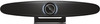
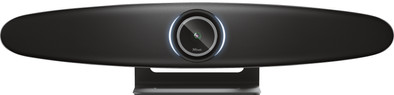
Trust Iris 4k Ultra HD Conference Camera
Never available again
View alternatives in the sidebar
Plug and Play | ||
|---|---|---|
Compatible with operating system | Windows, macOS | |
Autofocus | ||
Sharpness | 4K Cinema | |
Built-in microphone |
According to our webcam expert
5 stars
4
4 stars
0
3 stars
0
2 stars
0
1 star
0
I think the Trust Iris is a nice conference camera that reproduces sharp images and clear sound. However, it is quite large and mainly intended for meeting rooms.
Easy to install When I first took the Iris out of the box and installed it on my laptop, I was struck by how easy it was. It really is a matter of plugging in and you are ready to go. The Iris is therefore really plug and play and a child can do the laundry when it comes to connecting.
Everything under control from a distance One of the most useful things about the Iris is the included remote. With this I operate the conference camera from a distance. In addition to standard buttons such as muting the microphone or turning off the camera, there are more handy buttons. For example, there is a button with which I zoom in or choose one of the 2 'auto tracking modes'. With this I choose between 'speaker mode' or 'participant mode'. In speaker mode, the camera focuses on me when I talk, and in participant mode, the camera focuses on the entire width of the room, and therefore on all participants. There is also a button with which I adjust the dynamic range, so that the Iris adapts to the amount of light in the room. That way I was clearly visible during every conversation.
Nice and wide image The most striking thing about the Iris is the image quality. You immediately notice that this is a 4K conference camera as soon as you turn on the camera for a video meeting. The image is very sharp and detailed, so that everything is clearly visible. The camera shows images at an angle of 120 degrees, which I find useful for having conversations with people who are close to me. That way they are also well represented.
No microphone needed I can be heard clearly during my conversations with colleagues, even if I don't use a separate microphone. The Iris filters out background noise and even if I sit 2 meters away from the Iris, it picks up my voice well. It also sounds good when I play the sound of my conversations through the speakers of the camera.
Kasper. Conference camera specialist.
21 April 2021
Automatically translated from Dutch
Now in use for 2 weeks in our meeting room at the office. Operation is very pleasant and works without additional software. The counterparty also hears the person present in the conference room well. The speaker's kind of face tracking works well, but fortunately can also be turned off. A real asset to our meeting room.
Roger
26 May 2021
Automatically translated from Dutch
After working completely from home for a few months and normal webcams were sufficient, we are moving again towards a hybrid solution for the office and working from home. With 3 or 4 people in the office at a large table, a normal webcam does not work, but luckily we came across the Trust Iris.
It was very easy to connect to any laptop in our conference room. After a few clicks, immediately good image and sound and the rotating camera is really a godsend to be able to see the talking person. Of course you don't want to talk to each other to get him to focus properly.
Our office space is very light, but the Iris handles that well too, so that faces are clearly visible.
The remote control that is included makes it even easier not to get up.
The price is very affordable for a company like us (with a lot of developer meetings) with 15 people at different locations and therefore value for money.
Koen Dantuma
22 June 2021
Automatically translated from Dutch
Product number | 880317 | |
|---|---|---|
Manufacturer code | 24073 | |
Brand | Trust | |
Processing of your defect | Via Coolblue | |
Old product returned for free |
Plug and Play | ||
|---|---|---|
Sharpness | 4K Cinema | |
Autofocus | ||
Wide-angle | ||
Automatic brightness adjustment | ||
Coverable lens | ||
Built-in microphone | ||
Microphone recording type | Stereo | |
Microphone noise suppression |
Tiltable | ||
|---|---|---|
Type of webcam holder | Desk stand |
Width | 60,1 cm | |
|---|---|---|
Depth | 11,5 cm | |
Height | 14,1 cm | |
Weight | 2,2 kg | |
Color | Black | |
Material | Plastic | |
Finish | Matte |
Type of USB port | Standard USB-A | |
|---|---|---|
Connection type | Wired | |
Bluetooth | ||
Compatible with operating system | Windows, macOS | |
Cable length | 3 m |

Coolblue takes care of everything, from taking out an insurance to repairs
For almost all accidents
More coverage in case of damage than your standard warranty
No deductible
First, add your webcam to your shopping cart. On the next page, choose one of the Protection Plans below. You always have a 30-day return window and pay no deductible in case of damage or theft.
2-year Protection Plan
16,99
one-time2-year Protection Plan with theft cover
27,99
one-time3-year Protection Plan
26,99
one-time3-year Protection Plan with theft cover
43,99
one-time