Written by Andrea
Edited on
28 September 2022
·
13:06
How do you perform a body analysis on your personal scale?
With a personal scale with body analysis, you can get an insight into the health of your body. You keep track of your weight, fat, and body water percentage, and most scales can also save them. This way, you can keep an eye on your progress, and you can reach your goals faster. With the following tips, you're sure your performing the body analysis correctly.
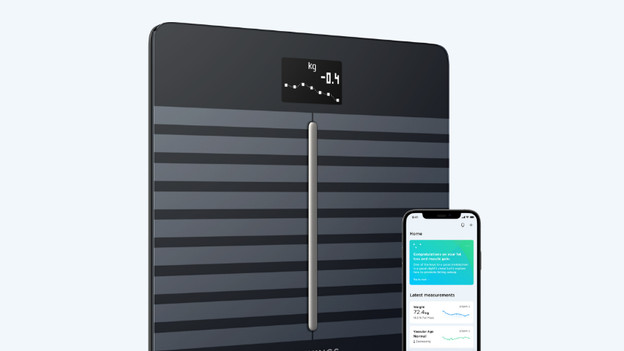
Get started with body analysis
Follow these steps, so you get everything out of your smart scale.
Tip 1: create a profile
Tip 2: take on the right posture
Tip 3: don't break the circuit.
Tip 4: make sure have the right conductor for your feet
Tip 5: check the rang the of the measurements
Tip 6: check the BMI range

Tip 1: create a profile
Make sure you create a profile on the scale and the accompanying app. The scale can only calculate your data if you do this. On some scales, you can create multiple profiles. Keep in mind that you choose your own profile before you step onto the scale.

Tip 2: take on the right posture
Take on the right posture so that the scale can do an accurate reading. Stand upright in the middle of the scale with your feet below your hips. Watch straight ahead and wait until the reading is done. If you use a segmental scale, make sure your hands and feet completely cover the electrodes. Let your arms hand alongside your body and relax your muscles during the reading.

Tip 3: ensure the right foot conduction
If you have very dry feet, this can block the conduction of the bio-impedance. Use some foot cream or body lotion. Apply it to your feet a few minutes before you step onto the smart scale.
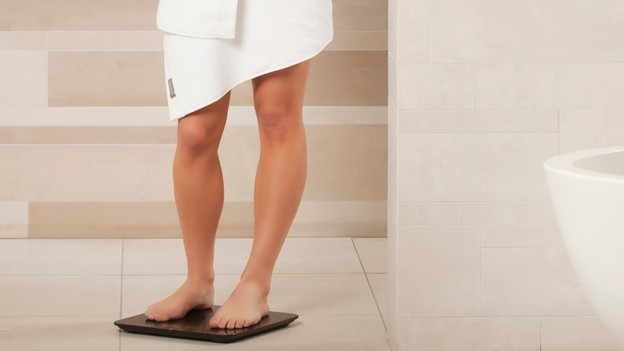
Tip 4: don't break the circuit
The body analysis works with bio-impedance. That are small weak electrical currents that go up via one leg and down the other. When your upper legs or knees touch each other, you break the circuit. That's why you should wear a thin cotton legging if your legs touch each other. Also remove all jewelry and piercings before you step onto the smart scale.

Tip 5: check the range of the measurements
Do you get the notification ERRL, ERRH, or ERR2? In that case, the measurements are outside the range of your scale. The body analysis function isn't available. Check the range of the measurements and let someone else test if the reading does work.
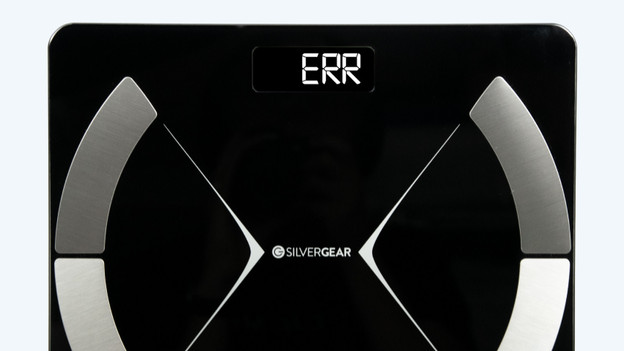
Tip 6: check BMI range
Most scales have a maximum BMI range of 32. If your BMI is above 32, the scale doesn't perform the body analysis and BMI reading. The scale gives the ERRL error. Check the BMI range in the manual of the scale and let someone else test if the reading does work.
Article by Andrea
Personal Scale Expert.