Written by Sem
Edited on
3 April 2023
·
07:52
PS4 Slim vs PS4 Pro
The choice between a PS4 Slim or a PS4 Pro isn't easy for everyone, but when you compare the two to each other, you can choose the best console for you. I'll compare the most important aspects of console gaming and explain the differences.
No longer available, view the newer model

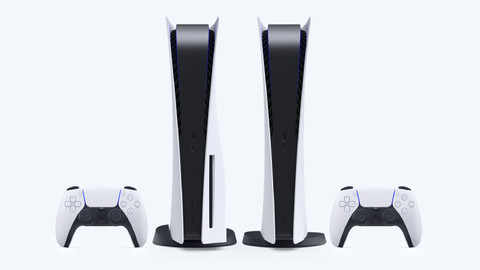
Comparison PS4 Slim and PS4 Pro
| PS4 Pro | PS4 Slim | |
|---|---|---|
| Size | Large size | Smaller size |
| Maximum image quality | 4K + HDR | 1080p + HDR |
| Performance mode | Graphics/performance | No |
| Power consumption and temperature | Max ~155W - 42C (4K) | Max ~80W (1080p) |
| Maximum frame rate per second | 60 fps | 30 fps |
Size

Smart: the compact
The Slim is smaller than the Pro. The size of the Slim allows you to place it next to your TV or monitor on your desk. The Slim also fits more easily in a compartment of a TV cabinet. Very useful if you have a little less space or want to get rid of the console.
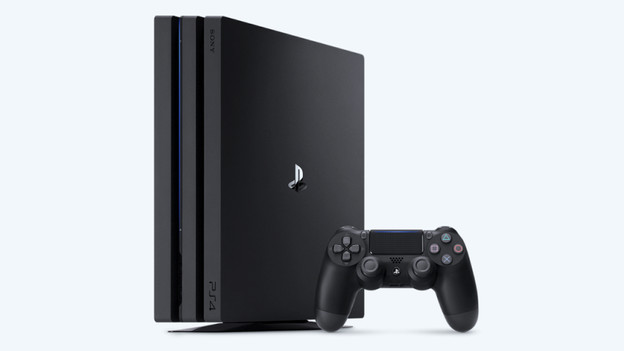
Pro: the larger one
The Pro is bigger than the Slim. The Pro takes up more space in height, length, and width. This is mainly due to the hardware in the console. Make sure to check if you have a place to put the Pro.
Image quality

Smart: Full HD
With a PS4 Slim, you have the power of a classic PS4 in a smaller box. The graphics are virtually the same, except for the new HDR support. You do need a suitable display to use this feature. The maximum image resolution of the Slim is 1080p, which matches most standard TVs and monitors perfectly. Most games can be played at 30 fps. That's nice to play FIFA, but you really want a higher fps for faster games. In addition, the Slim doesn't have the performance mode, which the Pro does.

Pro: 4K
The PS4 Pro really shines when it comes to image quality. With 2 times as much computing power than the Slim, the Pro supports new and older games in 4K quality. In combination with an HDR compatible display, this provides lifelike images. Older games are optimized for the Pro, which means you get to see more details or a higher fps. This ensures the game looks better and the images are much smoother, which is handy for fast competitive games. The Pro also has the performance mode, so the full computing power of the machine is used for the best graphic performance.
Conclusion
The Pro is large, can make noise when it cools the graphics card, and uses more energy. In addition, the PS4 Slim fits perfectly on a desk next to the monitor. Why do we choose the Pro? Because it looks better. We're excited about the 4K resolution at 60 frames per second. With a higher frame rate, you'll get an advantage in games such as Call of Duty. You'll have less gameplay lag or blurs in-game and aim assist works better. More kills for you.