
Written by Kayleigh
Edited on
21 March 2025
·
16:32
5 tips for sustainable printing
You can print more sustainably in various ways. For example, use the energy-saving functions of your printer and print on recycled paper. It's also important to hand in your empty cartridges. We'll give you 5 tips to print sustainably.
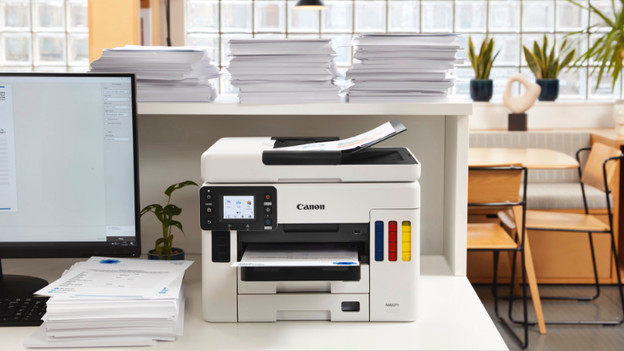
Get started with printing sustainably
Do you want to print sustainably? Use these tips:
Tip 1: print in duplex.
Tip 2: hand in your empty cartridges and toner cartridges.
Tip 3: use energy-saving functions.
Tip 4: use recycled paper.
Tip 5: use an layout that saves ink.

Tip 1: print in duplex
Duplex printing saves paper. Some papers automatically print in duplex. Doesn't your printer have this option? Turn the paper over manually. Keep in mind that you adjust your printer settings to manual duplex printing. If you don't, you don't get enough time to turn over the paper. With duplex printing, you use up to 50% less paper. That's better for the environment and you save money.

Tip 2: hand in your empty cartridges and toner cartridges
Don't simply throw your empty cartridges and toner cartridges out with your general trash. They'll always contain ink residue that is harmful for the environment. Canon, HP, Brother, and Epson have a recycling program, so you can hand in your empty cartridges. Cartridges with a printhead contain electronics. Hand these in at a Wecycle collection container, which you can often find at supermarkets or garden stores. There are also places where you can donate your cartridges and toner cartridges for charity.

Tip 3: use energy-saving functions
Many printers have a standby mode. The printer automatically turns off if you don't use it for a while. Some laser printers have an energy-saving mode. This way, you'll consume less energy when you print. Doesn't your printer have energy-saving functions? Turn off your printer when you're done printing.

Tip 4: use recycled paper
The type of paper you use is also important when you want to print sustainably. Daily, hundreds of thousands of trees are cut down for paper. When you print in duplex, you'll use less paper. Also use recycled paper. You can recognize this paper by the quality mark on the packaging. How environmentally-friendly the paper is differs per quality mark. The Keurmerkwijzer can provide more information on these quality marks. FSC Recycles, PEFC Gerecycled, and the EU Ecolabel are examples of sustainable quality marks.

Tip 5: use a layout that saves energy
The layout of your document affects how much ink your printer uses. Remove large images from the document if they're not necessary. The font of your text also makes a difference. For example, the Times New Roman font uses 27% less ink than Arial. Or use an EcoFont. That's a font with tiny white dots in it. You can barely see these dots with the naked eye. This way, you save even more ink.
Article by Kayleigh
Printer Expert.
