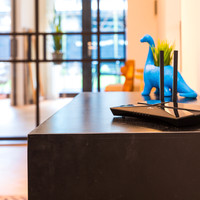
Netgear Orbi RBK50 Multi-room WiFi

Never available again
View alternatives in the sidebar
View alternatives in the sidebar
Product number | 733895 | |
|---|---|---|
Manufacturer code | RBK50-100PES | |
Brand | Netgear | |
Processing of your defect | Carry-in warranty | |
Old product returned for free |
Usage situation | Stream movies and music, Work from home | |
|---|---|---|
Living situation | Large apartment, Single-family home, Villa | |
Number of stations | 2 | |
Can be expanded with extra stations |
Frequency bands | Simultaneous tri-band | |
|---|---|---|
WiFi speed | AC3000 | |
2.4GHz band speed | 450 Mbit/s | |
5GHz band speed | 866 Mbit/s | |
Number of WiFi antennas | 6 | |
Jumbo frame support |
Ethernet speed | Gigabit Ethernet (1000Mbps) | |
|---|---|---|
Network connector | ||
Number of Ethernet ports | 7 | |
PoE support | ||
USB port |
Automatically switches to 3G/4G | ||
|---|---|---|
Mobile data connection | No | |
SIM card slot |
Quality of Service (QoS) | ||
|---|---|---|
MU-MIMMO | ||
Seamless roaming | ||
Beamforming | ||
Port forwarding | ||
LACP Link aggregation |
Parental controls | ||
|---|---|---|
WLAN security | WEP, WPA, WPA-PSK, WPA2, WPA2-PSK | |
Firewall | ||
Firewall type | NAT Firewall, SPI Firewall | |
Guest network | ||
VPN server | ||
VPN client | ||
VPN passthrough |
Mounting possible | ||
|---|---|---|
Width | 17,03 cm | |
Height | 22,58 cm | |
Depth | 7,89 cm | |
Weight | 890,5 g | |
Color | White | |
Material | Plastic |
Battery level indicator |
|---|
Ethernet speed | Gigabit Ethernet (1000Mbps) | |
|---|---|---|
Frequency bands | Simultaneous tri-band | |
WiFi speed | AC3000 | |
Number of Ethernet ports | 7 | |
Number of stations | 2 | |
Living situation | Large apartment, Single-family home, Villa |
According to our router expert
Multi-room WiFi let's you create 1 large WiFi network that provides a strong signal throughout your home.
Setup 3 wireless networks with your router at the same time, with simultaneous tri-band.
This router supports MU-MIMO, which provides a more stable wireless connection.
To benefit from the highest speed that these routers offer, all connected devices have to support 5GHz.
Create a WiFi network with coverage on 2 floors with the Netgear Orbi RBK50 multi-room WiFi system. This set ensures that you have a fast wireless connection with a good signal in every room. This set consists of a router and a satellite. Place your router next to your modem, and place the satellite at the core of your house. This extends the network. The router and satellite communicate over a special frequency band and will automatically connect you to the strongest signal. This way, you can watch your favorite series while roaming your house, without any signal loss.
5 stars
557
4 stars
225
3 stars
32
2 stars
15
1 star
6
Range
Installation ease
Speed
Design
Found a router with range throughout the house for the first time in two years and four other routers; the Orbi. The installation is like wax; a child can do it. Netgear has delivered a fantastic product, at a hefty price. But given my experiences, I finally decided to spend the money for it. Ziggo's crap is now finally well supported and I'm happy with my WiFi network. After years of struggling, now a satisfied person 😉
Tom de Vries
9 January 2017
Automatically translated from Nederlands
I bought this because I am moving as a 22 year old with the future plan to provide care for my mother. So I decided to become a neighbor.
Paying 2X internet for WiFi that is just in range seemed silly to me, so the orbi was a perfect solution to extend this signal without losing speed. The installation went very smoothly and the optimization for the correct distance was clearly displayed. I now get: *Download speeds as high as 190Mbps = 23.75MB/s *Upload speeds of up to 20Mbps = 2.5MB/s
Finally, the design is very sleek and you could replace any decorative vase in a modern interior with it.
Gianni Claes
18 December 2016
Automatically translated from Nederlands
I've owned and installed the Netgear Orbi (RBK53 version) for a week now. Given the short duration, I can of course not make any statements about the durability of the product and whether or not the signal is lost (not happened so far).
To start with a less essential point: design - the devices come across as a bit 'plasticy'; I expected a more quality feel from the product as it appeared on photos and videos (youtube). The devices also wobble slightly, so I can imagine if they are placed somewhere on a cabinet that you can easily bump into, that they will fall over quite easily. Not a problem in our case, but I thought it was striking enough to report briefly.
The installation process was fairly simple (follow the step-by-step plan), but we made sure that we carefully applied every step (incl. resetting the first - so pull the plug - from the telenet modem), then connect the router, follow the steps and then the first and then the 2nd satellite.
There is an app available (or better, 2 apps, the standard and a 'genius' version). You need the default app for installation. Afterwards, both apps seem to me to be a gadget rather than an environment in which you can set a lot. You probably have to do this via the website, but then you have to connect your router to a laptop (not tried). The router and sat's apparently also have the previous firmware version. We have not updated it yet, because it all works at the moment and the update features are not relevant to us. So we'll wait a little longer for this.
You may need to be patient for a few minutes during the installation process; in itself it is not much, but you also see little happening and then you soon have the tendency to actively intervene to see if everything is correct - don't do it, it really only takes a minute and then you get the message that ea. is installed or connected. For example, during the installation process, our own ORBI network appeared, next to the network we had given our own name to, but eventually this disappeared and only our network remained. The router and the satellites do what is indicated during the installation (first white light for start-up, then blue for good connection found and then light loss if everything went well). We moved one of the satellites after 2 days, so we were curious if the connection was automatic again. The answer was yes, but as prescribed, you have to push the sync button on the router and the sat. After that, the reconnection went smoothly (again, you see, except for the colors, little happens, so be patient).
When the installation has been completed properly, all LED lighting goes out, and even then you tend to check whether nothing has gone wrong, but that is not the case. You then have internet access.
In terms of speed: we have a subscription of 200 mb down and 25 up, and these speeds are largely achieved in the immediate vicinity of the devices (eg 180-190 mb). In other words, the Orbi is fast, but this doesn't really mean anything when you consider the theoretical speeds you should get - but we don't get them based solely on our internet subscription). But our previous router - Apple extreme - maxed out at 140 MB. The same if you are connected via the satellites. With a wall or ceiling between the router/satellite and your mobile device, the speed drops a bit, but in our case we just continue to achieve 50 to 90 mb depending on the distance, which is more than enough to surf comfortably via WiFi everywhere. to stream etc. Is this relapse 'normal' or 'unexpected'? Impossible to say. The Orbi replaces an Apple Extreme icm. 2 express extenders, and the speed of these (albeit older devices) cannot be compared (was around 10 mb in the same places in our house, sometimes even less or even no connection). So the Orbi does get very good marks (but is of course also brand new). Actually, we should do the same test within 5 years. One more point: double/well insulated glass is harmful to a WiFi signal, so that of the Orbi. So out in the garden there was a rapid decay.
So overall a good product. Is it worth its price? Can it be compared with similar products (TP Lin M9 that I've been hesitating for a long time)? Hard to say. The Airport extreme (200 euros at the time) and the 2 extenders (99 euros each) never achieved such performance as far as I can remember, while the price, taking inflation into account, was more or less the same. A comparison with other WiFi products, I can't say anything about that.
So happy with the purchase so far.
The negatives (until now):
We have a number of iPads at home (well, kids) and iPhones (ditto :). On a number of review sites you sometimes read about connection problems with iOS devices. No problem identified with us EXCEPT with 1 iPhone (version 8). It indeed disconnects sometimes, without any explanation and without this being the case with the other devices. So I can confirm that this could be an issue, but why and how is unknown. On the affected iPhone, we removed the Orbi network again, updated the iOS (still had to be done), rebooted the iPhone and added the Orbi network back, but this did not solve the problem. Please note, the device does connect, but sometimes there is a drop out and you have to wait a few seconds.
Another point is that a device sometimes hangs on the 5ghz network (eg from the router) while the connection is quite weak, and therefore does not switch to the closer and stronger 2 GHz network (eg from the satellite). No explanation here either as to how or why (Netgear probably thinks that you are even better off with the 5ghz network with a lower connection? You can't adjust this either (as far as I know, but I'm also largely a layman, so maybe that is all configurable.) In itself this is not a problem, but as a user you start to wonder whether your speed is sufficient (while it is, but yes, 'higher is always better') .
But despite these points, I can only say globally today that this is a good product.
FamMasLow
14 March 2019
Automatically translated from Nederlands