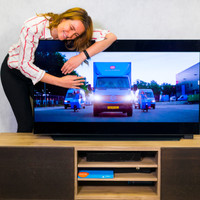
Samsung QE65Q6F (2018) - QLED

Never available again
View alternatives in the sidebar
Insure your television
Coolblue takes care of everything, from taking out an insurance to repairs
For almost all accidents (such as a fall while moving houses)
More coverage in case of damage than your standard warranty
No deductible
How do I insure my television?
First, add your television to your shopping cart. On the next page, choose the Protection Plan below. You always have a 30-day return window and pay no deductible in case of damage.
3-year Protection Plan
83,-
one-time5-year Protection Plan
168,-
one-time

Specifications
Product
Product number | 808117 | |
|---|---|---|
Manufacturer code | QE65Q6FNALXXN | |
Brand | Samsung | |
Processing of your defect | On-site service | |
Old product returned for free |
Key properties
Image quality | Very good | |
|---|---|---|
Screen type | LED-LCD | |
Screen size | 65 inches | |
Sharpness | 4K (UHD) | |
Refresh rate | 100 Hz | |
Color depth | 1 billion colors (10-bit) | |
Recommended for television use | Optimal gaming, Stream series and movies, Watch standard channels |
Screen extended
Quality viewing angle | Standard | |
|---|---|---|
Pixel structure | RGB | |
Local dimming | ||
Type local dimming | Edge lit | |
HDR support | ||
Type of HDR | HDR10, HDR10+, HLG | |
Input lag | 15,2 ms | |
Picture Quality Index (Samsung) | 2800 Hz |
Smart TV
Smart TV | ||
|---|---|---|
Smart platform type | Extensive | |
Smart platform | Tizen | |
Built-in WiFi | ||
Bluetooth | ||
DLNA | ||
Media player |
Audio
Number of speakers | 2 | |
|---|---|---|
Continuous/nominal total output capacity (RMS) | 40 W | |
Subwoofer |
Special properties
Ambient Mode | ||
|---|---|---|
Sleep timer | ||
Light sensor | ||
Best tested | ||
Pivotable stand | ||
Ambilight |
Controls
Controls via app | ||
|---|---|---|
Controlled via Android app | ||
Controlled via Apple app | ||
Voice control |
Properties for use CI+ module
CI/CI+ slot | ||
|---|---|---|
Digital tuner | ||
Digital video signal | Cable (DVB-C), Digitenne (DVB-T), Digitenne (DVB-T2), Satellite (DVB-S), Satellite (DVB-S2) | |
DVB-T Twin tuner | ||
DVB-S Twin tuner |
Connectors
Antenna connector | ||
|---|---|---|
Female HDMI Type A port version | 2.0 | |
Digital optical connector | ||
Headphone jack | ||
USB port | ||
Component video connector | ||
Composite connector | ||
Network connector | ||
RCA connector | ||
VGA connector |
Mount TV
VESA mount option | ||
|---|---|---|
VESA mount | 400x400mm |
Energy consumption in kilowatt-hour
Energy label | A+ |
|---|
Physical size and properties
Color | Silver | |
|---|---|---|
Height | 83,38 cm | |
Width | 144,63 cm | |
Depth | 5,49 cm | |
Weight | 24,2 kg | |
Height including stand | 90,94 cm | |
Width including stand | 144,63 cm | |
Depth with stand | 28,57 cm | |
Total weight including stand | 24,8 kg | |
Year introduced | 2018 | |
Product line | Q |