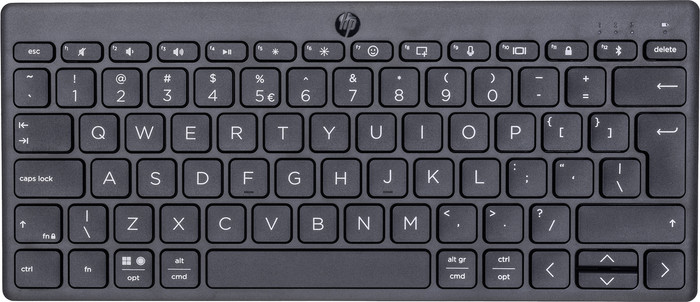
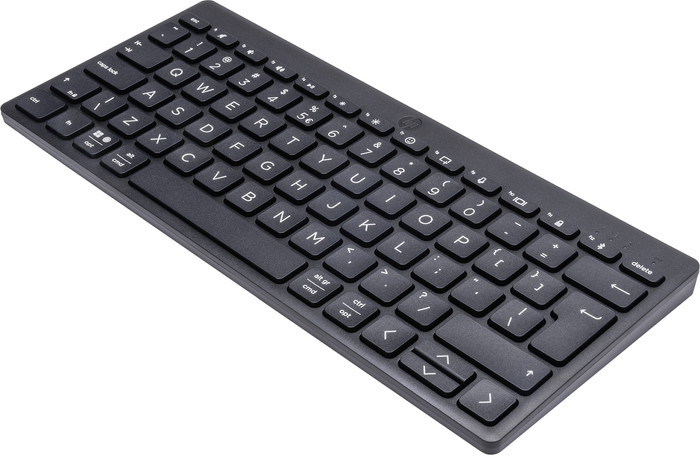
The HP 350 Compact Wireless Keyboard is a nice, compact keyboard that you can easily take with you. The keyboard works via Bluetooth, so you can connect it quickly and wirelessly to your devices. Within a few seconds I had connected my new acquisition to my MacBook and started writing this review. Not in the evening, because this keyboard doesn't have keyboard lighting.
First impression
I was positively surprised when I picked up the packaging with the keyboard. It is as light as a feather including packaging. In the package you will find the keyboard, two AAA batteries and the manual. The keyboard has a nice, slim design. I think the size is just right. It is therefore not very bad that the numeric keypad is missing. Furthermore, the font on the keys looks sleek.
To work
At the back is a flap that you slide up effortlessly. Here I quickly placed the 2 included AAA batteries. The on and off button is hidden on the top right of the keyboard. After turning on the keyboard, it was time to connect it to my MacBook. I had to hold down the bluetooth key for about 1-2 seconds before my MacBook could find the device in the bluetooth menu. This also went very quickly. All I had to do now was enter a code from my new keyboard. The keys are flat and feel nice when you type. I have artificial nails and with classic keyboards I sometimes slip off the keys or accidentally enter the wrong letters. I don't have this problem with this keyboard. Plus, there's virtually no sound coming from the keys when I'm typing. After entering the verification code and determining the keyboard type, I was able to get started. Voila! Did you know that you can also connect this keyboard to multiple devices at the same time? In addition to my Macbook, I also easily and quickly connected the keyboard to my Windows computer and iPad. You switch between these devices by pressing the switch button. What I like most about this keyboard is that my MacBook remembers the keyboard. When I later turned the keyboard back on, I was able to type right away and didn't have to do anything else. Ideal if you need to make a quick adjustment on the go. The only thing I miss is lighting under the keys. I like to work in the evening and then I don't see the keys properly.