
Written by Jeroen
Edited on
16 July 2025
·
10:32
Which Android smartphone do you have?
It can sometimes be useful to know which Android phone you have exactly. That's because you want a case, screen protector, or other accessory for your smartphone, for example. Or you want to know the trade-in value of your old device. We'll explain how to find out which OPPO, OnePlus, Xiaomi, Motorola, Nokia, or Honor smartphone your have in this article.
OPPO
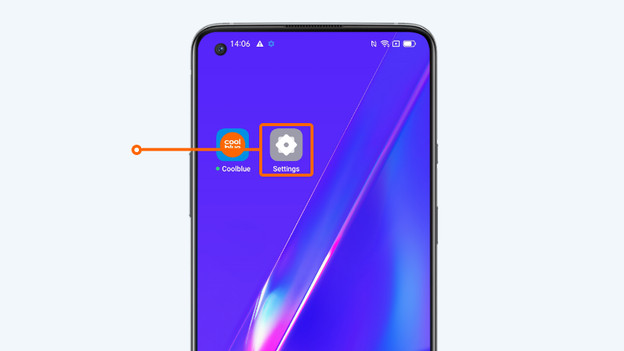
- Go to Settings.
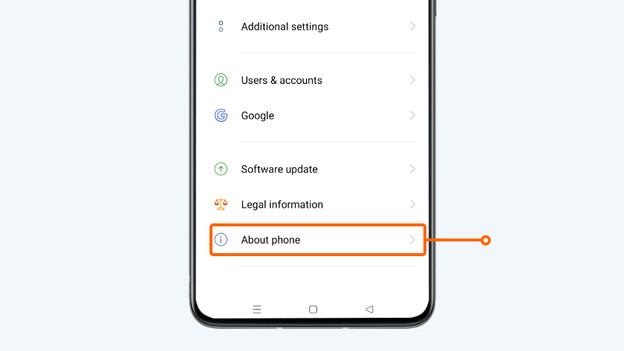
- Scroll down and click About phone.
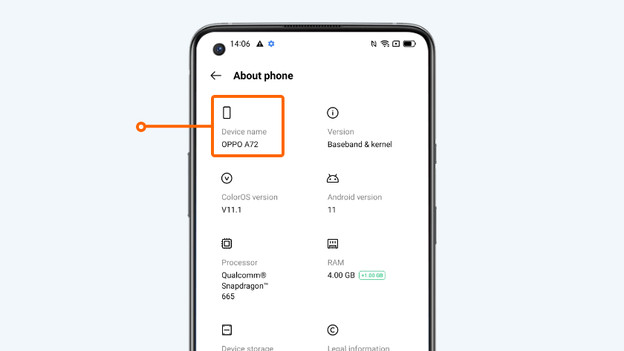
- Below Device name, you can find which OPPO smartphone you have.
1. Go to 'Settings'
2. Scroll down and click About phone.
3. Under the device name, you see which OPPO smartphone you have.
OnePlus
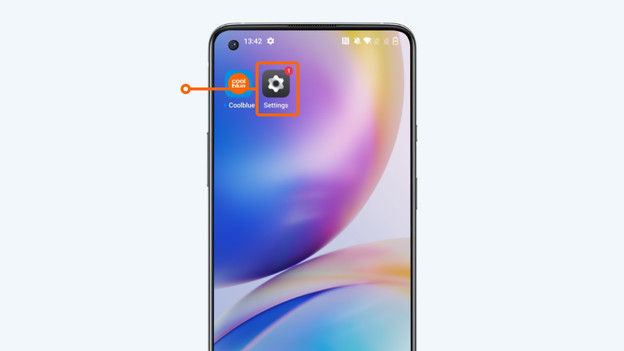
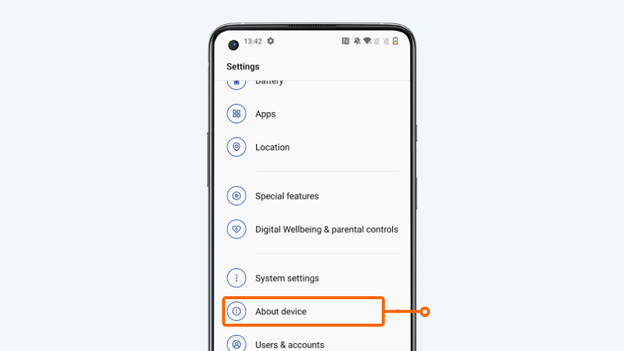
- Go to Settings.
- Scroll down and click About phone.
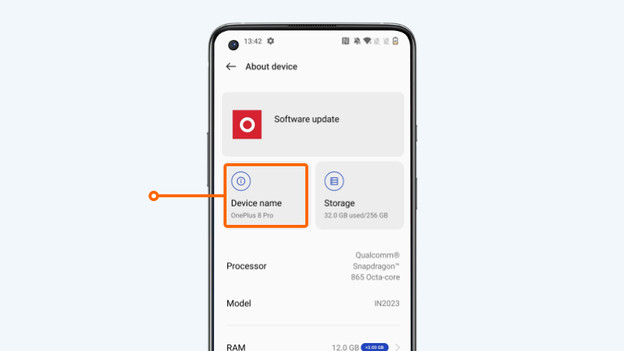
- Below Device name, you can find which OnePlus smartphone you have.
1. Go to 'Settings'
2. Scroll down and click About device
3. Under the device name, you see which OnePlus smartphone you have.
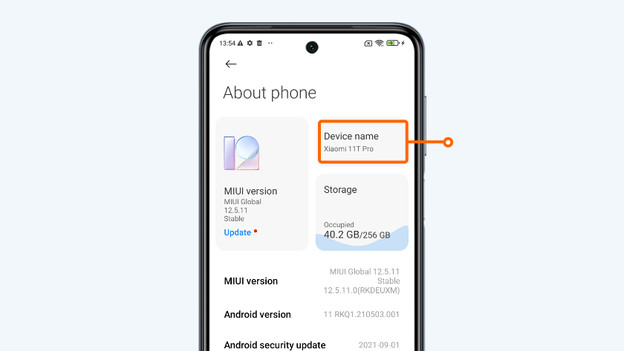
Xiaomi
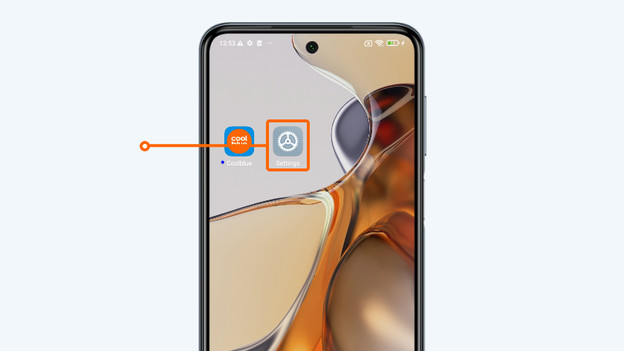
- Go to Settings.
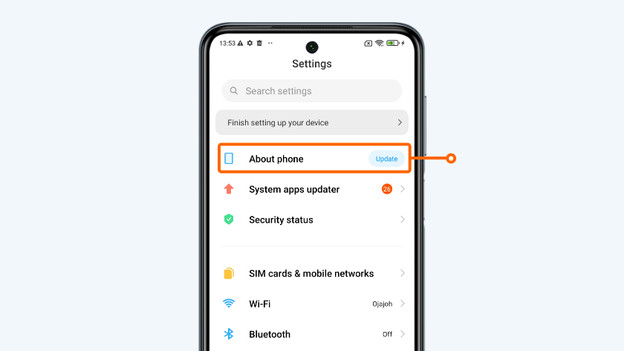
- Tap About this phone.
- Below Device name, you can find which Xiaomi smartphone you have.
1. Go to 'Settings'
2. Tap About this phone.
3. Under the device name, you see which Xiaomi smartphone you have.
Motorola
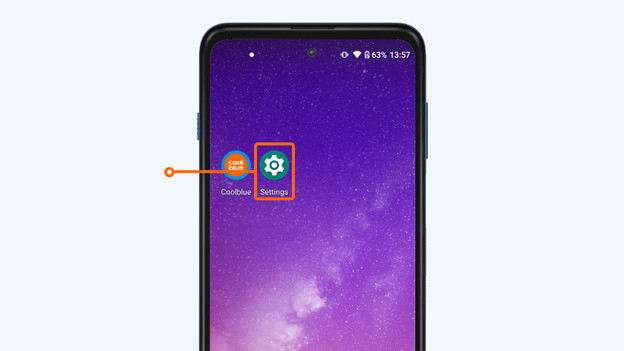
- Go to Settings.
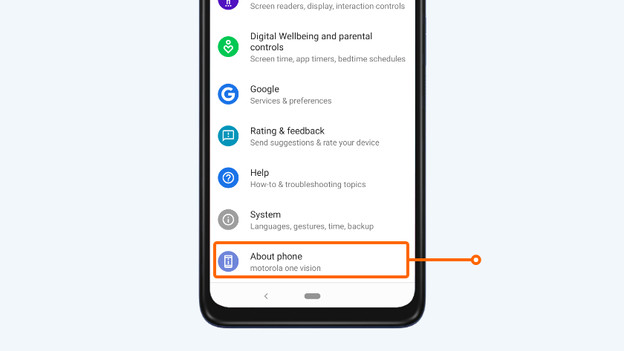
- Scroll down and click About phone.
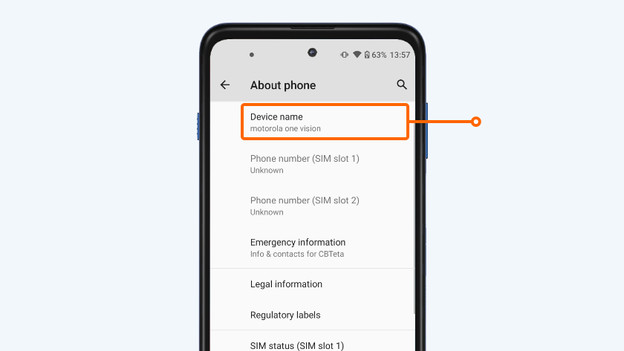
- Below Device name, you can find which Motorola smartphone you have.
1. Go to 'Settings'
2. Scroll down and click About device.
3. Under the device name, you see which Motorola smartphone you have.
Nokia
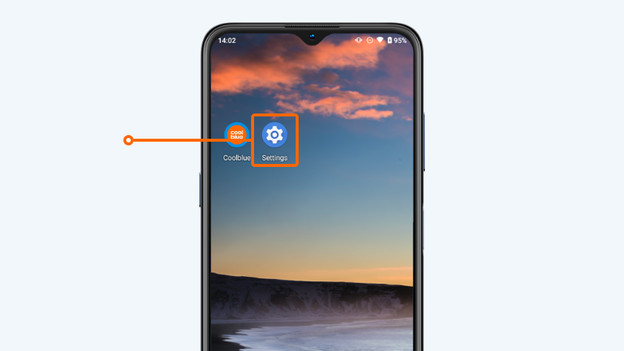
- Go to Settings.
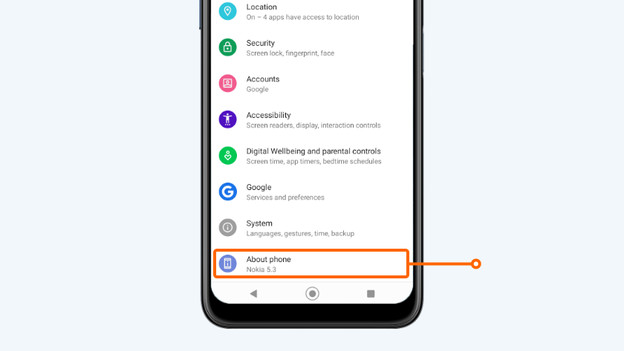
- Scroll down and click About phone.
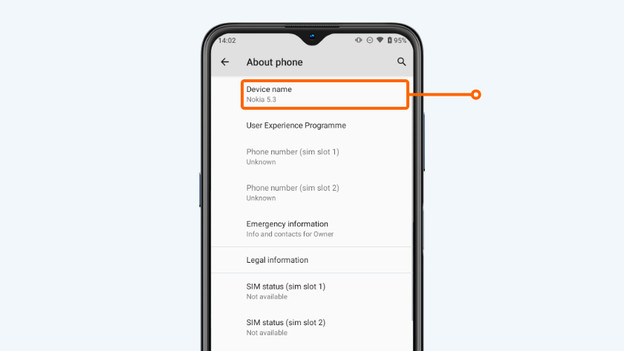
- Below Device name, you can find which Nokia smartphone you have.
1. Go to 'Settings'
2. Scroll down and click About phone.
3. Under the device name, you see which Nokia smartphone you have.
Honor
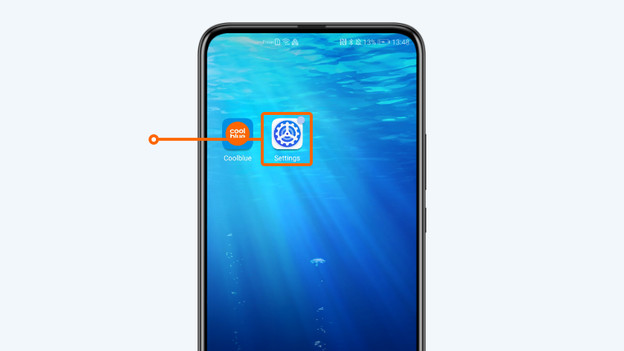
- Go to Settings.
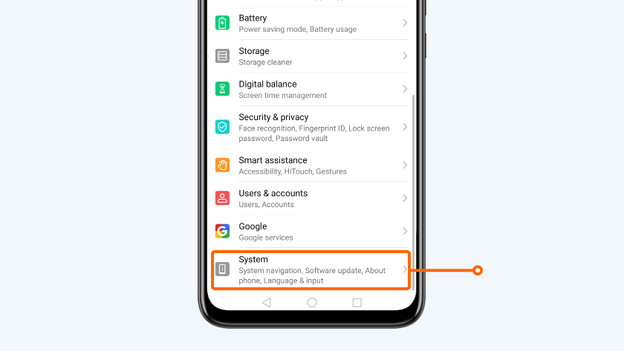
- Scroll down and click System.
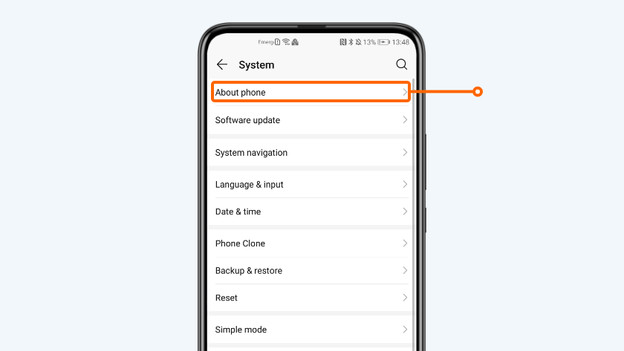
- Scroll down and click About phone.
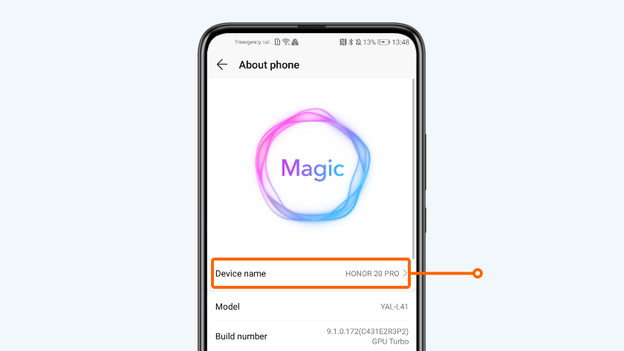
- Below Device name, you can find which Honor smartphone you have.
1. Go to 'Settings'
2. Scroll down and click System.
3. Click About phone.
4. Under the device name, you see which Honor smartphone you have.
Article by Jeroen
Smartphone Expert.
