Written by Elaine
Edited on
28 August 2024
·
06:49
BlueBuilt Imperium vs Tradendum vs Nexum wireless mice
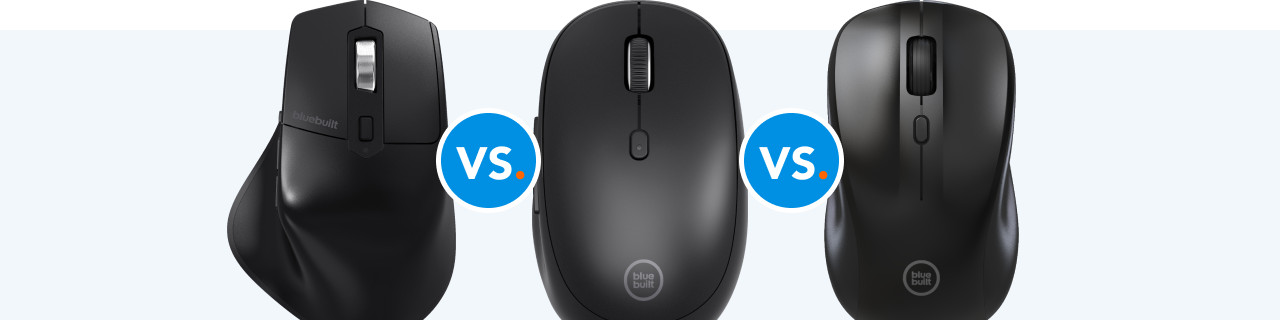
Whether you want to use it for work, school, or daily tasks, there's a suitable BlueBuilt mouse for every usage situation. For example, the Imperium prevents arm and wrist complaints thanks to its ergonomic design. All models in this comparison are wireless and quick to connect to your device. We compare 3 of our BlueBuilt mice for you and explain the differences.
Imperium vs Tradendum vs Nexum
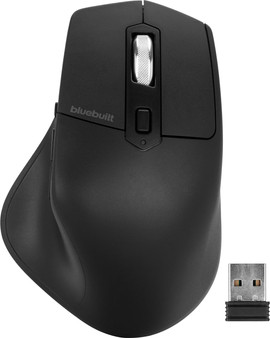
- BlueBuilt Imperium Wireless Ergonomic Bluetooth Mouse
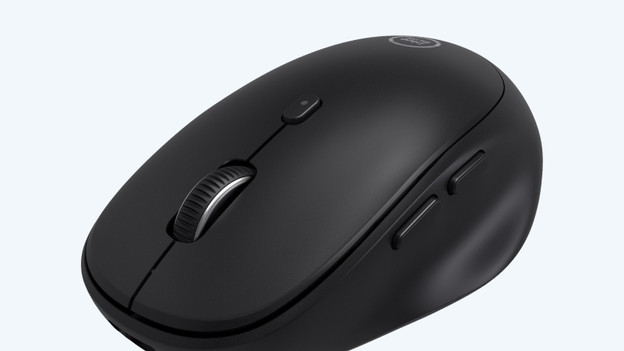
Prevent arm and wrist complaints thanks to the ergonomic design of the mouse.
With the thumb buttons, you can easily control functions like 'previous' and 'next'.
Connect the mouse to up to 3 devices.
This mouse is only suitable for right-handed users.
From
54,-
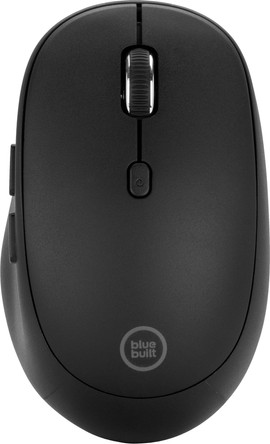
- BlueBuilt Tradendum Wireless Bluetooth Mouse
Connect the mouse to up to 3 devices via Bluetooth.
With the thumb buttons, you can easily control functions like 'previous' and 'next'.
Thanks to its small size, this mouse is easy to take with you.
This mouse is only suitable for right-handed users.
Due to the small size of this mouse, it's less comfortable for prolonged use.
From
38,99
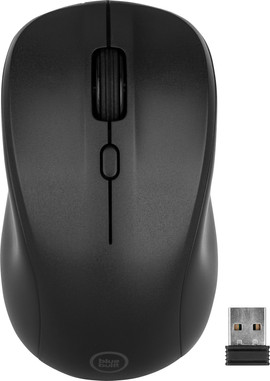
- BlueBuilt Nexum Silent Click Wireless Mouse
Thanks to the silent buttons, you're not bothered by clicking noises.
This mouse is suitable for both left-handed and right-handed users.
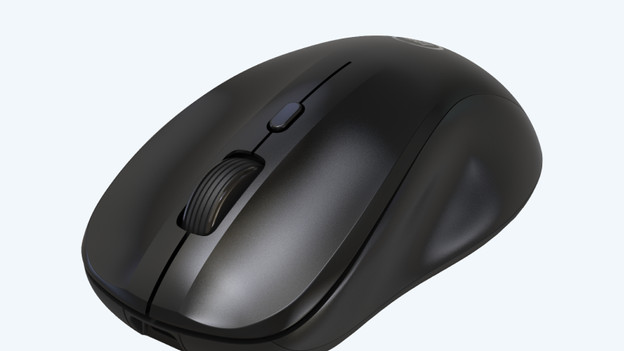
Thanks to its small size, this mouse is easy to take with you.
The moue doesn't have extra buttons on the side.
This mouse doesn't have an ergonomic design
From
33,99
Comparison Imperium, Tradendum, and Nexum
| BlueBuilt Imperium | BlueBuilt Tradendum | BlueBuilt Nexum | |
|---|---|---|---|
| Suitable for | Right-handed | Right-handed | Left-handed, right-handed |
| Connection type | Wireless USB, Bluetooth | Bluetooth | Wireless USB |
| Number of devices that can be paired | 1 to 3 | 1 to 3 | |
| Ergonomic | Yes | No | No |
| Number of thumb buttons | |||
| Controls | Optical | Laser | Optical |
| DPI | 800 - 2400 | 800 - 2400 | 800 - 1600 |
Design
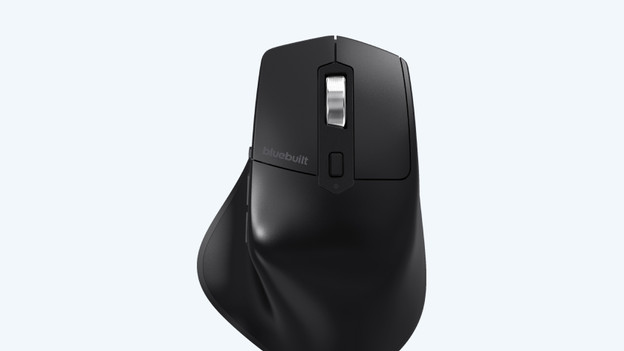
Imperium: ergonomic and right-handed
The Imperium is a right-handed, ergonomic mouse. At 12.5cm, this mouse is very large compared to the other 2 mice. This is comfortable if your hands are large too. The ergonomic design allows your hand and wrist to take a natural position. As a result, you stress them as little as possible and prevent RSI. That's what makes this mouse ideal for everybody who works on a laptop or desktop for multiple hours back to back.
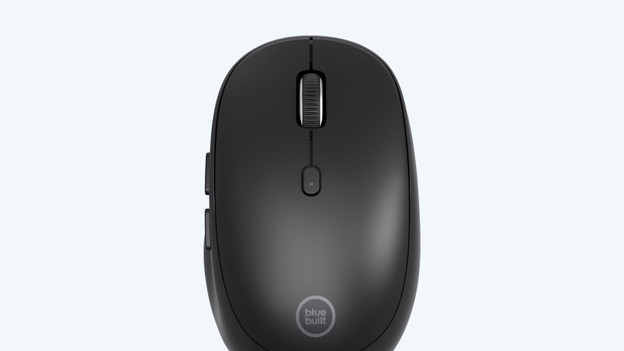
Tradendum: right-handed
The Tradendum is designed for right-handed users. At 10.5cm, it's the smallest BlueBuilt mouse. Thanks to its small size, it's easy to take anywhere with you. Aren't your hands very large? The Tradendum is suitable for you. Your hand won't cramp while working, because the size fits your hand well.
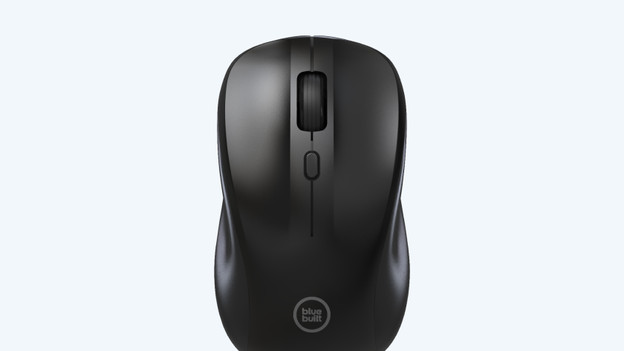
Nexum: left-handed and right-handed
The BlueBuilt Nexum is a mouse with a universal shape, so it's suitable for everybody. It doesn't matter if you're left or right-handed with this mouse. At 10.7cm, this mouse is slightly larger than the Tradendum. If you want a mouse that's not too big for everyday use, the Nexum is a nice option.
Connection type
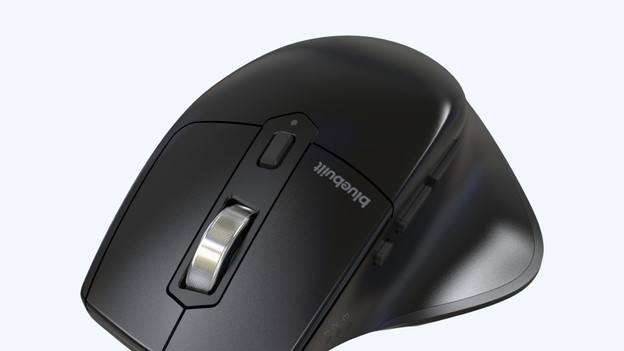
Imperium: wireless USB or Bluetooth and 1 to 3 devices
You'll have both connection options with the Imperium, the wireless USB receiver and Bluetooth. Just like the Tradendum, you can connect the Imperium to up to 3 devices. Connect the mouse via the USB-A receiver to a device with a USB-A port and connect the other 2 devices via Bluetooth
Tradendum: Bluetooth and 1 to 3 devices
Do you use various devices, like your work laptop and your own laptop? The Tradendum is a good choice in this case. You can easily connect this mouse to up to 3 devices via Bluetooth. For example, connect it to a Windows laptop, MacBook, and iPad. If you press the connect button on the bottom of the mouse, you can quickly switch between connected devices.
Nexum: wireless USB and 1 device
You can connect the Nexum to your laptop or desktop via the included USB-A receiver. This means the mouse is suitable for every laptop or desktop with a USB-A port. Because you can connect it with a USB receiver, you can connect it to 1 device only. Do you mostly work on 1 laptop or desktop and don't have to switch between devices? The Nexum is a good option.
Controls
Imperium: optic, 2 thumb buttons, and DPI 800-2400
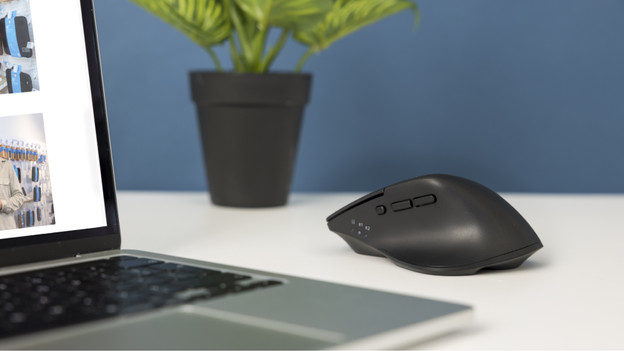
The Imperium has a laser sensor, just like the Nexum. This means you can use it on most desks, but not on glass. You can use the 2 thumb buttons to easily navigate through the pages in your web browser, just like with the Tradendum. You can set the DPI of the Imperium to anywhere between 800 and 2400, which makes it just as accurate as the Tradendum.
Tradendum: laser, 2 thumb buttons, and DPI 800-240
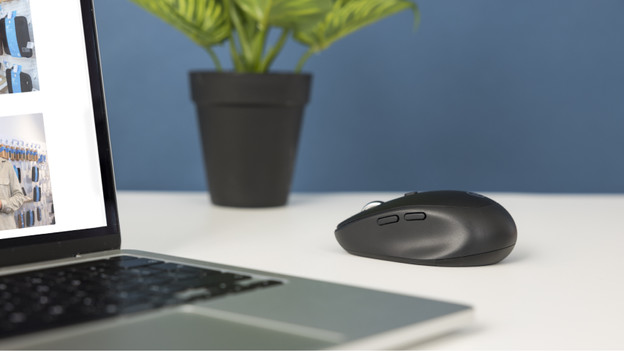
The Tradendum is the only one with a laser sensor. The laser light of the mouse sticks to the surface better than the light of an optical sensor. That's the reason you can use it on any surface. With the 2 thumb buttons on the side, you can quickly switch between tabs. For example, quickly return to the previous page if you accidentally clicked in the wrong place. Thanks to the high DPI of 800 to 2400, the Tradendum is more accurate than the Nexum

Nexum: optic, no thumb buttons, and DPI 800-1600
The Nexum has an optical sensor that only works on a non-reflective surface. You can can't use this mouse on a glass desk, but it's suitable for most other desks. The Nexum doesn't have useful thumb buttons. You can adjust the DPI between 800 and 1600, so you have plenty of control over the cursor. The Nexum is less sensitive than the Tradendum and Imperium with this DPI.
Conclusion
With these mice, BlueBuilt has something for everyone. The Nexum is a good mouse for daily use. Do you work on various devices for a longer time back to back and intensively? Choose the ergonomic Imperium, so you won't end up with arm or wrist complaints. If you're looking for a standard mouse with useful thumb buttons that's easy to connect via Bluetooth? The Tradendum is a must-have.
Article by Elaine
Mouse Expert.