Written by Laszlo
Edited on
18 October 2022
·
17:00
The differences between the Epson Expression printers
The Epson Expression is a series of inkjet all-in-one printers that are suitable for home use. There are 3 types, namely Home, Photo, and Premium. These types differ in a couple of ways, such as their application and cartridges. On this page, we'll explain the differences in more detail, so you know which type of Expression works for you.
Comparison Epson Expression Home, Photo, and Premium
| Expression Home | Expression Photo | Expression Premium | |
|---|---|---|---|
| Application | Print documents | Print photos | Print documents and photos |
| Number of cartridges | 4 | 6 | 5 |
| Print speed | Not fast | Medium | Fast |
| Photo paper | No | Yes | Yes |
| Borderless printing | No | Yes | Yes |
| Scan speed | Not fast | Not fast | Fast |
Application of printing
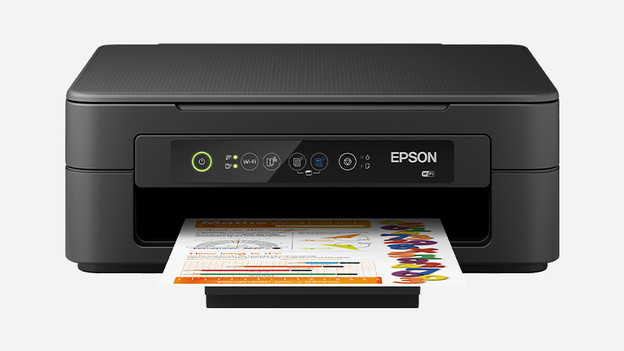
Epson Expression Home: documents
The Home models are the standard printers from the Expression series. If you don't need any extras aside from copying and printing and if you just print a ticket or report every now and then, the Home is the right series for you. Home printer are mainly suitable for the average user that wants to be able to print at home every now and then, without any extras.

Epson Expression Photo: photos
The name says it all. This is the right printer for you if you mainly print photos. The main strength of this printer is its ability to print your photos in crystal clear quality. Are you a hobbyist or a professional photographer? Then you can print beautiful photos with this. Keep in mind that these results are particularly visible when you use photo paper. With the Photo printer, you print the most beautiful photos of the moments you want to remember.

Epson Expression Premium: documents and photos
Don't want to choose between these 2 types? Then there's the Premium printers. These models combine the Home and Photo, so you have as versatile a printer as possible. With the Premium printers, you can print both documents and photos with the desired method and quality. This way, you don't need any other print services.
Number of cartridges

Epson Expression Home: 4 cartridges
The Home printers have 4 cartridges. These include the standard colors black, yellow, cyan, and magenta. The advantage of separate cartridges is that you only have to replace the one that's empty. If you print a lot in black and white, then you can replace the black cartridge more frequently.

Epson Expression Photo: 6 cartridges
The Photo models are your best option for printing photos. That's partly because of the number of cartridges. There are 6 of them. In addition to the 4 standard colors, there's also a light cyan and light magenta. This way, the colors on the print get better contrasts.

Epson Expression Premium: 5 cartridges
The holder of the Premium models holds 5 cartridges. Instead of the extra light colors, the Premium printers have a photo black cartridge. When you print documents in black and white, you only use the black cartridge. But if you print photos and illustrations, the photo black cartridge adds extra shades of black.
Print speed

Epson Expression Home: not fast
The print speed of the Home printers isn't very fast. In general, this doesn't matter too much when you're just printing some loose documents. Speed isn't important when you print a movie theater ticket, but you'll need a bit more patience if you're printing a school report.

Epson Expression Photo: average
It's no surprise that the Photo printers aren't the fastest out there. It takes longer to print a photo than to print a regular text file. And in this case, speed is less important than quality. Printing quickly usually isn't a big requirement for photographers.

Epson Expression Premium: fast
The Premium lives up to its name when it comes to print speed. These models from the Expression series print your documents the fastest. The result is that everything looks sharp and professional. This is ideal for important documents with a lot of infographics and icons, for example.
Conclusion
With 3 types of printers within a series, you also get 3 different types of users. Do you print a document without a lot of illustrations every now and then? Then the Home printer is ideal for you. If you like to print beautiful photos or documents with a lot of illustrations, choose one of the Photo printers. And finally, there's the real Premium models for the premium user. This lets you print all sorts of documents and images at home.
Article by Laszlo
Printer Expert.