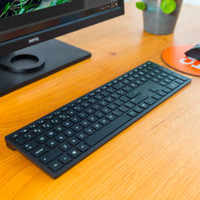
Cooler Master MasterKeys Lite L RGB Combo QWERTY

Never available again
View alternatives in the sidebar
View alternatives in the sidebar
According to our keyboard expert
Novice gamers looking for a stylish RGB keyboard will love the Cooler Master Masterkeys Lite L RGB combo with MasterMouse Lite S gaming mouse. The keyboard is equipped with full-size cherry keycaps in different lighting zones, which make for an elegant look and guarantee that other, custom keycaps will fit, too. The so-called mem-chanical switches provide tactile feedback and make this keyboard spill proof. Knocking over a glass of water no longer means the end of your keyboard. The RGB backlighting under the keys can be programmed per zone with various different waving or breathing brightness effects. The Mastermouse included in this set features some handy thumb buttons, which means you'll have everything you need to get gaming straight away.
Backlit keyboard | ||
|---|---|---|
Geographic keyboard layout | US layout | |
Suitable for gaming | ||
Mechanical keyboard | ||
Spill-resistant |
5 stars
25
4 stars
4
3 stars
0
2 stars
0
1 star
0
Do I like the product? YES because :
-The included mouse makes this combo really worth it for people looking for a "Best bang for your buck" product like me (Best quality/price ratio).
Points on the keyboard that can be improved :
Who is this keyboard suitable for?
Novice Gamer the average gamer semi pro gamer
If you're a pro gamer I wouldn't recommend this one simply because it's not meant for that, I'd choose a Razer or Corsair keyboard that is made for that (high-end keyboards). The same if you are also used to high-end mice, the mouse that is included is good, but I will buy a better mouse later in the year, because the mouse lacks a few points that other mice have from 40 euros but can be done for the price I don't think you really complain. Finally, this is of course not a keyboard for an office or to type on all day that seems logical to me of course because it is in the gaming category, but imagine you type a lot for school or work I wouldn't take it through the deep switches that you have to press 100% take, for example, a keyboard with flat switches that types faster and more easily (Apple Magic keyboards etc.)
Tips and tricks : -Take a mouse pad right away so you can use the included mouse even better, I chose the Roccat Kanga Gaming Mouse Pad XXL.
-I would set a color that matches your setup, so you can make your setup from a standard 6.5 to a nice 8 and if you do the cabling correctly maybe a 9!
extras : -I have been using this product for about a month now and using it daily for gaming typing web surfing etc. -I have used the keyboard with Windows 10 and MacOS High Sierra -Used on a 21.5 inch Mac and a gaming PC
Bradley van Welij
8 March 2018
Automatically translated from Dutch
Satisfied with product.
Martins Vilums
5 February 2018
Automatically translated from Dutch
Easy to use. You can change the keyboard color as you want. Nice neutral design
Alexander Bayens
11 March 2018
Automatically translated from Dutch
Product number | 793720 | |
|---|---|---|
Manufacturer code | SGB-3040-KKMF1-US | |
Brand | Cooler Master | |
Warranty | 2 years | |
Processing of your defect | Carry-in warranty | |
Old product returned for free |
Keyboard layout | QWERTY | |
|---|---|---|
Geographic keyboard layout | US layout | |
Physical keyboard layout | ANSI | |
Typing comfort | Basic | |
Backlit keyboard | ||
Spill-resistant | ||
Number of colors lighting | 16.8 million | |
Brightness of backlight adjustable | ||
Programmable keys | ||
Multimedia shortcuts | ||
Suitable for gaming | ||
Mechanical keyboard | ||
Type of keycaps | Medium |
Cable length | 1,8 m |
|---|
Height | 4,1 cm | |
|---|---|---|
Width | 43,9 cm | |
Depth | 12,9 cm | |
Wrist rest | ||
Color | Black | |
Weight | 0,967 kg |