Written by Elaine
Edited on
7 October 2025
·
08:24
How do you choose the best keyboard for you?
You can type on any keyboard, but there are many different kinds to choose from. When should you choose a wireless keyboard and in which situation is an ergonomic keyboard the best option? In this article, you'll read which keyboard suits you best.
What layouts are there?
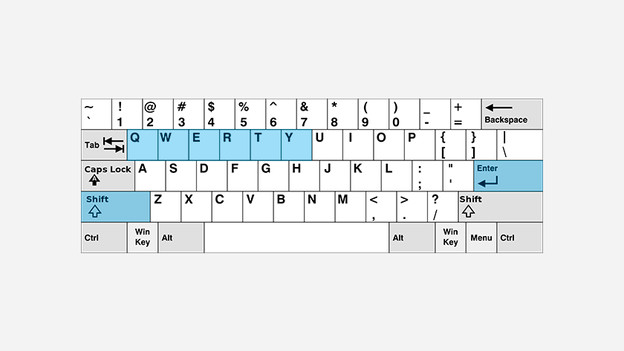
QWERTY
A QWERTY layout is the most common one internationally, as it is in the Netherlands. You can recognize it by the sequence of the letter keys on the top left. In addition to this layout, you can also choose between a US or UK layout. The US layout has a small enter key and large shift key. The UK layout has a larger enter key and smaller shift key.
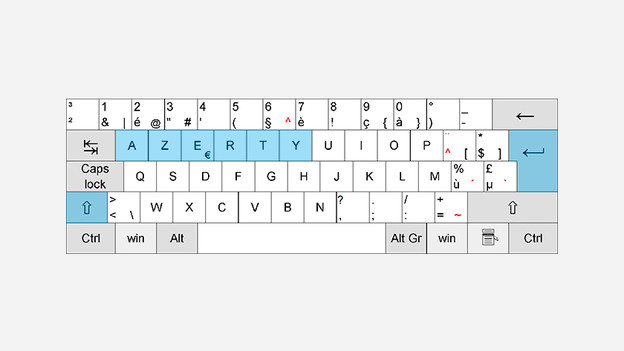
AZERTY
The AZERTY layout is used in Belgium, France, and French-speaking countries in Africa. Here, you can choose between a BE or FR layout. An FR layout can be identified from the names of the enter and shift keys, Entrée en Maj. A few symbols are different from the BE layout as well.
What types of keys are there?
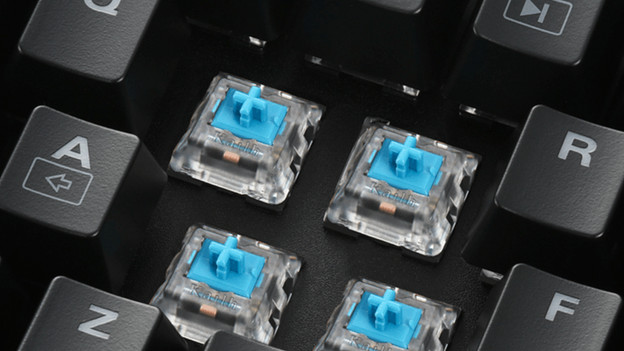
Mechanical keys
You don't have to press mechanical keys (switches) at all for a keystroke. As a result, it's a lot easier to type and faster. This type of keys is suitable for jobs that take hours of typing or gaming.
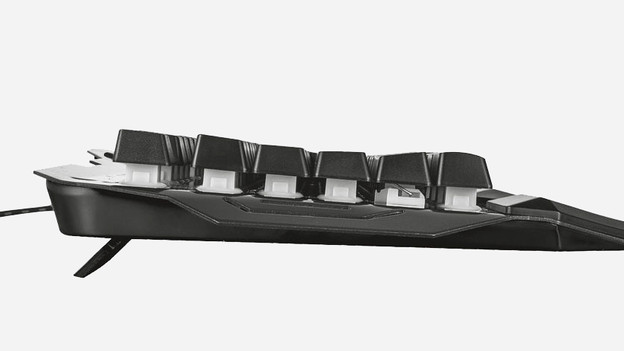
Membrane keys
With membrane keys, you have to press the key all the way down. That's because the key lies underneath an elastic piece of rubber. The rubber ensures the key bounces back after it's been pressed down. This type of keys isn't ideal for typing all day long.
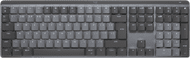
Logitech MX Mechanical Wireless Keyboard Metal
- The keyboard has mechanical keys, so all keystrokes are registered faster.
- Connect the keyboard via Bluetooth or the USB receiver and use the mouse for multiple devices at the same time via Logitech Flow.
- The keyboard backlight adjusts itself automatically to the ambient light, and it lights up when your hands get close.
- You need external Logitech software to use the keyboard optimally.
151,-
Do you want to work wired?
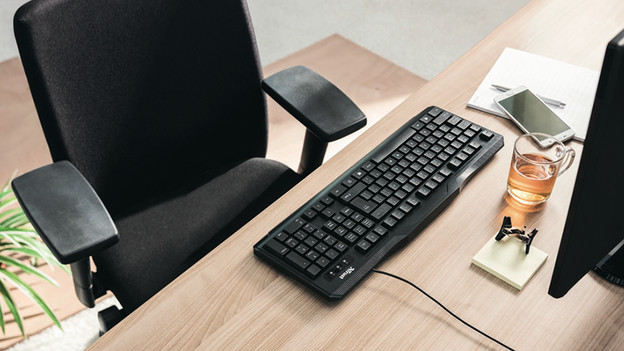
You can choose a wired keyboard when you don't feel like replacing the batteries all the time. A wired keyboard is more energy-efficient than a wireless keyboard with Bluetooth or USB receiver. But, a wired keyboard has some disadvantages as well. You'll have a cable on your desk that might tangle up with the rest of your cables. In addition, you're limited in the distance from your monitor and desktop due to the length of the wire.
Do you want to work wirelessly?
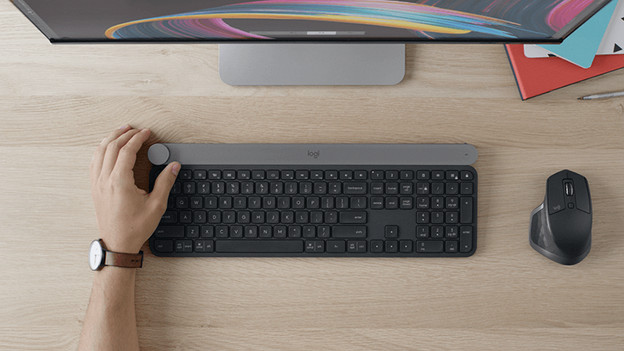
With a wireless keyboard, you won't be bothered with an extra wire that creates even more cable chaos on your desk. You can choose how far away you want to sit from your monitor and desktop yourself. A Bluetooth connection or connection via a USB receiver uses more energy than a wired connection. The disadvantage of a wireless keyboard is that you'll have to replace the batteries once every so often.
BlueBuilt Wireless Bluetooth Keyboard Pro
- The flat keys are shaped to your fingertips, so you can type silently and comfortably.
- You can easily connect the keyboard to your laptop or desktop via Bluetooth.
- With the multimedia keys, you'll always have the controls for your music and movies within reach while you type.
- Without backlit keys, you're more likely to press the wrong keys when it's dark than with a backlit keyboard.
70,-

Do you want to work ergonomically?
When you're typing all day long at work, you don't want to get wrist and finger complaints. There are specially designed keyboard for this, where ergonomics was taken into account. Think about a wrist rest or a keyboard layout where the keys were split.
Business keyboards
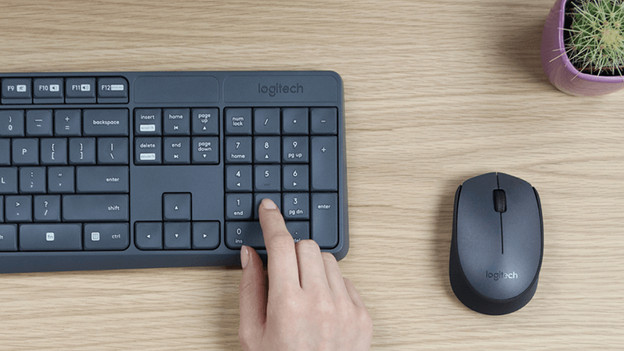
For the business use of a keyboard, it's important a keyboard has a light keystroke and is ergonomic. In addition, the security of files is also important. At the office, you'll use a keyboard with AES-encryption. A numeric pad is also nice if you work in sheets with a lot of data.
Do you want multimedia shortcuts?
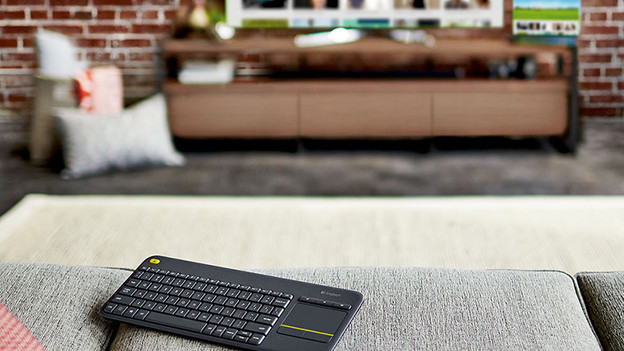
In order to easily control music and videos, choose a keyboard with multimedia shortcuts. With these keys, you can directly control the volume or skip a song. In addition, a wireless keyboard with touchpad is also useful to control a smart TV. With a touchpad, you can easily navigate through all the series and movies on Netflix. All of this without a remote or mouse.
HP 350 Compact Wireless Keyboard Black
- With the multimedia keys, you always have the controls for your music and movies within reach while typing.
- With a wireless keyboard, you have more freedom of movement than with a wired keyboard.
- You can connect this keyboard to 3 devices at the same time and switch between them at the touch of a button.
- The keyboard doesn't have an ergonomic design, so you may not be able to type on it comfortably for hours on end.
- Without backlit keys, you're more likely to press the wrong keys in the dark than with a backlit keyboard.
42,99
Article by Elaine
Keyboard Expert.