Written by Charlotte
Edited on
13 October 2025
·
14:31
How do you place the Claris Pro Smart water filter in your JURA WE6?
On this page, you can see how to place the Claris Pro water filter in your JURA WE6. It's important that you keep the coffee machine free of limescale with this water filter, because limescale is harmful to the pipes of your machine. The water filter prevents limescale. You should replace the water filter about once every 3 months.
Get started with the water filter
Follow the instructions in the video to place the water filter the right way. This takes about 10 minutes. We'll take you through the steps:
- Step 1. Remove the old water filter
- Step 2. Install the new water filter
- Step 3. Rinse the water filter
You need:
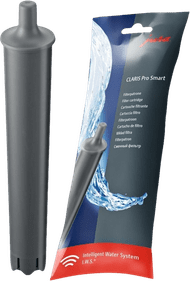
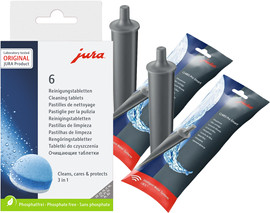
- JURA Claris Pro Smart RFID water filter
- 500ml container
How often should you replace the water filter?
The display indicates that you have to replace the water filter once every 3 months. The water filter communicates with the coffee machine via Bluetooth. This smart water filter works more accurately and prevents 99% of limescale buildup. It's important that you replace the filter on time. Use the JURA Claris Pro Smart RFID water filter. The JURA WE series has a larger water tank than other JURA coffee machines. This is also the only filter that fits in the water tank of the JURA WE6.
34,99
Step 1. remove the old water filter
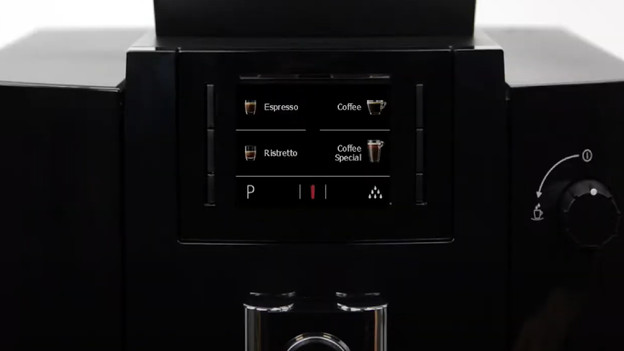
- The display will show an icon when you have to replace the water filter.
- Remove the water tank from the coffee machine and pour the water into the sink.
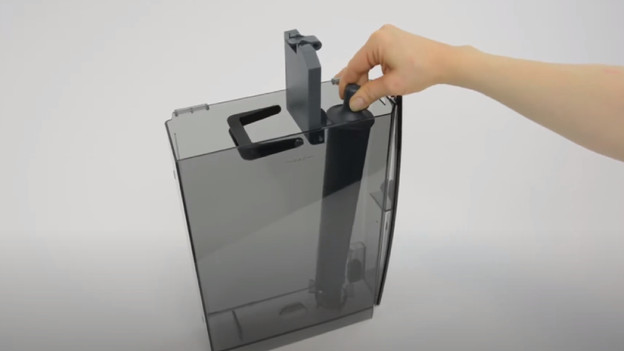
- Flip open the filter holder and take the used water filter out of the water tank.
- Take the new water filter and place it in the empty water tank.
- Close the filter holder.
Step 2: rinse the water filter
- Fill the water tank up to the 'max' line.
- Place the full water tank in the coffee machine.
- The display shows 'saved'.
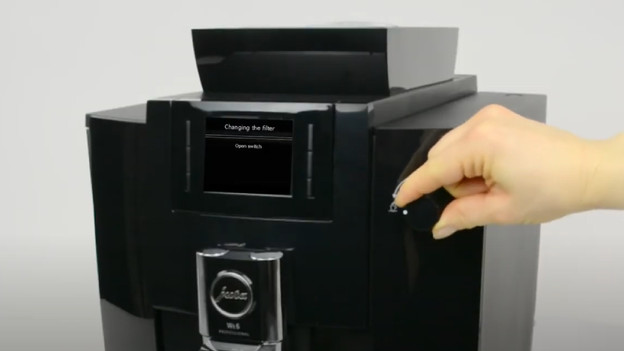
- The display shows 'open switch'.
- Put a 500ml container underneath the coffee outlet.
- Turn the dial to the cup with 2 droplets above it. The machine now rinses the water filter.
- when you see 'close switch' on the display, turn the dial back to the 'I' position.
- The display now returns to the home screen.
- You successfully installed the water filter in your JURA WE6.
Get all the maintenance products you need
- JURA Maintenance Package Half a Year
Maintain your machine for half a year.
Extends the lifespan and prevents defects.
More affordable to purchase than separate products.
From
77,-
- JURA Maintenance Pack 1 Year
Maintain your machine for 1 year.
Extends the lifespan and prevents defects.
More affordable then 2 maintenance packs of half a year.
From
144,-

Article by Charlotte
Coffee Machine Expert.
