
Written by Daan
Edited on
13 January 2026
·
08:47
What's Samsung SmartThings?
Samsung SmartThings is Samsung's smart home platform. This means that you can control the smart devices in your home via SmartThings. Samsung products use the platform, but other devices use it as well. In this article, we'll tell you more about SmartThings and what you can do with it.
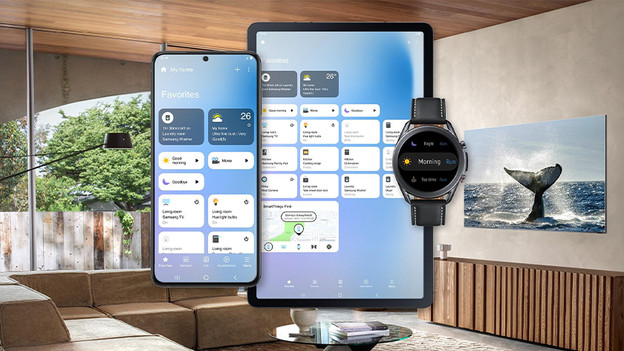
Connect your smart devices
Samsung SmartThings connects your smart devices, so you can control them via 1 app. This works in a similar way as the Google Home app, Amazon Alexa, and Apple HomeKit. You can add products manually or let the SmartThings app look for connectable devices in the house. Not everything is compatible with SmartThings. Many well-known brands can be connected to the system, like Philips Hue lights, Ring doorbells, and Arlo IP cameras.

How does it work?
You can control various devices via the SmartThings app on your phone. The connection between these devices and your phone runs via WiFi. To connect via other wireless protocols without a bridge, you need the SmartThings Hub. This hub is built into Samsung TVs from the series Q7F, for example. You can automate actions and scenarios in the app. For example, you can turn the lights on at a fixed time or activate your devices by selecting 'movie time'.
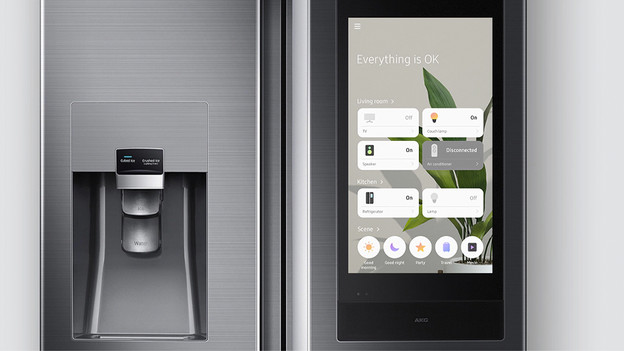
Use multiple screens
A big advantage of SmartThings is the integration of the system in various Samsung products. This makes it possible to operate your smart home via all kinds of screens. You can find SmartThings in Samsung phones, tablets, televisions, washing machines, dryers, smart fridges, and smartwatches. That means you can use the app on more devices than just your phone. For example, you can dim the lights via the television when you sit on the couch to watch a movie.
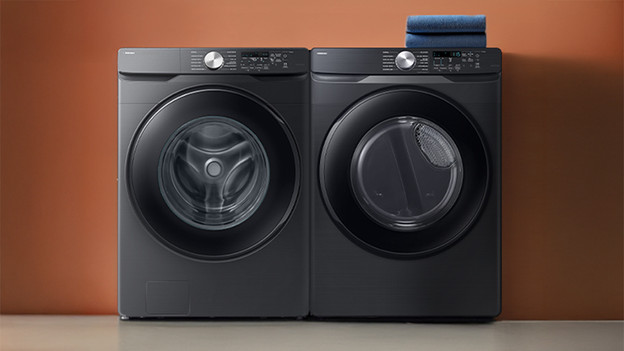
Free Washing and Drying
Do you have a Samsung washing machine, dryer, or washer dryer combination with SmartThings and a Coolblue Energy contract? Easily connect your appliance to Free Washing and Free Drying. That means you can do your laundry for free every day between 12:00 and 15:00. That saves on your energy bill.
Save energy with SmartThings
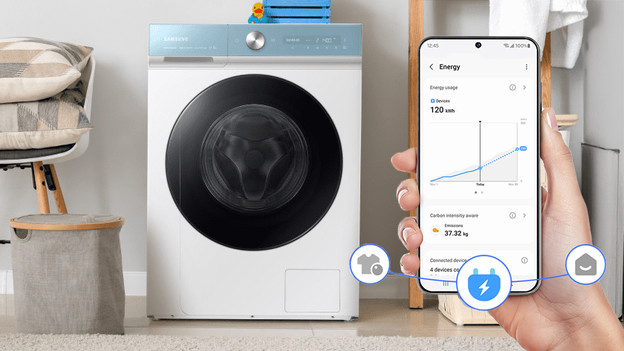
You can also use the Samsung SmartThings app to save energy. AI Energy gives you insight into your energy consumption, you can find tips on how to wash more efficiently, and see you how much you've saved until now. Do you want to save even more energy? Turn on the AI Energy mode for your fridge or washing machine, for example. Another useful feature is setting up schedules. Your device then turns on when your energy is cheaper.
Article by Daan
Smart Home Expert.
