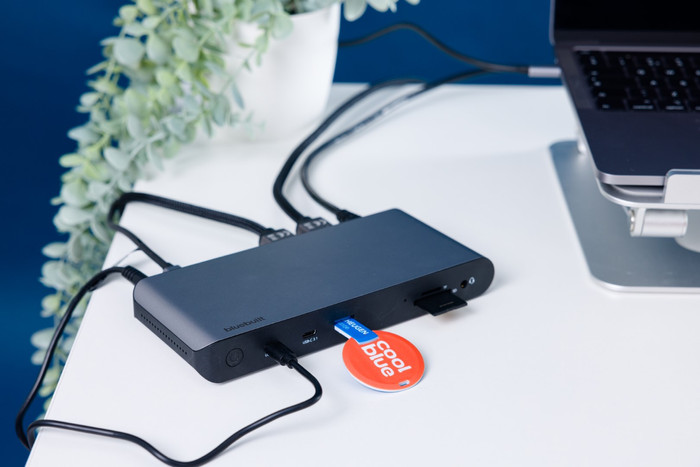
With this dock, you can connect 2 extra monitors to your laptop or MacBook.
You can charge your laptop or MacBook with this dock if your laptop supports Power Delivery.
You can work with accessories like a keyboard and an ergonomic mouse, which you can connect via the USB-A ports.
You have to install DisplayLink software before you can use this docking station.
This docking station isn't suitable for gaming on your extra screen.
Description
Note: the docking station works best if you install the DisplayLink driver before use. You can easily download it from the DisplayLink website.
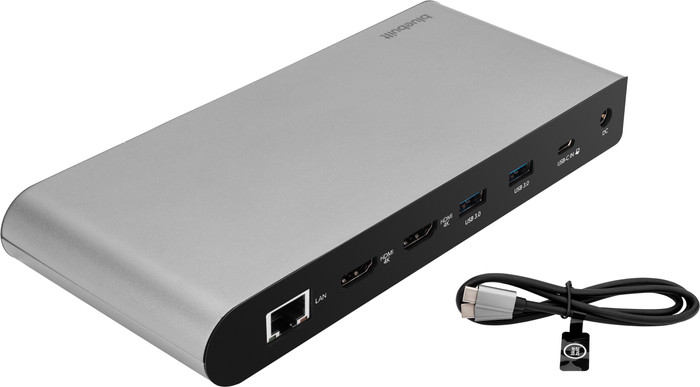
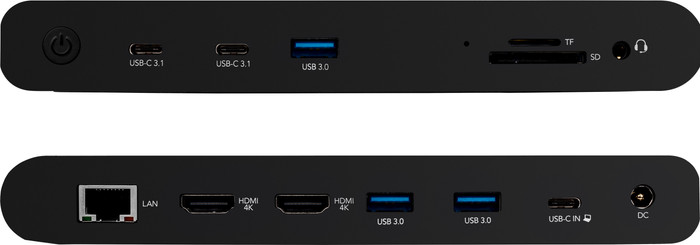
You can easily expand your workplace with the BlueBuilt DisplayLink Docking Station with USB-C. With this docking station, you can connect up to 2 monitors via HDMI. You can get a maximum resolution of 4K at 60Hz. This allows you to create more space for all your windows. You also have enough USB ports for peripherals and memory cards. You can easily and quickly connect your mouse, keyboard, and USB flash drive. Does your laptop support Power Delivery? You can charge your laptop with this BlueBuilt dock while you work. This way, you don't have to look for a socket. Via the Ethernet port, you can also connect a cable for a stable wired internet connection. The BlueBuilt DisplayLink Docking Station with USB-C works on all Windows laptops and MacBook models with a USB-C port that transmit a video signal. This is how you check if your laptop has a suitable USB-C port.
What can you do with this docking station?
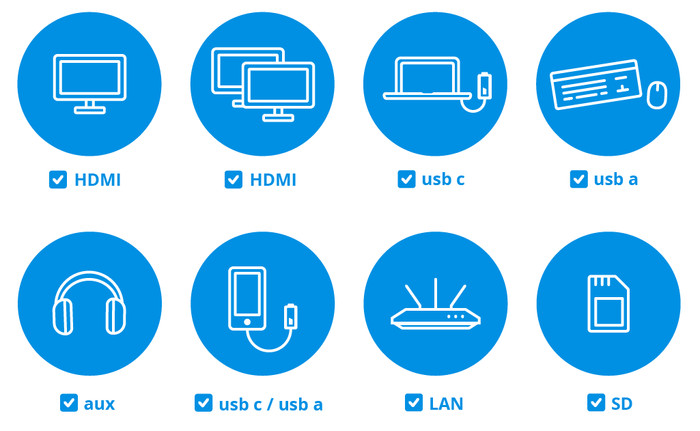
Connect up to 2 monitors
Charge a laptop with Power Delivery up to 100W (if your laptop supports Power Delivery)
Work with wired internet
Connect a mouse and keyboard
Charge a phone
Read a memory card
Connect headphones
If you connect 1 monitor to this docking station, you have a maximum resolution of 4K at 60Hz.
If you connect 2 monitors to this docking station, you have a maximum resolution of 4K at 60Hz.
Unfortunately, the docking station did not work with my MacBook Air from 2019. Coolblue helped me to exchange a second copy in the local store, but this one does not work either. I didn't read anywhere that it wouldn't work, so that's why this review.
Rob
1 May 2024
Automatically translated from Dutch
Review is 5,3 out of 10.
5,3/10 ()
Great dock for Windows, not good for MacBook
fine with windows laptop
gets very hot
Software needed (DisplayLink) on the Macbook air M2 chip for use with dock. First few weeks worked fine but after macOS update the screen became noticeably slower. Especially when using the magic mouse, because of this you often tap the wrong button. (no problem with the mousepad). Asked for help from the software provider (display link), but so far no solution found. In the meantime use my satechi USB hub for second screen. With windows laptop no problems and the docking station works fine. (review left because the description says compatible with macbook, but in my case that is not)
Ricardo
11 October 2024
Automatically translated from Dutch
Review is 9,3 out of 10.
9,3/10 ()
nice price-quality ratio.
Beautiful materials.
Lots of heat development
Fine for my needs
Jeffrey
29 December 2023
Automatically translated from Dutch
Specifications
The list with properties are filtered when you type
Product
Product number
933695
Manufacturer code
BBDS12IN1
Brand
BlueBuilt
Warranty
5 years
Processing of your defect
Via Coolblue
Old product returned for free
Suitable for laptop type
Made for laptop models
Apple MacBook, Chromebook, Microsoft Surface, Windows laptop
Ports of docking statio
Laptop docking station suitable for
Connect 1 monitor, Connect 2 monitors and MacBook, Connect 2 monitors and a Chromebook, Connect 2 monitors and a Windows laptop
Extra functionalities docking station
Charge laptop via docking station, Charge laptop via own charger, Charge phone via docking station, Connect headphones, Connect wired network
Type of main connector
USB-C
Supported video technology on Docking Station
DisplayLink, MST, SST
Number of USB ports
6
USB function
Charge, Charging an external device, Data transfer, Device connection, Play media, Power source, Record audio