Written by Iris
Edited on
14 October 2025
·
11:16
5 tips to improve the WiFi connection on your speaker
The name speaks for itself, a WiFi speaker needs WiFi to function. If you experience interferences, the speaker isn't necessarily broken. Maybe your internet range isn't enough to provide your speaker with internet. You'll find 5 tips to improve your WiFi below, so you can enjoy your favorite songs undisturbed again.

5 tips for a more stable network
The solution really depends on your current WiFi network. Go through the following tips to see which one works best for you.
Tip 1: check your current WiFi
Tip 2: determine the location of your router
Tip 3: get a powerline adapter
Tip 4: replace your router
Tip 5: get a multi-room system

Tip 1: check your current WiFi
It's time for a test. Go to www.fast.com and check your internet speed, both wired and wireless. Connect your computer with to your router with an Ethernet cable for the wired test. Then, do the same test wirelessly. Is there a big difference between the results? With 400Mbps wired and only 20Mbps wirelessly, for example? There's something wrong with your WiFi. The tips below will help you improve it.

Tip 2: determine the location of your router
Steel plates, radiators, thick walls, or even a mirror or aquarium partly block your WiFi signal. This results in a poor WiFi range at home. Move the router to a central location in the house for a better WiFi range. You should also check which channel your router is on. That's because some WiFi speakers only work on the 2.4GHz frequency, and not on the 5GHz frequency. Most routers are set to 2.4GHz by default.

Tip 3: get a powerline adapter
If the first tips haven't helped, it might be time to expand your network with a powerline adapter. These adapters expand your WiFi network to a different room or floor via your power grid. You can plug 1 into the socket near your router, and the other on the spot where there's almost no WiFi signal.
Best solution for:
- Your speaker in the garden.
- Your speaker in 1 other room.
Less suitable for:
- Very old houses, these often have an outdated power grid.

Tip 4: replace your router
Sometimes, the router your provider has given you isn't enough for your home. The signal might be too weak for the concrete walls, for example. Replacing your old router with one that has a stronger signal could be the solution. Connect it to your current router and turn off the WiFi on the old one. Your new router will then create a new and more powerful network.
Best solution for:
- A WiFi network that doesn't work properly or at all.
- Houses with 1 or multiple WiFi speakers.
Less suitable for:
- A WiFi connection that isn't working in 1 specific room only.
Tip 5: get a multi-room system
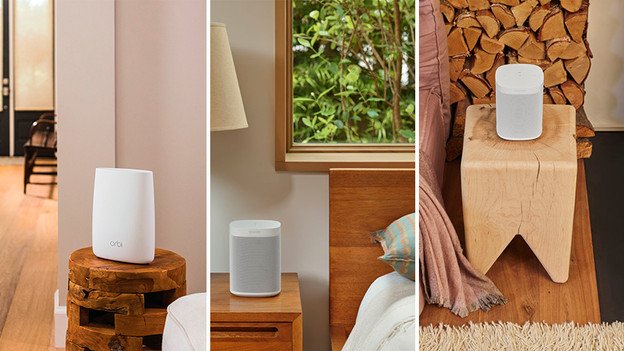
You get the most stable WiFi connection with a multi-room system. These create a whole new WiFi network and are connected to each other wirelessly. Because the stations communicate with each other, you're always connected to the strongest signal. Wherever you are in the house.
Best solution for:
- Multiple speakers in different rooms.
- Never getting interferences with your WiFi speakers again.
Less suitable for:
- Not spending too much money.
Article by Iris
Audio Expert.