Written by Lucinda
Edited on
12 July 2024
·
15:23
What's the difference between the iPad 4G/5G and the iPad WiFi?
With an Apple iPad with 4G or 5G connectivity, you can use the internet everywhere. An Apple iPad without 4G or 5G can only be connected to the internet if there's a public or private WiFi network available. In this article, we'll explain the differences between a 4G or 5G iPad and a WiFi iPad. In addition, you can read how to use 4G or 5G on your iPad.

iPad with 4G/5G connectivity
With an iPad 4G or iPad 4G, also known as iPad Cellular, you can connect to the internet anywhere. Even in places without WiFi. The 4G or 5G connection runs via the mobile network, for which you need a data plan from a provider. Are you often on the go and out of range of a WiFi network? If so, it's a good idea to choose for an iPad with 4G/5G connectivity. The disadvantage is that you always have to pay for a data plan from a provider if you want mobile internet on your iPad.
Do you want to use GPS on your iPad for example to create routes? You can also choose an iPad with 4G/5G connectivity. GPS is only installed on these iPad models.

iPad with WiFi connectivity
You can connect to a WiFi network with every iPad. This can be a public network, such as in a restaurant, or a private network, such as at home. You can use public networks for free, but you often need a password. In this case, just open Safari to confirm the connection and enter the password if required.
Please note: connecting to public WiFi is unsafe. For example, never log on to a public network with your bank details.
How does 4G/5G work on my iPad?
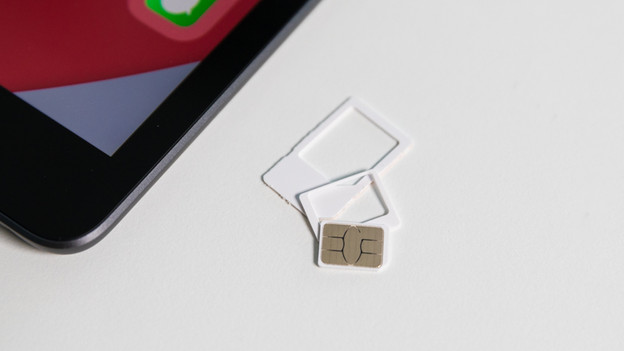
In order to use mobile internet on your iPad, you need a SIM card with a data plan. Every SIM card with a data plan is suitable for use with the Apple iPad. For example, you can take out a separate plan from a provider or you can use the SIM card that's in your smartphone. Pay close attention to the size of the SIM card. Only a nano SIM card can fit into the Apple iPad, while smartphones sometimes also support micro SIM cards.
Article by Lucinda
Apple Expert.