Written by Lodi
Edited on
24 July 2024
·
06:54
3 tips to make your Fitbit battery last longer
Imagine you're almost done with your favorite run and your Fitbit shuts down. Or you left your wallet at home and you can't pay for your groceries because the battery of your Fitbit smartwatch is empty. In this article, you'll find 3 tips to ensure the battery of your Fitbit lasts as long as possible.
3 tips to improve your battery life
The battery of your Fitbit lasts 4 to 6 days on average. How long it lasts exactly, depends on the way you use your smartwatch. If you work out often with the GPS enabled, the battery runs out much faster.
- Adjust your screen settings.
- Switch off functions like notifications and reminders.
- Make sure you charge the battery fully.
Won't your Fitbit charge anymore? Or do you have a different problem with your Fitbit? Contact the Fitbit customer service. They'll help you solve the problem.
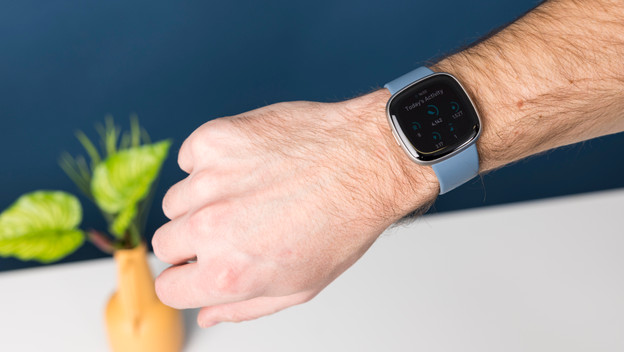
Tip 1: adjust your screen settings
-
When you turn your wrist, the screen will automatically display the time. Turn this function off on your watch or via the Fitbit app.
-
You can easily adjust the brightness of the screen via the settings of your watch. You can set it to 'normal', 'automatic', or 'dimmed'. This last option also prevents you from waking up at night due to the bright light.
-
If you have a Fitbit Sense, Versa 2, or Versa 3, turn off the setting 'Always on'.
Adjust the brightness of your screen
Turn off 'Always on'


Tip 2: turn off notifications
-
Notifications on your Fitbit like calls, messages, or appointments make your battery run out faster. Want to increase the battery life? Switch off notifications (temporarily).
-
A heart rate reading consumes a lot of battery. Don't want to be updated on your heart rate? Turn off the heart rate data option. This saves battery.
Adjust the settings in the app on your smartphone
Turn off 'Notifications'
Turn off 'Heart rate information'


Tip 3: fully charge your Fitbit
Make sure you fully charge your Fitbit. This can take up to 2 hours. Want to check whether your battery is full? Disconnect your Fitbit from the charger for a couple of seconds and plug it back in. Your Fitbit will show on the screen that it's fully charged. Don't charge your Fitbit when the weather is very cold or hot. This has a negative effect on the battery.
Make sure you fully charge your watch
Wait until your Fitbit is charged for 100%


Article by Lodi
Smartwatch Expert.