Never available again
View alternatives in the sidebar
View alternatives in the sidebar
Product number | 780291 | |
|---|---|---|
Manufacturer code | 29UM59-P.AEU | |
Brand | LG | |
Processing of your defect | Carry-in warranty | |
Old product returned for free |
Screen size | 29 inches | |
|---|---|---|
Refresh rate | 75 Hz | |
Response time | 5 ms | |
Panel type | IPS panel | |
Brightness | 250 cd/m2 | |
Local dimming | ||
HDR support | ||
Contrast ratio | 1000 | |
Touchscreen | ||
Screen reflection | Anti-glare | |
Blue light filter | ||
sRGB color coverage percentage | 99 % | |
Color depth | Less than 17 million colors (less than 8-bit) | |
Adaptive Sync | ||
Resolution width | 2560 pixels | |
Resolution height | 1080 pixels | |
Anti-reflection type | Anti glare | |
Horizontal viewing angle | 178 ° |
Height | 414 mm | |
|---|---|---|
Width | 703 mm | |
Depth | 213 mm | |
Weight | 5,2 kg | |
Color | Black | |
Including stand | ||
Material | Plastic | |
Cable management | ||
Curved |
Adjustable in height | ||
|---|---|---|
Tiltable | ||
Pivotable stand | ||
Pivot function | ||
VESA mount option | ||
VESA mount | 75x75mm |
Energy consumption standby | 0,3 W | |
|---|---|---|
Energy consumption active | 31 W |
Built-in speakers | ||
|---|---|---|
Split screen | ||
Kensington lock | ||
Best tested |
Curved | ||
|---|---|---|
Refresh rate | 75 Hz | |
Response time | 5 ms | |
Panel type | IPS panel | |
Color depth | Less than 17 million colors (less than 8-bit) | |
Built-in speakers | ||
Adjustable in height |
According to our monitor expert
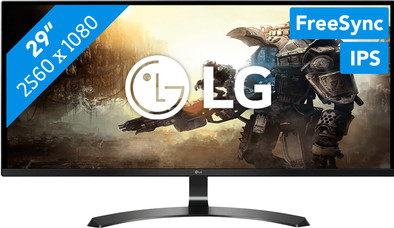
This ultrawide monitor gives you more space to work on, allowing you to work with multiple programs at once.
The 4 Screen Split ensures you can easily organize 4 windows on your screen.
The FreeSync technology helps prevent image stutter whilst gaming, if you have an AMD video card.
This monitor isn't height adjustable.
The LG29UM59-P is an ultrawide monitor for gaming fanatics. The 21:9 aspect ratio means you have a larger playing field in your games, if supported by the game in question. In shooters, for example, you'll see your opponents coming from afar, and other players in multiplayer games won't stand a chance. Stuttering images are a thing of the past, thanks to the FreeSync technology, which synchronizes the refresh rates of your monitor and your AMD video card, preventing tearing and stuttering. Thanks to the 60Hz refresh rate you can use this monitor for games that have a lower FPS like Overwatch. If the time has come to get down to some studying, just use split screen to divide the screen into 4 quadrants, allowing for easy multitasking. Drag photos to a presentation or read through your sources while typing a paper, for example.
5 stars
20
4 stars
11
3 stars
0
2 stars
0
1 star
0
From now on I prefer widescreen to 2 separate screens. It is more convenient especially for programs to encode or edit. Fifa is also very pleasant on a widescreen (wider view of course).
An HDMI cable of 1 meter was included, this is on the short side but you get it for free so I certainly don't have to complain.
The supplied driver is highly recommended, you can divide the screen into multiple windows that you can change each size. You can choose between 1,2,3 or 4 different windows and adjust the ratio of each window. 1 downside, the driver on LG's website doesn't work (broken RAR file), so you have to get it from the CD.
2 HDMI ports and aux is enough for me. Good purchase in my eyes, 29 inches is not an exaggeration since your screen is wider and not so much higher. You can also tilt the screen a little forward or backward.
Hendrik Van Dijck
12 September 2017
Automatically translated from Nederlands
I am very satisfied with this screen I now have 2 and they are great to play on
don leroy
2 September 2017
Automatically translated from Nederlands
This screen does exactly what it says on the box and is very cheap. Actually cheaper than my 27" hd screen from a few months ago with similar features. The menus are clear and the screen is greener than expected. Downside, you need SwitchresX on a mac to use the screen in full UWHD resolution.
Veronnez Laurent
14 November 2017
Automatically translated from Nederlands