Note: you can only download apps from the Google Play Store. Not all Windows or macOS programs work the same way or are available to download on a Chromebook. Want to use Office? Keep in mind that you can only work in a web version of the app.
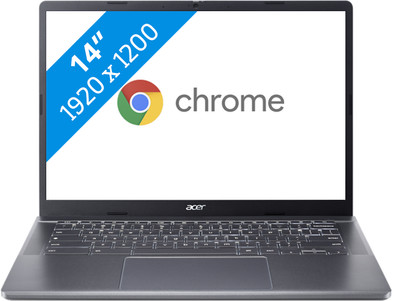
You can write texts and browse the internet with the Acer Chromebook Plus 514 (CB514-3H-R66W). This Chromebook Plus has a fast 7000 series AMD Ryzen 3 processor and 8GB DDR5 RAM. This allows you to quickly switch between different programs. You can also easily store files offline on the 128GB SSD. The Chromebook Plus also has various AI functions that help you improve your work. For example, you can edit your photos with AI and improve the quality of your video calls. You're clearly visible during video calls thanks to the Full HD webcam. Thanks to the light weight of 1.45kg, you can easily take the Chromebook with you. The battery also lasts a work day without charging. You're better protected from viruses, because you only install programs from the Google Play Store or Chrome Web Store.
Our advice from our Chromebook expert:
- Browsing the internet: suitable
- Watching movies and series: suitable
- Text processing and email: suitable
- Using Chromebook as a tablet: only with a 2-in-1 Chromebook
- Smooth multitasking and text processing: suitable
- Medium demanding tasks, light gaming, and multitasking: suitable
- Graphic editing, demanding tasks, and gaming: at least an Intel Core i5 / AMD Ryzen 5 processor