
Written by Rowan
Edited on
5 February 2026
·
16:15
Apple AirPods Pro 3 vs Pro 2
You're looking for new Apple AirPods Pro, but you're not sure if you should choose the AirPods Pro 3 or AirPods Pro 2. That makes sense, because these Apple earbuds are very similar. The largest difference between the AirPods Pro 3 and Pro 2 is the new heart rate sensor of the Pro 3. In addition, the new earbuds have a more comfortable design, better noise canceling, and a longer battery life. You can read all about it here.
View the Apple AirPods Pro
- Apple AirPods Pro 3
You can listen to your favorite music or podcast for up to 8 hours with noise canceling.
Thanks to the small design, these AirPods fit comfortably and don't fall out easily.
Thanks to the best noise canceling and narrow design, you don't hear anything of your surroundings.
You can also use the AirPods Pro 3 as hearing aids and a heart rate sensor.
The earbuds aren't fully waterproof.
From
249,-
- Apple AirPods Pro 2
You can listen to your favorite music or podcast for up to 6 hours with noise canceling.
Thanks to the design, the earbuds stay firmly in your ears and don't fall out easily.
With noise canceling, you're less bothered by ambient noise.
You can also use the AirPods Pro 2 as hearing aids.
The earbuds aren't fully waterproof.
From
217,-
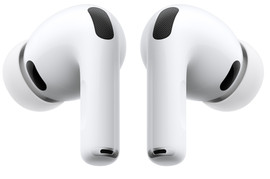

Comparison Apple AirPods Pro
| Apple AirPods Pro 3 | Apple AirPods Pro 2 | |
|---|---|---|
| Chip | H2 chip | H2 chip |
| Noise canceling | Best quality | Decent quality |
| Number of earbud tips | 5 earbud tips | 4 earbud tips |
| Battery life of earbuds | 8 hours | 6 hours |
| Battery life case | 24 hours | 30 hours |
| Health functions | Hearing aid and heart rate sensor | Hearing aid |
Design and comfort

AirPods Pro 3: smaller design and 5 earbud tips
The case of the AirPods Pro 3 is smaller than that of the AirPods Pro 2, other than that it's the same. It looks a bit like the case of the regular AirPods 4. The earbuds are a bit smaller as well and the stems a bit shorter. That way, the earbuds fit more comfortably in your ears. You also receive 5 different earbud tips sizes, so you can be sure your earbuds fit.
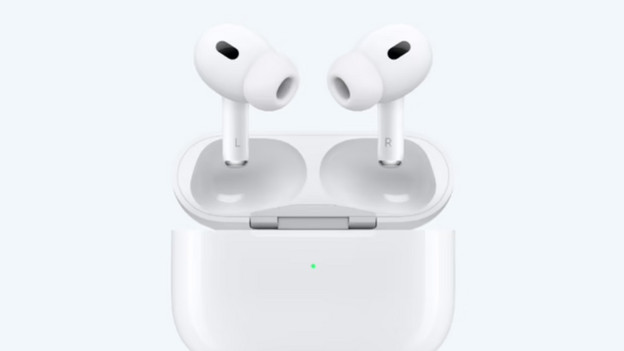
AirPods Pro 2: classic design and 4 earbud tips
You can charge the case of the AirPods Pro 2 wirelessly, just like the AirPods 3. This means you don't need any cables. Both cases have MagSafe. That means the case magnetically attaches to the MagSafe charger of your iPhone. The AirPods 4 include 4 different earbud tips sizes, so your AirPods always fit in your ears.
Battery

Airpods Pro 3: battery up to 8 hours
With the Apple AirPods Pro 3, you can enjoy the longest battery life. You can listen to your favorite music or podcast with noise canceling for up to 8 hours. With the charging case, you can add 24 hours extra to this. This means you can listen to your music with the earbuds for longer. The case has a shorter battery life than the AirPods Pro 2. That's due to the smaller design.

Airpods Pro 2: battery up to 6 hours
The AirPods Pro 2 also have a good battery life: you can listen to music with noise canceling for 6 hours. Also have your charging case with you? You can listen for 30 hours more. That's a bit more than the battery life of the case of the new AirPods Pro 3. The case of the AirPods Pro 2 is a bit larger than that of its predecessor.
Sound and performances

AirPods Pro 3: best noise canceling
With the Apple AirPods Pro 3, you can enjoy the best audio. Don't want to be bothered by ambient noise? Press and hold the stem of your AirPod for a short time to easily turn on the noise canceling. With spatial audio, you hear sound from different directions. That way, movies and music sound more realistic.

AirPods Pro 2: noise canceling
The Apple AirPods Pro 2 have an H2 chip, just like the AirPods Pro 3. As a result, these earbuds provide clear and balanced audio. The AirPods also have noise canceling, so you're less bothered by ambient noise. De new AirPods Pro 3 do filter out up to 2 times as much sound as the AirPods Pro 2.
Health functions

AirPods Pro 3: hearing aids and heart rate sensor
You can use the AirPods Pro 3 as a hearing aid but also as a heart rate sensor. That's mainly useful when exercising. Thanks to the heart rate sensor, you also know if your heart rate is healthy and when something is wrong. You can keep track of your heart rate and burned calories in the Health app on your iPhone, iPad, or Watch.

AirPods Pro 2: hearing aid
You can only use the AirPods Pro 2 as a hearing aid. You need an iPhone with at least iOS 18. You can easily perform a hearing test with your iPhone. This determines how much hearing loss you have. These earbuds help with mild hearing loss and with understanding music, people, and other sounds.
Conclusion AirPods Pro 3 or Pro 2?
The Apple AirPods Pro 3 have a couple of improvements. These earbuds have the best sound quality and noise canceling. The battery of the AirPods Pro 3 lasts up to 2 hours longer than that of the AirPods Pro 2. The battery of the case of the AirPods Pro 2 is longer: up to 30 hours. The AirPods Pro 3 case has a 24-hour battery life.
Article by Rowan
Apple Expert.
