Written by Thierry
Edited on
28 January 2025
·
08:54
How do you set up your drill?
A standard drill features quite a lot of buttons and switches. If you're going for a drill hammer or a combi hammer, there'll be a couple more even. Now, you can of course see for yourself what each mode does, but I can also just briefly explain it to you in this article.
How do I set up my screw drill?
Before you start a job around the house, you need to set up the screw drill. Here, we'll explain how to do this.
Step 1. Connect the charged battery to the screw drill.
Step 2. Set the right speed.
Step 3. Adjust the torque setting.
Standard functions
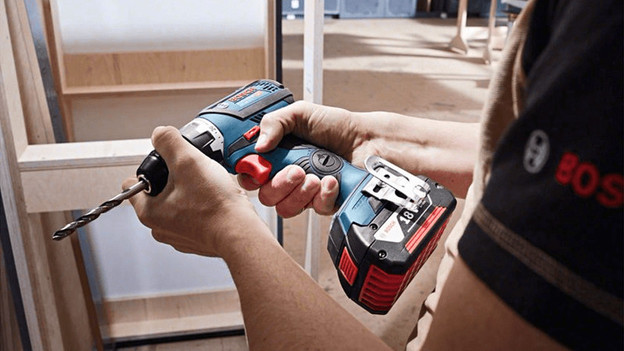
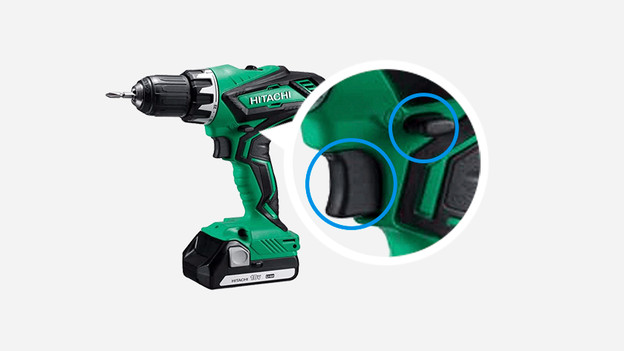
Do you have a cordless drill? You should connect the charged battery first. Use the on/off button to activate the rotation or impact mechanism of the drill. Often, the speed increases slowly, so you stay in control of the speed. Another standard function on a drill is the clockwise/counterclockwise switch. You can use clockwise for drilling and screwdriving, and counterclockwise to unscrew a screw.
Mechanical speed setting
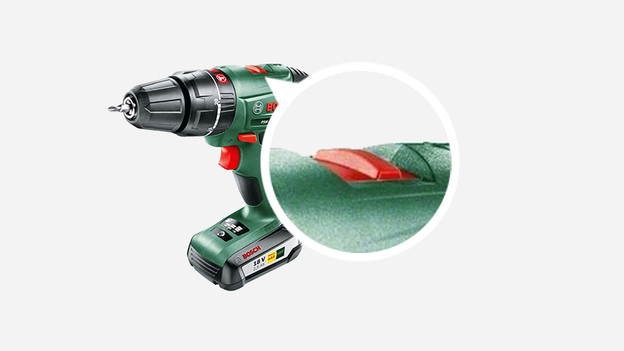
Mechanical speed settings are found on more and more (battery-powered) drills. Using its switch, you can set the drill to either screw mode (mode 1) or drill mode (mode 2). Without a mechanical speed setting, you'll easily drill too fast for screwing and too slow for drilling. When a drill has 2 speed settings, the RPM is indicated twice as well; once for the lower gear (low RPM) and once for the higher gear (high RPM). Rarely, you'll find more than 2 gears on a drill. In these cases, you'll have even better control over the machine's speed.
Torque settings
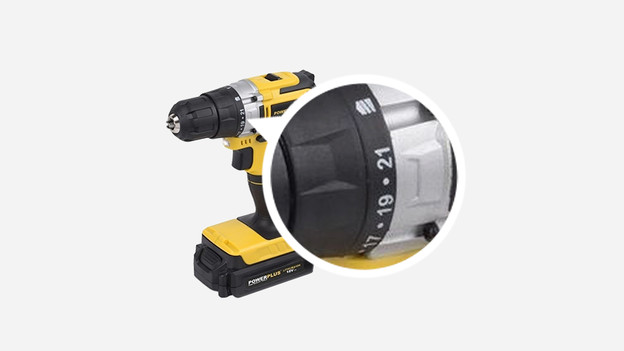
On a battery-powered drill or a screw drill, you can choose from a number of torque settings. You set these using the rotating dial with numbers behind the drill head. Each setting corresponds to a torque indicated in newton meters (Nm). This torque represents the power with which you screw. The higher the torque, the more powerfully, quickly, and deeply you'll be tightening your screws. Very convenient on hardwood, but if you're putting screws into a plaster plate, you'll want a slightly lower torque, to prevent yourself from screwing through the plate. At the end of the dial, there's usually a drill setting that you should only use – as you can probably guess – when drilling.
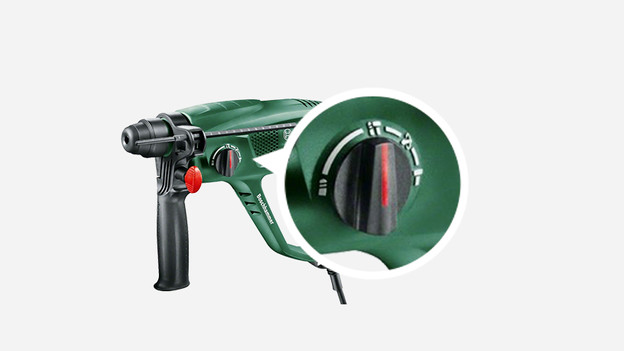
Impact, hammer, or demolition function
Impact drills, hammer drills, and combi hammers are equipped with a button for their various functions. For example, without the impact function, you can use an impact drill to simply drill wood, metal and soft stone. When you turn the switch to the impact function, you'll be able to drill harder types of stone as well. On a hammer drill or Combi hammer, you'll find a similar setting, except specifically for hammering concrete. A combi hammer features a rotation stop specifically for demolition activities. When selecting functions, the button you're using to do that will be fixed into place with a click, preventing it from jumping to another function while you're working.
Article by Thierry
Drill Expert.