Written by Lucinda
Edited on
27 May 2025
·
12:41
How do you clean the Lightning port of your iPhone?
You can clean the Lightning port on your Apple iPhone with a skewer or tooth pick. It's important to do this regularly. If the Lightning port of your Apple iPhone gets blocked, it could cause charging problems. In this article, we'll tell you how to clean the charging port of your iPhone and what you need for that.
Get started with cleaning your iPhone
Dirt and dust in the charging port of your iPhone can cause charging issues. It's possible that the charger sometimes doesn't work, or only works when you move the connector. That's why you should clean dust and other dirt from the Lightning port regularly. You can read more on cleaning that port here.
- Gather what you need
- Clean the Lightning port of your iPhone
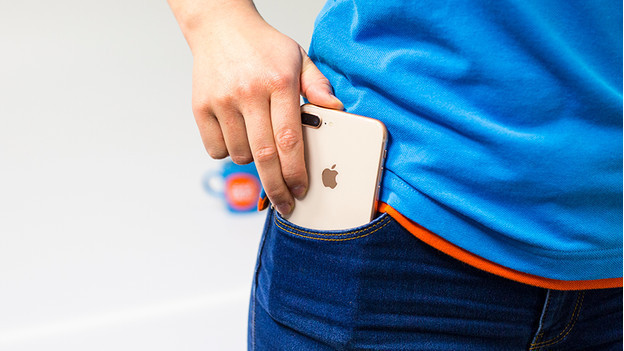

Step 1: gather what you need
The Lightning port is narrow, so you need something thin. You also need enough light, or you can't see the dirt in the port. Use the following when cleaning the iPhone charging port:
- Flashlight
- Wooden or plastic toothpick or skewer
Note: don't use metal objects to clean the Lightning port. That's because you can permanently damage the port with things like paperclips and needles.
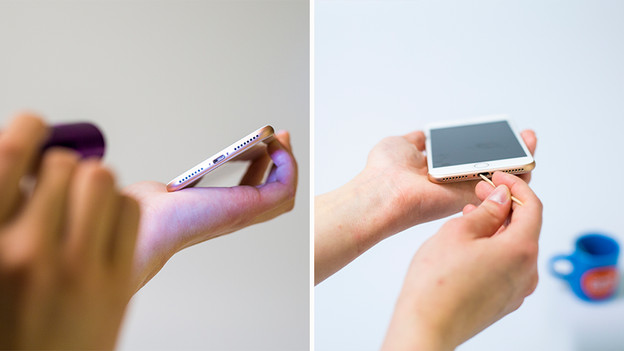
Step 2: cleaning the Lightning port
Follow the steps below to clean the port:
- Hold the iPhone in the light or use a flashlight, so you can see inside the charging port well.
- Now softly press the skewer or toothpick into the port and scrape all dirt outwards. You can see lint and dust particles appear.
- You can also blow or use compressed air to get the last bit of dirt out until the port is completely empty.
- Then connect a Lightning cable to test if it stays in well. If that's not the case, repeat the steps above.
Article by Lucinda
Apple Expert.