Written by Ruben
Edited on
13 October 2025
·
14:35
How do you descale your Melitta Avanza?
In this article, we'll show you how to easily descale your Melitta Avanza coffee machine. By descaling your machine once every 3 months, you can prevent limescale and extent the lifespan of the machine. Use the descaler by Melitta for the best result.
Get started with descaling
In the video, we'll explain how to descale your Melitta coffee machine step by step. These are the steps we'll go through:
- Step 1: prepare the descaling
- Step 2: start the descaling
- Step 3: rinse the machine
You need:
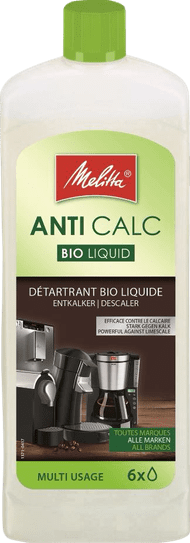
- Melitta Bio descaler
How often should you descale?
We recommend you to descale your Melitta Avanza coffee machine once every 3 months. You can use the Melitta Bio descaler for this, which allows you to descale your machine in an environmentally-friendly way. This descaler contains citric acid, which makes it biodegradable. By descaling your machine, you can prevent limescale and extend the lifespan
14,99
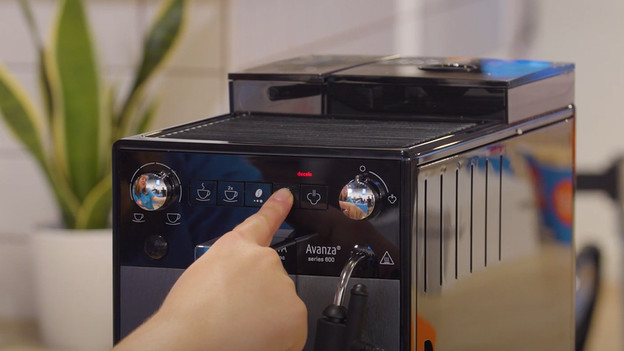
Step 1: prepare the descaling
- Press and hold the 'service' button for at least 3 seconds.
- Press the 'service' button repeatedly until the descaling program appears.
- Press and hold the 'service' button again for at least 3 seconds.
- Remove and empty the drip tray and coffee grounds container.
- Empty the drip tray and the coffee grounds container.
- Place the drip tray back in the coffee machine without the coffee grounds container. 7 . Place the coffee grounds container under the milk system.
- Remove the water tank.
- Take the water filter out of the water tank.
- Place the water filter in a container with tap water.
- Empty the water tank.
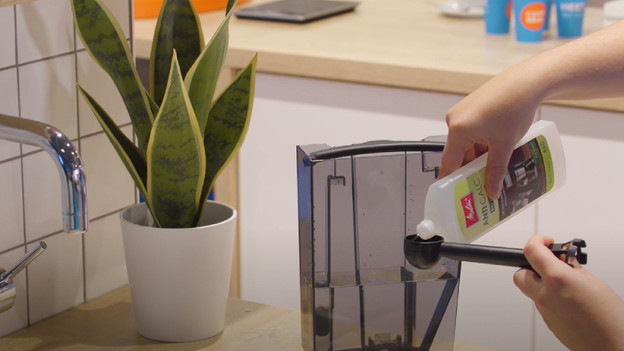
Step 2: descale the machine
- Fill the water tank with 500ml of tap water.
- Add 3 scoops of the Melitta Bio descaler to the water.
- Place the water tank back into the coffee machine.
- Twist the steam button to the right when the steam icon appears on the display.
- The machine will now start rinsing.
- Remove the drip tray and the coffee grounds container when the drip tray icon switches on and empty them.
- Place the drip tray back into the machine without the coffee grounds container.
- Place the coffee grounds container under the milk system.
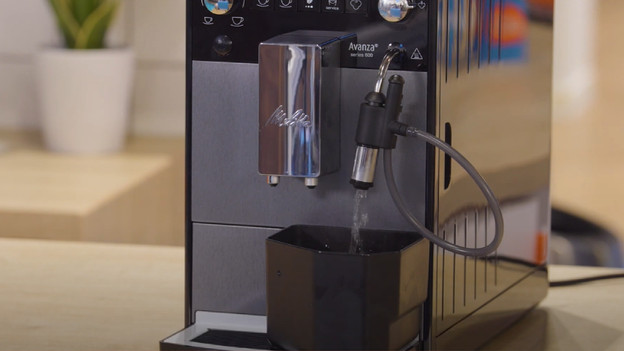
Step 3: rinse the machine
- Take the water tank out.
- Rinse the water tank and fill it with water until the 'Max' mark.
- Place the water tank back into the machine.
- The machine will now start rinsing.
- Twist the steam button to the left when the steam icon on the display switches on.
- Remove the drip tray and coffee grounds container and empty them.
- Place the drip tray and coffee grounds container back into the machine.
- Take out the water tank and place the water filter back.
- Place the water tank back into the machine.
- The machine is done with the descaling process.