Written by Sem
Edited on
12 March 2024
·
16:01
How do you download a PlayStation game via a code?
You purchased a PlayStation 5 and received a download key. You can redeem this key in 2 ways. We'll guide you step by step. That way, you can easily go through the installation without a problem.
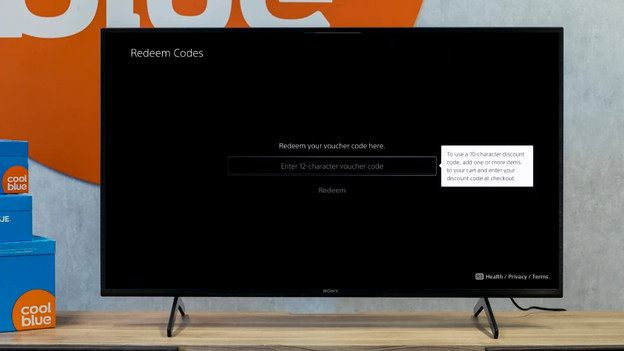
Redeem game code via 2 methods
You can easily redeem your game code via 2 methods. Go through the following steps, so you can get started with your game soon. Keep in mind that you can't return the products from your order once you've used this code.
- Method 1: via 'Settings'
- Method 2: via the PlayStation Store

Method 1: redeem your code via 'Settings'
The easiest way to redeem your game code is via the settings of your PlayStation. Go through the following steps to do this.
- Open the settings of your PlayStation via the cogwheel on the home screen.
- Go to 'Users and Accounts' and select 'Account'.
- Click 'Payments and Subscriptions' and go to 'Redeem code'.
- Enter your code and go through the steps on the screen.
Your download will start.

Method 2: redeem code via the PlayStation Store
You can redeem your code via the PlayStation Store too. Note: you need an internet connection to do so. Go through the following steps, so you can redeem your code quickly and easily.
- Open the PlayStation Store via the home screen of your PlayStation.
- Click the rectangle of your controller and select the 3 dots in the menu.
- Go to 'Redeem code' and enter your code correctly.
Go through the steps on the screen. The download will start after you redeem your code.