Written by Charlotte
Edited on
13 October 2025
·
14:26
How do you get your Philips 4300 EP4349/70 and 5400 EP5447/90 ready for use?
In this article, we'll explain how you can make your Philips coffee machine ready for use. In the video, we'll give step-by-step instruction how to adjust the water hardness and the AquaClean water filter. That way, you can make a fresh cup of coffee in no time.
Get started with the Philips 4300 and 5400
Follow the video instruction to make your coffee machine ready for use. We'll go through these steps:
- Step 1: connect the coffee machine to the power socket
- Step 2: fill the water tank
- Step 3: adjust the water hardness
- Step 4: rinse the machine
- Step 5: adjust the water filter
Requirements:
- Water hardness test strip
- AquaClean water filter
- Coffee beans
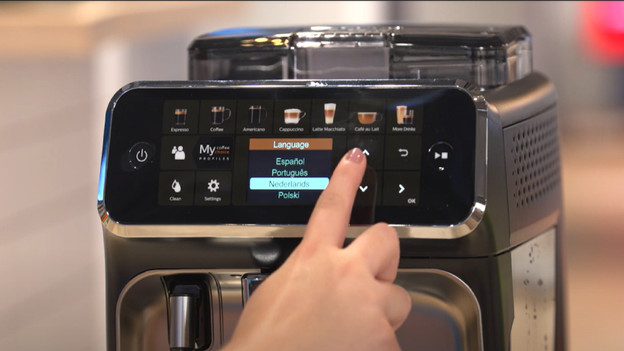
Step 1: connect the coffee machine
1: remove the protective film and stickers from the coffee machine 2: connect the machine to the power socket 3: remove the water tank from the machine, and fill it to the 'max' line, and place it back. 4: turn on the coffee machine 4: choose the language you want with the arrows, and save the right language
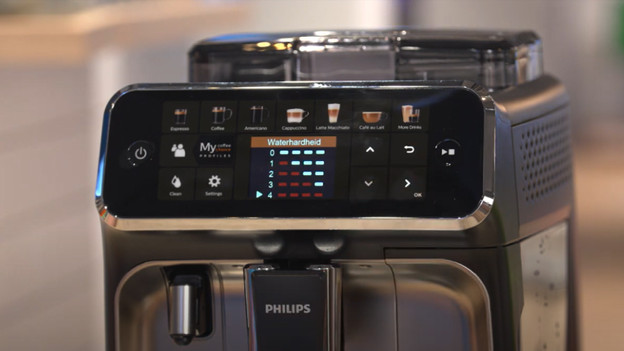
Step 2: adjust the water hardness
1: use the test strip from the box to adjust the water hardness 2: hold the strip under running water for 1 second 3: wait 1 minute and see how many colored lines there are. That way, you can easily check the water hardness 4: set the right water hardness via the arrows on the display 5: save the right number of colored lines 6: afterwards, the water circuit fills itself and will rinse 7: place a container under the coffee nozzle 8: the machine will now rinse with water
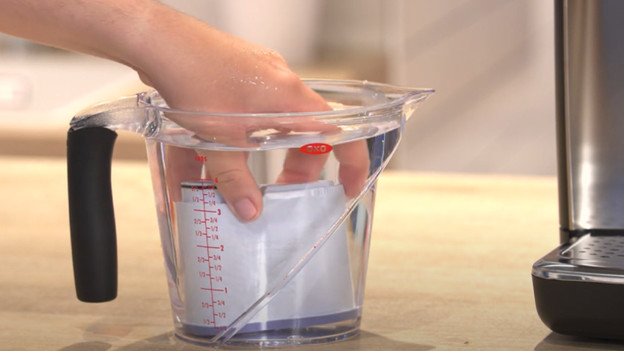
Step 3: install the water filter
1: use the AquaClean water filter from the box 2: take the water filter from the packaging and shake it for 5 seconds 3: put the filter in a container with water for 30 seconds 4: hold the water filter at an angle and squeeze it until all bubbles are gone 5: place the water filter in the water tank 6: fill the water tank and place it back in the machine 7: press the 'play' button. Place a mug or container under the coffee nozzle. The machine will now rinse for 1 minute 8: remove the lid from the bean hopper and fill it with coffee beans
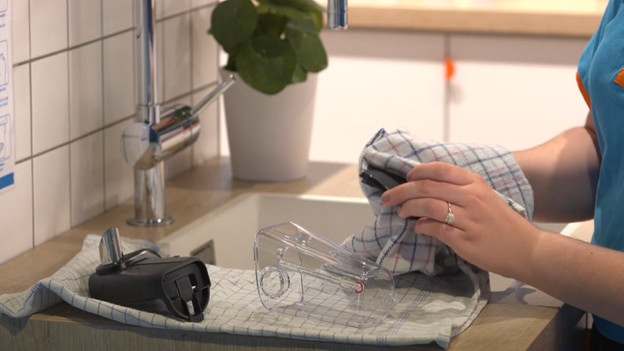
Step 4: put the milk system together
1: remove the plastic from under the milk reservoir 2: remove the other stickers 3: rinse all parts under the faucet 4: dry all parts and put the milk system together 5: place the milk reservoir back in the machine 6: the machine is now ready for use
How do you clean your Philips coffee machine?
Maintain your Philips machine to prevent blockage and malfunctions. This way, it'll also keep your coffee tasting the best. Take care of the following maintenance for your Philips machine:
- Clean milk system: daily
- Clean brew group: weekly
- Replace water filter: every 3 months
- Descale: every 1.5 years

