Written by Ruben
Edited on
19 January 2023
·
10:33
How do you get your Siemens EQ300 ready for use?
Before you make a fresh cup of coffee with your Siemens EQ 300, you need to make the coffee machine ready for use. You need to walk through various steps for this. On this page, we'll explain step by step how to set up the machine properly and what to do before first use. That way, you can soon enjoy a cup of coffee.
Get started with your Siemens EQ300
We'll explain how you get your Siemens EQ300ready for use step by step. These are the steps we'll go through:
- Step 1. Remove the protective foil
- Step 2. Turn on the coffee machine
- Step 3. Connect the steam wand
- Step 4. Fill the bean hopper
- Step 5. Fill the water tank
- Step 6. Set the water hardness
You need:
- 1.5L container
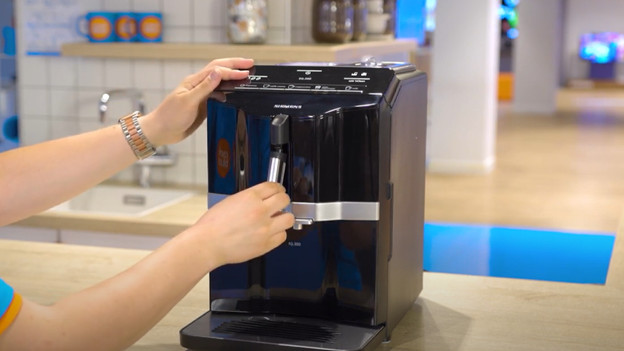
Step 1: connect the steam wand (for coffee)
- Plug in the socket.
- Remove the steam wand parts from the bag.
- Assemble the steam pipe.
- Connect the steam wand to the front of the appliance.
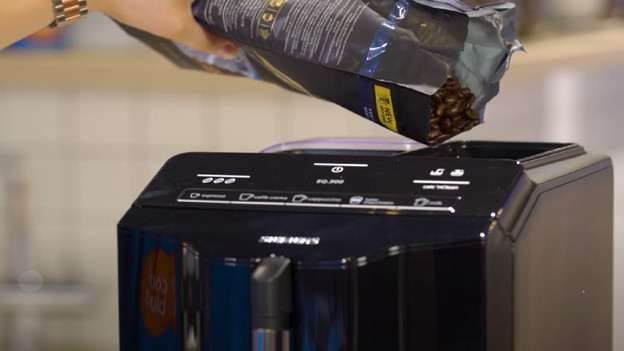
Step 2: fill the bean hopper
- open the lid.
- fill the bean hopper with coffee beans.
- close the lid.
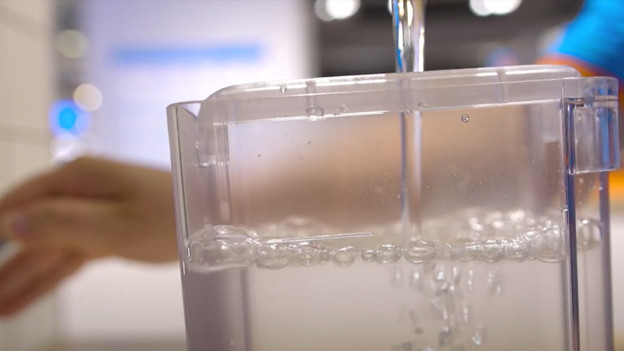
Step 3: fill the water tank
- Remove the lid from the water tank.
- Lift the water tank out of the machine and rinse it.
- Fill the water tank to the 'max' line with water.
- Put the water tank back in the holder and put the lid on.
- Place an empty container under the outlet and switch on the machine.
- The machine starts rinsing right away.
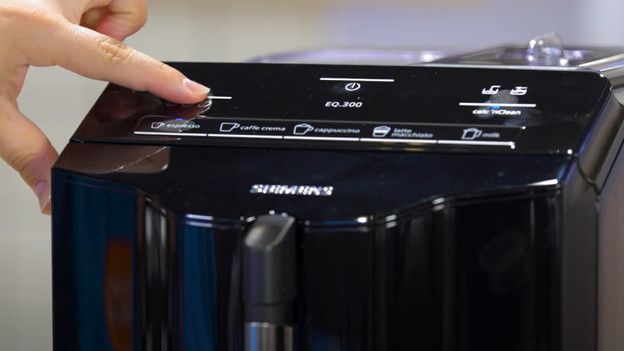
Step 4: adjust the water hardness
The water hardness is preset to level 4.
- Briefly dip the test strip in clean tap water.
- Allow the test strip to drain for 1 minute.
- The number of red boxes indicates the water hardness of your tap water.
- Press the button with the 3 coffee beans and 'Calc'nClean' at the same time for 3 seconds.
- Press the 'Espresso' button to activate the water hardness menu.
- Press the button with the 3 coffee beans and select the correct water hardness.
- The lights indicate the setting. Light 1 is water hardness 1, light 2 is water hardness 2, light 3 is water hardness 3, and all lights at the same time is water hardness 4.
- Press the 'Espresso' button to save the setting.
- Press the 'Calc'nClean' button to exit the menu.
- The machine is ready for use.
How often do you clean your Siemens coffee machine?
You can prevent blockages and defects if you clean your coffee machine in time. That way, you get the best coffee and take care of the coffee machine in a hygienic way. This is how you maintain it:
- Clean the milk system: after every preparation with milk
- Clean the brew group: once per month
- Replace the water filter: every 2 months
- Descaling: every 4 months or when the machine gives a notification.