Written by Charlotte
Edited on
13 October 2025
·
14:35
How do you get your De'Longhi PrimaDonna ready for use?
You'll have to go through a couple of steps to before your De'Longhi PrimaDonna is ready for use. On this page, we'll explain how to get the coffee machine ready for use step by step, so you can soon enjoy a cup of coffee.
Get started with your De'Longhi PrimaDonna
We'll explain step by step how to make your De'Longhi PrimaDonna ready for use. These are the steps we'll discuss:
- Step 1. Connect the machine to the power supply, and turn the coffee machine on
- Step 2. Fill the water tank and rinse the machine
- Step 3. Set the water hardness
- Step 4. Install the water filter
- Step 5. Connect the milk system
You need:
- 600ml container
- Water hardness test strip
- Water filter
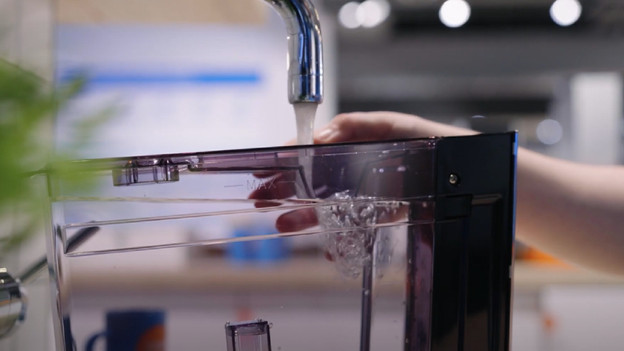
Step 1: connect the coffee machine
- Put the connector into the socket and press the main switch on the back of the machine.
- Remove the protective film from the machine.
- 'Select language' will appear on the display. Choose the language you want by selecting the right flag.
- Make sure the coffee grounds container and drip tray are placed correctly.
- Remove the water tank from the machine and fill it up to the 'Max' mark.
- Place the water tank back
- Connect the hot water outlet
- Put a container of at least 600ml under the hot water outlet.
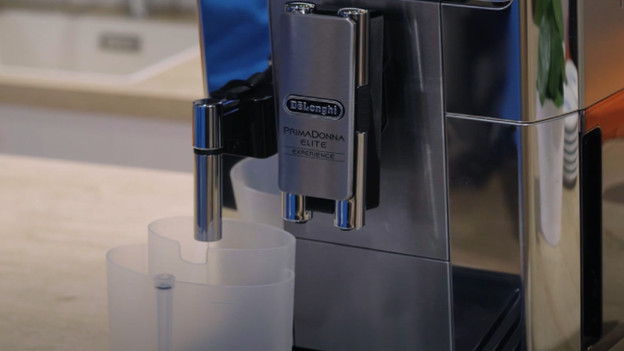
Step 2: rinse the machine
- Press 'OK' to confirm.
- Water will come out of the outlet of the coffee machine.
- The machine will turn off automatically after.
- Turn the machine back on with the 'ON/OFF' button.
- Leave the container under the hot water outlet and coffee outlet. The machine will rinse shortly.
- Remove the container.
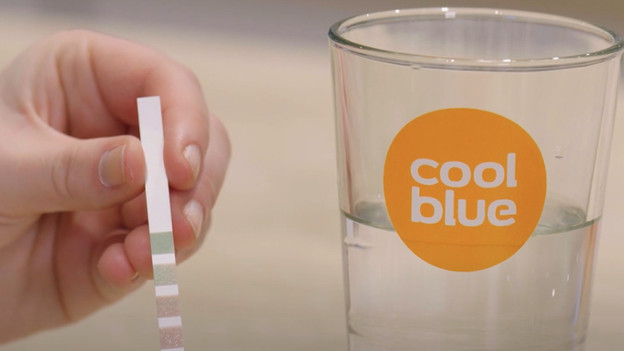
Step 3: set the water hardness
- Fill a glass with tap water and take the water hardness test strip from the English manual.
- Submerge the test strip for 1 second in the water.
- Shake the water off and wait for 1 minute for the result.
- The number of red boxes will indicate the water hardness.
- Press the cogwheel button to go to the menu. Use the right-arrow key to navigate to 'Water hardness'.
- Select the right water hardness by pressing level 1, 2, 3, or 4.
- Press 'Esc' to return to the home screen.
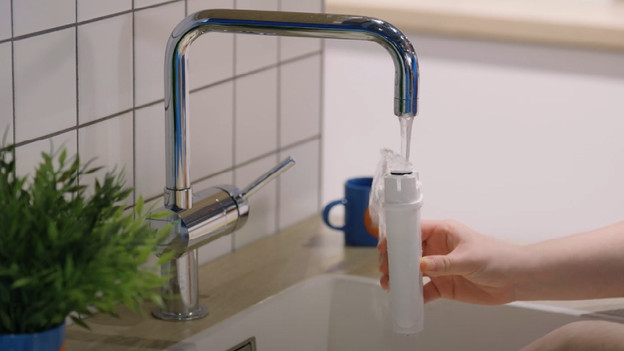
Step 4: install the water filter
- Take the water filter out of the packaging.
- Press the cogwheel button to go to the menu.
- Navigate to 'Water filter' and press 'OK' to confirm.
- Scroll the date dial to 2 months ahead and press 'Next'.
- Hold the water filter upside down under flowing water until water comes out of the openings sideways. Press 'Next'.
- Take out the water tank and submerge the water filter for 10 seconds. Squeeze the water filter until all the air bubbles escaped. Press 'Next'.
- Place the water filter in the water tank, press it firmly, and press 'Next'.
- Place the water tank back into the machine.
- Place a container of at least 600ml under the hot water outlet and press 'OK' to confirm.
- Remove the container when the machine is done rinsing.
- The water filter has now been activated.
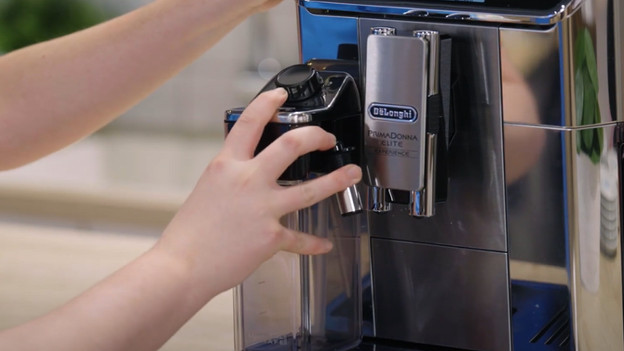
Step 5: connect the milk system
- Remove the hot water outlet. Pull it towards you while pressing the unlock button.
- Place the milk reservoir and press it firmly.
- The coffee machine will produce an audio signal when it's placed correctly.
- Your De'Longhi PrimaDonna is now ready for use.
How often should you clean your De'Longhi coffee machine?
You can prevent blockages and defects when you clean your coffee machine in time. That way, you get the best coffee and use the coffee machine in a hygienic way. Perform the following maintenance:
- Clean milk system: daily
- Clean brew group: weekly
- Replace water filter: every 2 months
- Descale: every 4 months
Suitable for all De'Longhi coffee machines | Milk cleaner | 3 water filters | Descaler
56,-
