Written by Ruben
Edited on
13 October 2025
·
14:57
How do you place the water filter in your De'Longhi ECAM 23.406.SB?
In this article, we'll show you how to install the water filter in your De'Longhi ECAM 23.460.SB. By placing a water filter, you prevent limescale in the pipes of the coffee machine. That's important, because you can prevent defects and extend the lifespan of your device. To ensure proper operation, replace the water filter every 2 months. The De'Longhi water filter fits best in your De'Longhi coffee machine.
Get started with placing the water filter
Easily follow the video instructions to place the water filter into your coffee machine correctly. For the overview, we've listed the steps here:
- Step 1. Put the date on the water filter 2 months ahead and place the filter into the water tank. Step 2. Install the water filter and rinse it.
You need:
- De'Longhi water filter
- 500ml container
How often should you replace the water filter?
You replace your water filter every 2 months, or when you coffee machine notifies you. That always depends on the hardness of your tap water, and how many cups of coffee you drink per day.

13,99
Step 1: prepare the water filter
- Set the round dial on the water filter 2 months ahead.
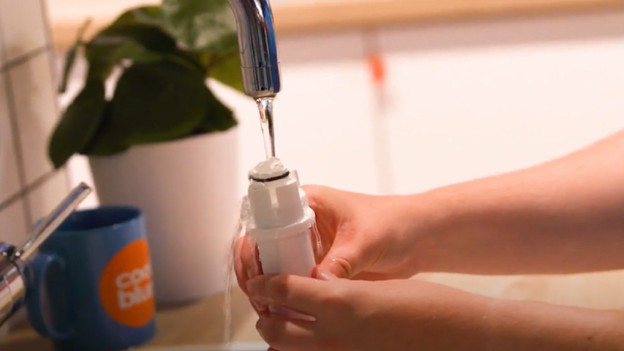
- Hold the water filter under the faucet for one minute until the water streams out of the openings sideways.
- Remove the water tank from the machine and fill it with water.
- Place the water filter in the tank and completely submerge it for about 10 seconds until air bubbles escape.
- Place the water filter in the designated sport and press it firmly.
- Close the water tank with the lid and place it back into the machine.
Step 2: install the water filter
- Press the 'P' button to enter the menu of your coffee machine.
- Turn the dial until 'Install filter' appears on the display, and press the button with the tap.
- Press the button with the tap again to confirm.
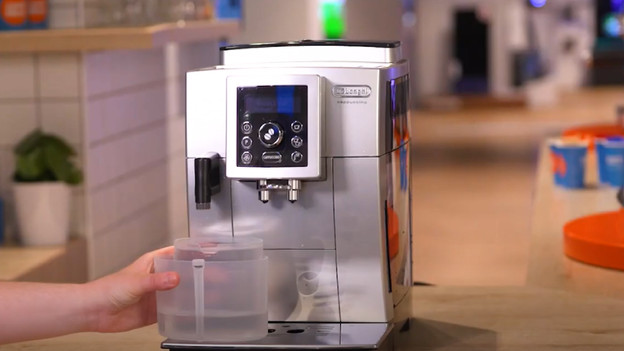
- Place the container of at least 500ml under the hot water outlet and press the button with the tap again to start rinsing.
- When the machine is done rinsing, it's ready for use.
Get all the maintenance products you need
- De'Longhi Maintenance Package 0.5 Year
Maintain your machine for half a year.
Extends the lifespan and prevents defects.
More affordable to purchase than separate products.
From
55,-
- De'Longhi Maintenance Package 1 year
Maintain your machine for 1 year.
Extends the lifespan and prevents defects.
More affordable then 2 maintenance packs of half a year.
From
109,-


Article by Ruben
Coffee Machine Expert.