
Written by Charlotte
Edited on
30 August 2022
·
12:16
How do you turn off the blinking descaling light on your fully automatic?
Does the descale light stay on after your coffee machine has been descaled? You haven't rinsed your fully automatic espresso machine with enough water. So rinse your machine with fresh water. Doesn't this help? Descale it again without a descaling agent. You may have skipped a step. We'll explain how to solve this problem.

Turn off the descaling light
We'll explain you how to make sure the descale light stops coming on after descaling your coffee machine.
- Step 1. Repeat the last step of descaling.
- Step 2. Repeat the descaling process without descaling agent.
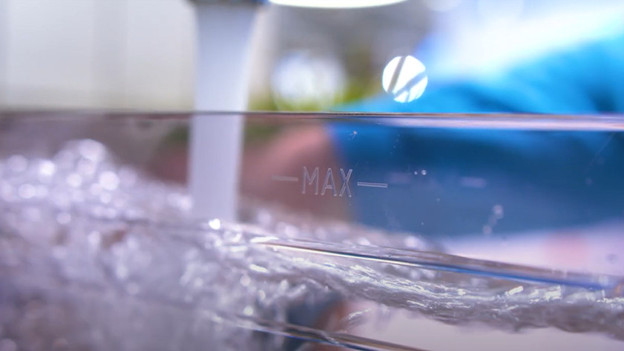
Step 1: repeat the rinse
If the descaling light is still on, the machine hasn't been rinsed with enough water after using the descaling agent. We recommend that you flush the machine with fresh water.
- Remove the water tank from the machine and fill it to the 'max' mark with tap water.
- Go to 'settings' and rinse the machine with water.
- Place a container of at least 1.5L under the hot water and coffee spouts.
- When the machine has finished rinsing, empty the collection tray and fill the water tank again with tap water.
- If all went well, the light won't be on anymore.
Check your manual to go through the exact steps.
Step 2: descale it again

Finish the descaling process
If rinsing doesn't help, the descaling process probably went too fast or a necessary step was skipped. As a result, the machine doesn't recognize the descaling process and doesn't register the descaling process as 'completed'. Follow these steps to fix your problem. We assume you've used the descaler, if this isn't the case, perform the complete descaling process first. Check the manual of your coffee machine.

Go through the descaling process
Remove the water tank from the machine. Fill it half full of water and place it back in the machine. Start the descaling process. Place a container of at least 1.5L under the hot water and coffee spouts and press 'OK' to start the descaling process. The machine now starts the descaling process, which takes 20 to 30 minutes. As soon as the message 'Fill water tank' appears, rinse the water tank under the faucet and then fill it with water. Empty the container and place it under the hot water spout again. Press 'OK' to resume descaling. The machine will now rinse with water. When the rinsing cycle is complete, fill the water tank again with fresh water. The descaling light will now turn off.
Article by Charlotte
Coffee Machine Expert.
