
Written by Charlotte
Edited on
27 January 2025
·
13:10
How do you turn off the blinking light on your Nespresso?
The orange light on your Nespresso Original won't stop blinking. In this article, we'll explain how to turn the light off. For example, by checking if the lever is properly closed or if the coffee capsule is placed correctly.
Turn off Nespresso light
- Step 1. Check if the lever is properly closed.
- Step 2. Check if the coffee capsule is placed correctly.
- Step 3. Empty the container.
- Step 4. Refill the water tank and push the button for coffee.
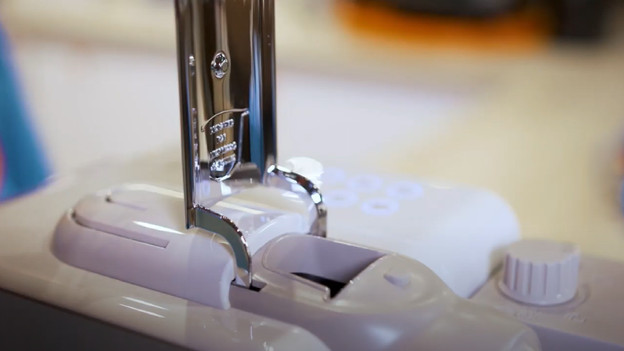
Step 1: check if the lever is properly closed
Check if the lever is properly locked in place. You close it after inserting a coffee capsule into the machine. If the lever isn't properly closed, the light might blink irregularly.
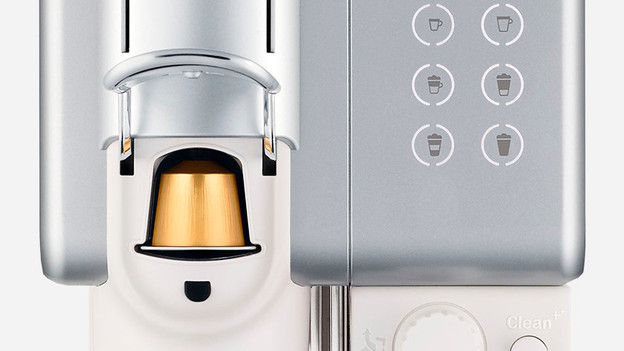
Step 2: check if the capsule is placed correctly
Open the lever and check if the coffee capsule is placed correctly. Remove the capsule and put it back in the machine. Press the button to brew a cup of coffee. Does the machine still not work? Grab a different capsule and try again.
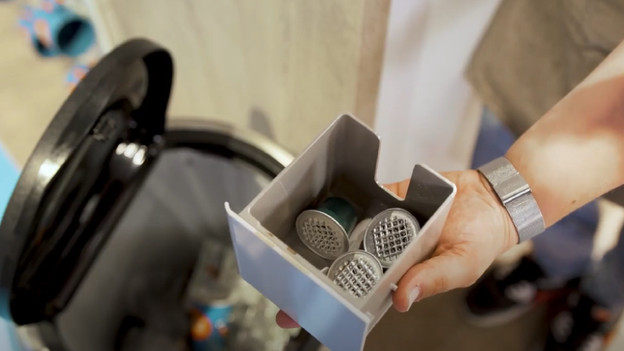
Step 3: empty the container
The container might be full. Empty the container, just to be sure. That way, the coffee capsules can't get stuck in the machine.
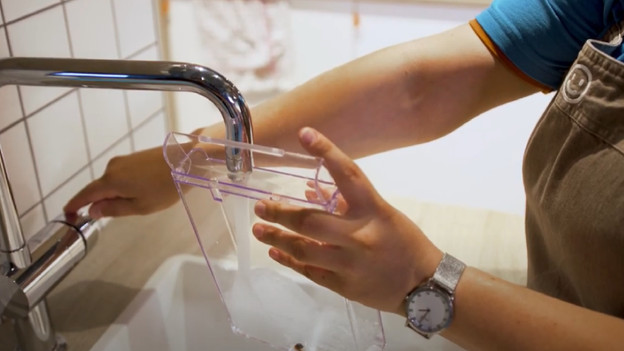
Step 4: refill the water tank
Refill the water tank to the line that indicates the maximum capacity and press the button to brew a coffee. You don't have to put a capsule into the machine. The machine should now be restored.
Do the solutions above not work? The machine might be defect and has to be looked at. Contact Nespresso for this.
Article by Charlotte
Coffee Machine Expert.
