Written by Lucinda
Edited on
4 May 2023
·
10:14
5 tips for a longer battery life of an iPhone on festivals
If you've ever been to a festival, you've probably seen one of the very sparse phone charging points that are always occupied. And let's be honest, no one wants to sit there while there's a whole festival to explore. That's why in this article, I'll give you 5 tips to make sure your iPhone's battery can last as long as possible.

Tip 1: put your iPhone in energy-saving mode
I can extend my iPhone's battery life by switching on the energy-saving mode. This mode makes certain functions more energy-efficient or stops them. For example, my email isn't automatically refreshed and the visual effects while navigating on my iPhone are reduced. You can find this mode in Settings under 'Battery'. Here you can switch energy-saving mode on and off.

Tip 2: bring your power bank
Power outlets are always scarce on a festival. And let's be honest, no one wants to wait in line just to wait even longer for their iPhone's battery to recharge. I'd rather go explore the festival grounds. That's why I make sure to always bring a fully charged power bank. With a power bank with a 10,000mAh capacity, I can fully charge my iPhone about 3 times.

Tip 3: manage your apps
Some apps are less eco-friendly than others. I close and limit the use of any applications that use a lot of power and that I don't need during the festival as much as possible. I can find an overview of all applications and their battery consumption in the settings. I just go to 'Battery' and scroll down to view the battery consumption per app.
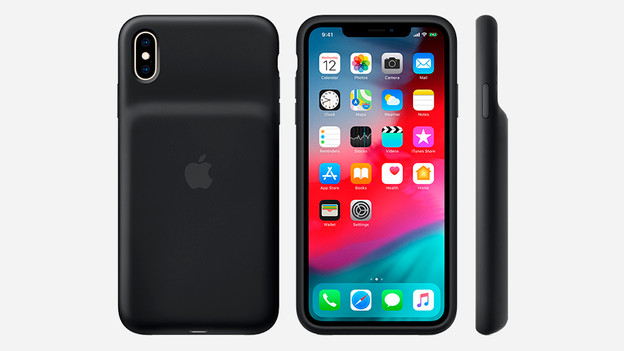
Tip 4: use the smart battery case
If you're worried about losing your power bank while you're partying, there's always another solution: the smart battery case. It's a power bank and a phone case combined. It protects my iPhone from drops, impacts, scratches, and dirt while charging the battery at the same time. It also takes up less space in my fanny pack, which is great, because I don't want to be lugging around a lot of stuff on a festival.

Tip 5: put your iPhone in airplane mode
In airplane mode, my iPhone switches off all connections, so I no longer have any Bluetooth, WiFi, or GPS connection. And those are exactly the things that cost a lot of power. If I want to share a few videos with my friends on Snapchat, I just temporarily switch off airplane mode. Sending everything at once is less taxing for my battery than constantly leaving my connections on. In the control panel, I press the airplane icon to switch airplane mode on and off.
Article by Lucinda
Apple Expert.