Written by Jesper
Edited on
19 November 2024
·
09:19
What is Android Auto and what's in it for you?
With Android Auto, you can safely use your smartphone via the built-in screen of your car. This allows you to easily skip a song from your playlist or send a voice memo, for example. This means you can keep your eyes on the road. In this article, we'll explain what you can do with Android Auto and what you need to be able to use it.

Use your smartphone on the display of your car
Android Auto is a simple Android version you can display on the screen of your car. This version focuses on easy controls and as few distractions as possible, so you can keep your eyes on the road. Because it connects to your smartphone, you can easily keep the apps up to date. You can see all the information that's important when you're driving at a glance. And the controls are as safe as possible. Skip a song with a touch of the button, or be even safer and do it with a voice command thanks to the Google Car Assistant.
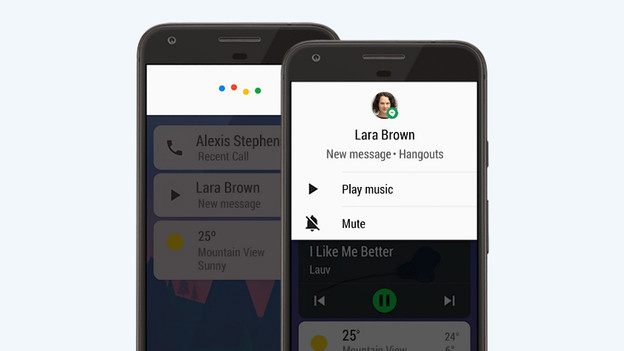
Respond to messages and make calls hands-free
With Android Auto, you can stay in contact with your colleagues or friends on the go. WhatsApp, Messenger, and Telegram are examples of communication apps that the Google operating system for in the car supports. You can see incoming messages in a clear overview in the notification center. This way, you can quickly check them when you're not driving. In addition, you can have the Google Assistant read them to you and respond safely with a voice command. Prefer to make a phone call? Call one of your contacts with a touch of the button.

Navigate with your favorite navigation apps
Navigation via Android Auto has a number of advantages. You can choose your favorite navigation app and aren't forced to use the outdated navigation system of your car. Choose Google Maps or Wize, for example. Thanks to the connection to your smartphone, the apps are always up to date. You can also link certain apps. This way, you can easily navigate to your next meeting in your calendar, for example. You can use Google Assistant for useful navigation tools. You could say "Hey Google, navigate to the closest gas station", for example.
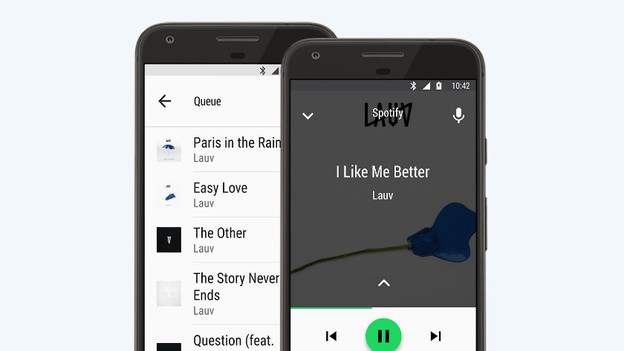
Control your entertainment
Play music, listen to a podcast, or play an audio book. It's easy with Android Auto. You can easily control all your entertainment with your voice. Say "Hey Google, read Harry Potter and the Prisoner of Azkaban", for example. Google Auto supports entertainment apps like Spotify, YouTube Music, Google Audio Books, and more.
Check whether you can use Android Auto
You need 3 things to use Android Auto.
- A car that supports Android Auto.
- An Android smartphone with Android 6 or higher and a data plan on your phone.
- A good USB cable to connect your smartphone to the system. Only a few cars support Android Auto Wireless.
If your smartphone has Android 9 or lower, you have to install the Android Auto app. Devices with Android 10 already have integrated Android Auto.
Conclusion
With Android Auto, you can use certain smartphone functions on the display of your car while you're driving. The simplified version of the Android operating system only shows what you need, and in a clear overview. This allows you to focus on the road and safely drive from point A to point B. Stay in contact with your colleagues and friends and respond to messages with voice commands. You can use your favorite navigation app and control your entertainment with a touch of the button or with Google Assistant.
Article by Jesper
Phone Expert.