Written by Stan
Edited on
28 December 2022
·
11:19
What do the WiFi symbols on my Bose SoundTouch speaker mean?
When the Bose SoundTouch speaker connects to your WiFi network, you'll see a WiFi signal on the display of your speaker. This signal on your speaker can be displayed in different ways. This article explains the meaning of each WiFi symbol.

Dimmed flashing white
A dimmed flashing white wifi logo means that your speaker still needs to be connected to a Wi-Fi network.
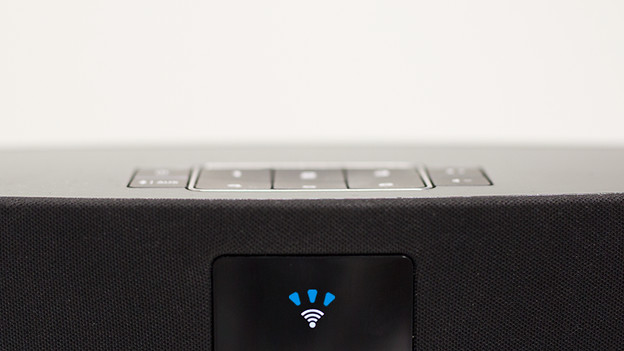
Flashing white
A blinking white wifi signal on the display of your Bose SoundTouch speaker means that the speaker is connecting to your chosen Wi-Fi network.
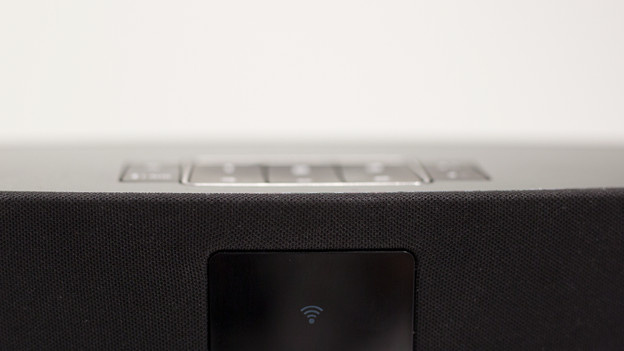
Dimmed completely white
The Bose SoundTouch speaker is switched off, but still connected to your Wi-Fi network.

Bright completely white
The Bose SoundTouch system is on and connected to your Wi-Fi network.

Blinking orange
The connection to your Wi-Fi network is lost when the Wi-Fi logo flashes orange on your speaker.

Completely orange
A full orange wifi logo means that the Bose SoundTouch speaker is in set up mode. The speaker is now easier to find for your chosen Wi-Fi network.

No wifi signal
There is no wifi signal to see if your speaker is connected to an internet cable (ethernet). Also, there is no signal to be seen if the speaker is not connected to the socket.