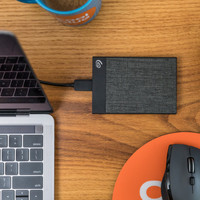
Seagate Expansion Desktop 4TB

Never available again
View alternatives in the sidebar
View alternatives in the sidebar
Product number | 609354 | |
|---|---|---|
Manufacturer code | STEB4000200 | |
Brand | Seagate | |
Processing of your defect | Carry-in warranty | |
Old product returned for free |
Total storage capacity | 4 TB | |
|---|---|---|
Cache memory | 64 MB | |
Hard drive type | 3.5 inches | |
Formatted for operating system | Windows |
Shockproof | ||
|---|---|---|
Dustproof | ||
On/off switch | ||
Backup feature | ||
Protected memory (USB) | ||
Recommended for use | Making a backup, Store photos and videos |
Width | 12 cm | |
|---|---|---|
Depth | 17,6 cm | |
Height | 3,7 cm | |
Weight | 950 g | |
Color | Black | |
Material | Plastic |
USB port | ||
|---|---|---|
Type of USB port | Micro USB-A | |
Thunderbolt connector |
Total storage capacity | 4 TB | |
|---|---|---|
Hard drive type | 3.5 inches | |
Formatted for operating system | Windows | |
Type of USB port | Micro USB-A | |
Backup feature | ||
Color | Black |
According to our external hard drive HDD expert
Thanks to the USB 3.0 cable connection, you can transfer files ten times faster than with the slow USB 2.0.
The drive is easy to install and can be used with multiple devices via plug and play.
The drive saves power when not in use.
The hard drive is powered via a socket.
The Seagate Expansion Desktop 4TB is an external hard drive for your desktop PC. Thanks to the fast USB 3.0 connection, you can drag and drop vacation photos, movies, and music files from your computer to the external drive within seconds. Because this drive is plug and play, sharing these files with other computers is just as easy. Simply connect this model to any desktop or laptop with a USB 2.0 or USB 3.0 port, and the drive will be ready to use. What if the device is connected, but isn't being used? In that case, it'll switch to an energy-saving mode automatically.
I use it myself as storage for my media server (DLNA) for which it is perfect. I stressed it on normal use; streaming on 2 devices , 5 downloads plus internal overwriting he pulled with ease.
Transferring files was done at a speed of 60 to 80 MB/s. Internal overwrite was a bit slower at about 30 MB/s. No speeds to write home about but fine for regular use.
The 2 most common (in reviews) products are sound and build quality.
Sound: Didn't bother me at all, but it is also possible because my laptop already sounds like a Boeing 747 taking off, so I may not notice it.
Build quality: Well, it's not an outdoor product. I didn't drop it (also intentionally standing on the floor) but I suspect it won't survive a fall from an average desk. Do you have clumsy children or a busy dog? Then make sure the drive is out of reach.
Note: all storage products have less storage than advertised this product is no exception and 4 TB is about 3.7 in reality
Jesse
20 March 2018
Automatically translated from Nederlands
The moment the Seagate is connected to the Playstation 4, it immediately gives the option to format. After the format, the Seagate is immediately ready for use. Transferring data from the internal hard drive to the Seagate is quite fast.
Cees Peterson
12 September 2017
Automatically translated from Nederlands
put new hard drives in my computer and used the Seagate as temporary storage and now as a backup. Looks nice. Makes no noise. Feels solid.
marjolein annegarn
3 May 2016
Automatically translated from Nederlands