Microsoft Office Home and Student 2016 NL
Never available again
View alternatives in the sidebar
View alternatives in the sidebar
According to our office software expert
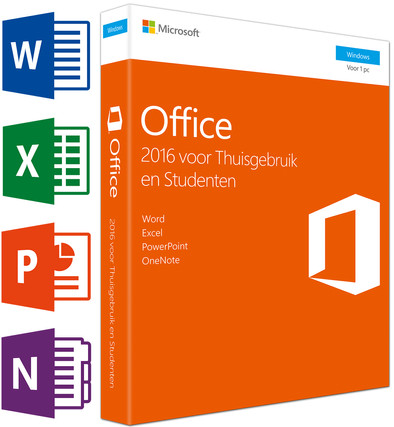
Complete your computer with Microsoft Office Home and Student NL. With this package, you have the latest versions of Word, Excel, Powerpoint, and OneNote at your disposal. You can install it on 1 computer or laptop. This means that the package is suitable for 1 user. This package contains a permanent license. That way, you don't have to remember to extend the license. Edit files from your computer, or access them online via OneDrive. With Excel, you keep an overview of your accounting and administration. With OneNote, you can take notes in the lecture hall or during meetings. This version doesn't contain Outlook. If you want Outlook, you may want to consider Microsoft Office Home and Business 2016.
License type | Permanent | |
|---|---|---|
Microsoft Office programs | Microsoft Excel, Microsoft OneNote, Microsoft PowerPoint, Microsoft Word | |
User type | Personal | |
Menu language | Dutch |
5 stars
142
4 stars
73
3 stars
12
2 stars
3
1 star
6
Pay a bomb for the privilege a year of Microsoft ill-considered click-hell of menus By getting to wrestle. And at the end of the year you can pay again. Alternatives like LibroOffice are just as less user-friendly, but at least they are free.
Until recently, I was still using my old faithful installation of Office 97 and the comparable - but free - LibreOffice in terms of user-friendliness and functionality. I was very unpleasantly surprised that Office has improved little or not in 20 years, while it has become outrageously more expensive. After 20 years I've really got O97 out of it, but I think this guy will just install it again on this new PC at the end of this year.
Aart (Delft)
27 April 2017
Automatically translated from Dutch
The only reason we bought this is because my wife occasionally needs the Office package for her studies. We ourselves have been a fan of Google products for years, and we use the free alternative Google Docs (my wife also has a Chromebook, hence) This is a great and better alternative for basic use than the junk from Microsoft. Unfortunately, Google Docs is still a bit too limited for more extensive functions, so unfortunately we had to purchase this package.
Floris Boersma
24 January 2016
Automatically translated from Dutch
Familiar and up to date in terms of features. Works smoothly. Watch out. By default, the 32-bit version is downloaded. For the 64 bit version you do not have to download and choose custom installation. So be careful with 64 bit Windows version!
Fred Delpeut
1 December 2016
Automatically translated from Dutch
To get started with Microsoft Office 365 or Microsoft Office 2016, you need software. This is available via the Microsoft website. Go to instruction manual, to read exactly how to do this.

Product number | 649406 | |
|---|---|---|
Manufacturer code | 79G-04757 | |
Brand | Microsoft | |
Warranty | 2 years | |
Processing of your defect | Carry-in warranty |
Microsoft Office edition | Home and Student | |
|---|---|---|
Microsoft Office programs | Microsoft Excel, Microsoft OneNote, Microsoft PowerPoint, Microsoft Word | |
Data carrier | License code (no software) | |
License type | Permanent | |
Number of licenses | 1 | |
Number of users | 1 | |
User type | Personal | |
Menu language | Dutch |
Computer platform | PC (Windows) | |
|---|---|---|
Compatible with Windows version | Windows 10, Windows 7, Windows 8, Windows Server 2008 | |
Required internal memory (RAM) | 2 GB | |
Required hard drive space | 3 GB | |
Required processor | 1 GHz |
