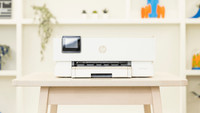
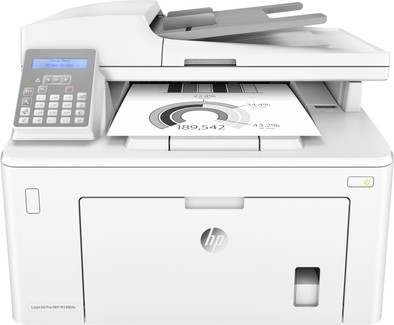
HP LaserJet Pro MFP M148fdw
Never available again
View alternatives in the sidebar
View alternatives in the sidebar
Product number | 824505 | |
|---|---|---|
Manufacturer code | 4PA42A#B19 | |
Brand | HP | |
Processing of your defect | Via Coolblue | |
Old product returned for free |
Printer size | Large | |
|---|---|---|
Width | 40,3 cm | |
Depth | 40,7 cm | |
Height | 31,15 cm | |
Color | White | |
Weight | 9,88 kg |
Printer type | All-in-one | |
|---|---|---|
Photo printer | ||
Portable (mobile use) | ||
Recommended for use printers | Business printing |
Toner cartridge line | HP 94 | |
|---|---|---|
Print technology | Laser | |
Number of cartridges/toner cartridges | 1 | |
Color printer | ||
Print speed black (ISO) | 28 ppm | |
First black page ready after | 6,8 seconds | |
Speed class | Very good | |
Maximum print resolution height | 1200 dpi | |
Maximum print resolution width | 1200 dpi | |
Maximum print size | A4 | |
Automatic duplex printing | ||
Borderless printing | ||
Maximum print size duplex printing | A4 |
Scan functionality | ||
|---|---|---|
Maximum optical scan resolution width | 1200 dpi | |
Maximum optical scan resolution height | 1200 dpi | |
Scanner type | File scanner, Flatbed scanner | |
Maximum scan size | A4 (21x29.7cm) | |
Automatic document feeder (ADF) | ||
Maximum paper size ADF | A4 | |
Scan sizes | A4 | |
Scan speed (PPM) | 15 ppm | |
Color depth output | 256 bpp | |
Scan to | Google Docs, PC (local), Printer | |
ADF capacity | 35 | |
OCR |
Copying functionality | ||
|---|---|---|
Copy speed black (ISO) | 28 Hz | |
Maximum copy resolution height | 600 dpi | |
Maximum copy resolution width | 600 dpi |
Fax functionality | ||
|---|---|---|
Color fax |
Built-in screen | ||
|---|---|---|
Color screen | ||
Touchscreen |
Suitable for HP+ |
|---|
Compatible with operating system | Windows, macOS | |
|---|---|---|
Connection type | Wired, Wireless | |
Apple AirPrint | ||
Email print | ||
WPS (Wireless Protected Setup) | ||
Female standard USB-A port version | 2.0 | |
Number of Ethernet ports | 1 | |
NFC | ||
Built-in WiFi | ||
WiFi direct | ||
Bluetooth | ||
USB port |
Manual input tray | ||
|---|---|---|
Photo paper drawer | ||
Output capacity output drawer | 150 | |
Maximum print size standard paper tray | A4 | |
Input capacity standard paper tray | 250 | |
Number of standard paper trays | 2 |
Memory card reader |
|---|
Print technology | Laser | |
|---|---|---|
Printer type | All-in-one | |
Color printer | ||
Automatic duplex printing | ||
Maximum print size | A4 | |
Automatic document feeder (ADF) | ||
WiFi direct |
According to our printer expert
It's a 4-in-1 printer, so you can scan, copy, and fax in addition to printing.
The printer's print speed in black and white is 28 pages per minute, so you don't have to wait long for your print.
The input capacity is 250 sheets, so you don't have to refill the paper often.
It's not possible to print in color with this printer.
The HP LaserJet pro M148fdw is an all-in-one black-white laser printer, which means this printer doesn't only print, it also scans, copies, and faxes. Thanks to a high print speed of 28 pages per minute (ISO) and a paper capacity of 250 sheets, you can print large quantities. Because the printer features many functions and is able to print large volumes, it's highly suitable for medium-sized to large office spaces. Toners are also cheaper than ink cartridges and they will last longer. You can wirelessly print and scan to your PC, smartphone, or tablet via WiFi direct, Google Cloud Print, or Apple AirPrint. Thanks to automatic duplex printing, you don't have to turn the pages one by one.
Installation ease
Options
Print quality
Product is fine, unpack and print. Only setting up the Wifi did not work the first time. read how to do that.
Ralf Jenniskens
29 January 2019
Automatically translated from Nederlands
Good for business use, always standby, quick response and printing
Kristoff De Laeter
25 January 2020
Automatically translated from Nederlands
good printer replaces a color printer that I didn't use anyway
Richard Huijgen
21 May 2019
Automatically translated from Nederlands